PM75 Android 11 User Manual
Scanner
51
© 2021 Point Mobile Co., Ltd. All rights reserved
ScanSettings
When the scanner is turned on, scanner setting menus will be displayed.
ScanSettings
consists of
Basic
Options
Notification
Wedge
Symbologies
About
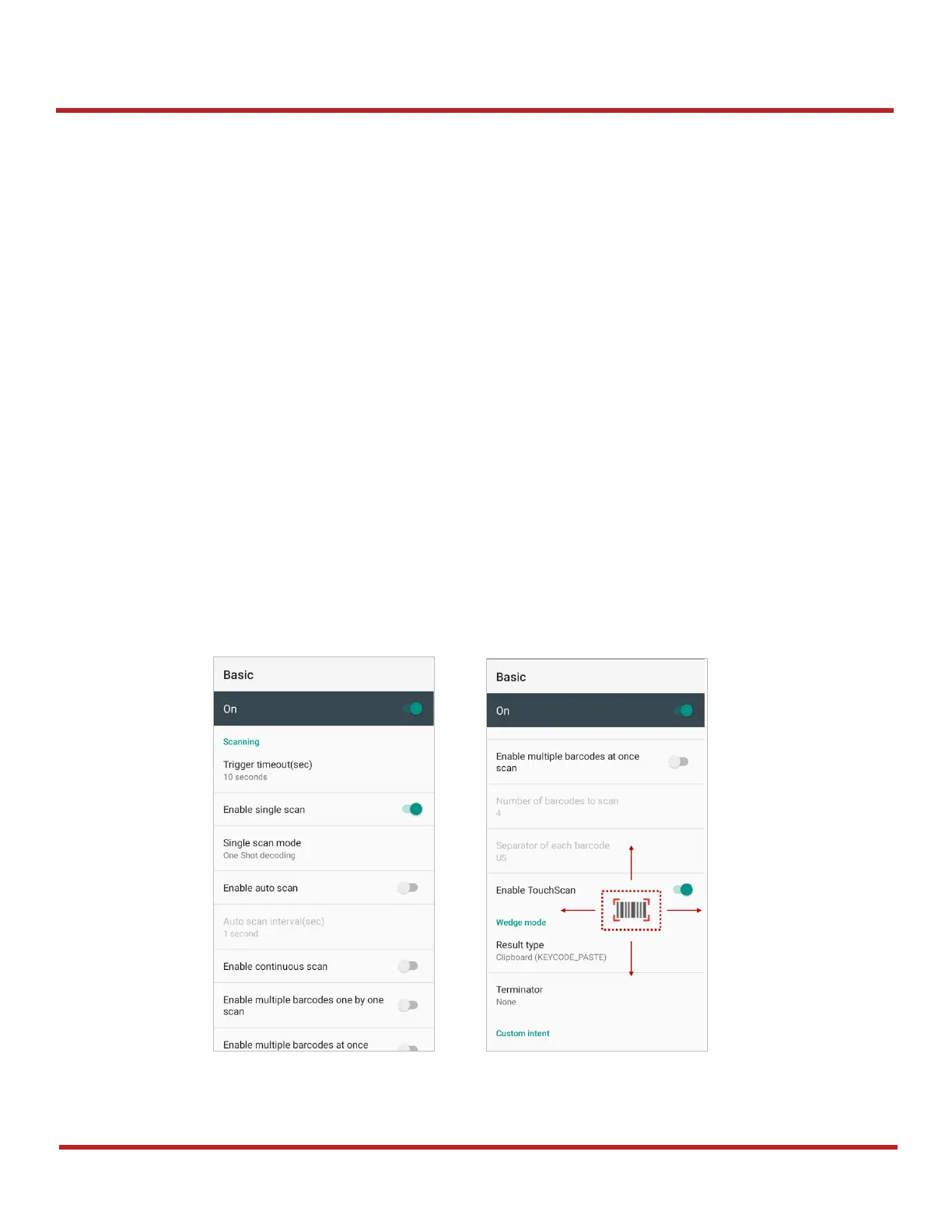
Basic
Control the scanning options and wedge mode options.
1. Scanning
-
- Enable or disable the TouchScan, which is a software scanner button. Place a scan icon
in any position and tap the icon to read a barcode.



 To Next Page