PM75 Android 11 User Manual
Wireless
65
© 2021 Point Mobile Co., Ltd. All rights reserved
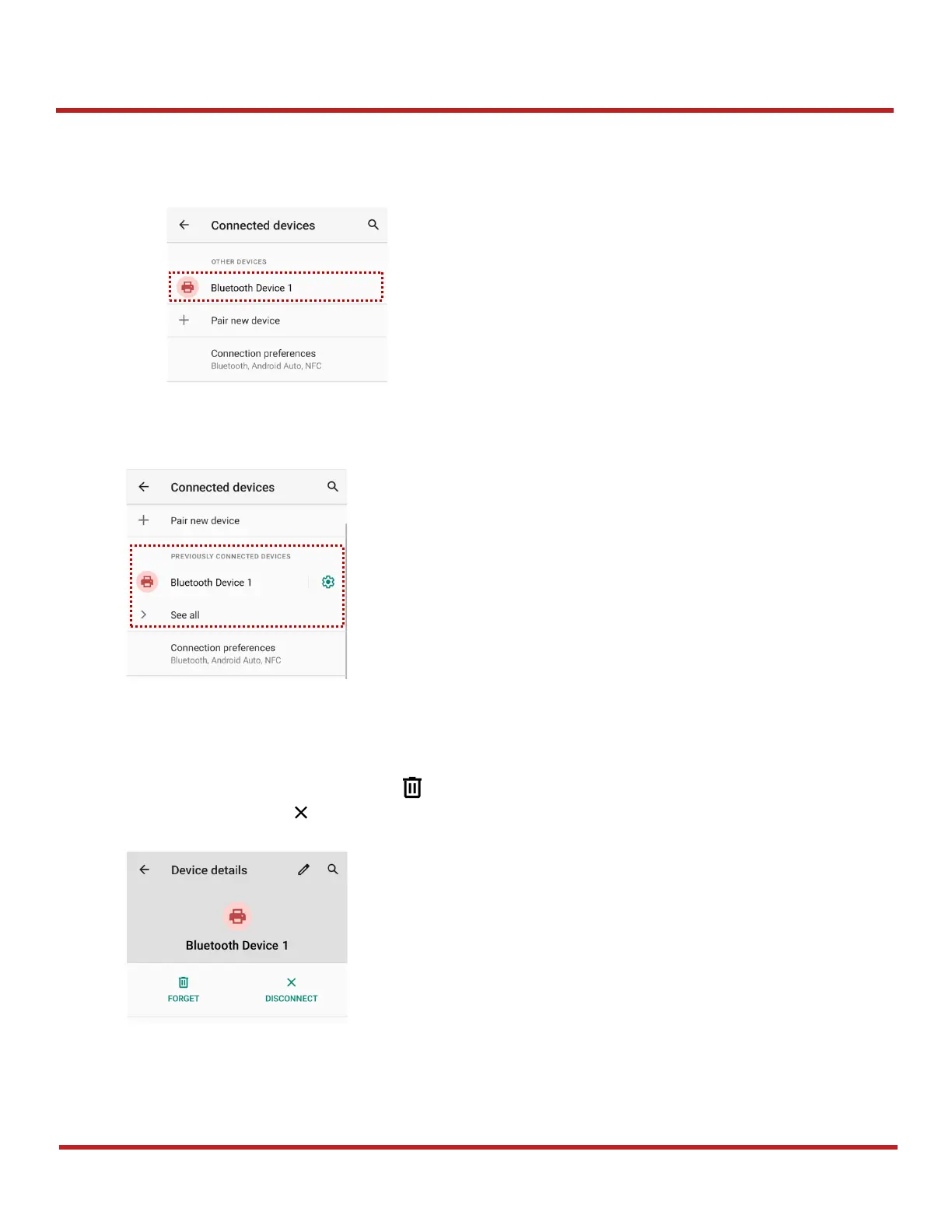
5. When the connection is succeeded, the connected device name is listed in
CURRENTLY
CONNECTED
To connect a device previously connected, select the device name from the
PREVIOUSLY
CONNECTED DEVICES
list.
Unpair and Disconnect
To unpair the device, select the name of the device you want to unpair from
CURRENTLY
CONNECTED
list and tap
FORGET
.
Or tap
DISCONNECT
to disconnect only and not unpair.



 To Next Page