PM75 Android 11 User Manual
50
© 2021 Point Mobile Co., Ltd. All rights reserved
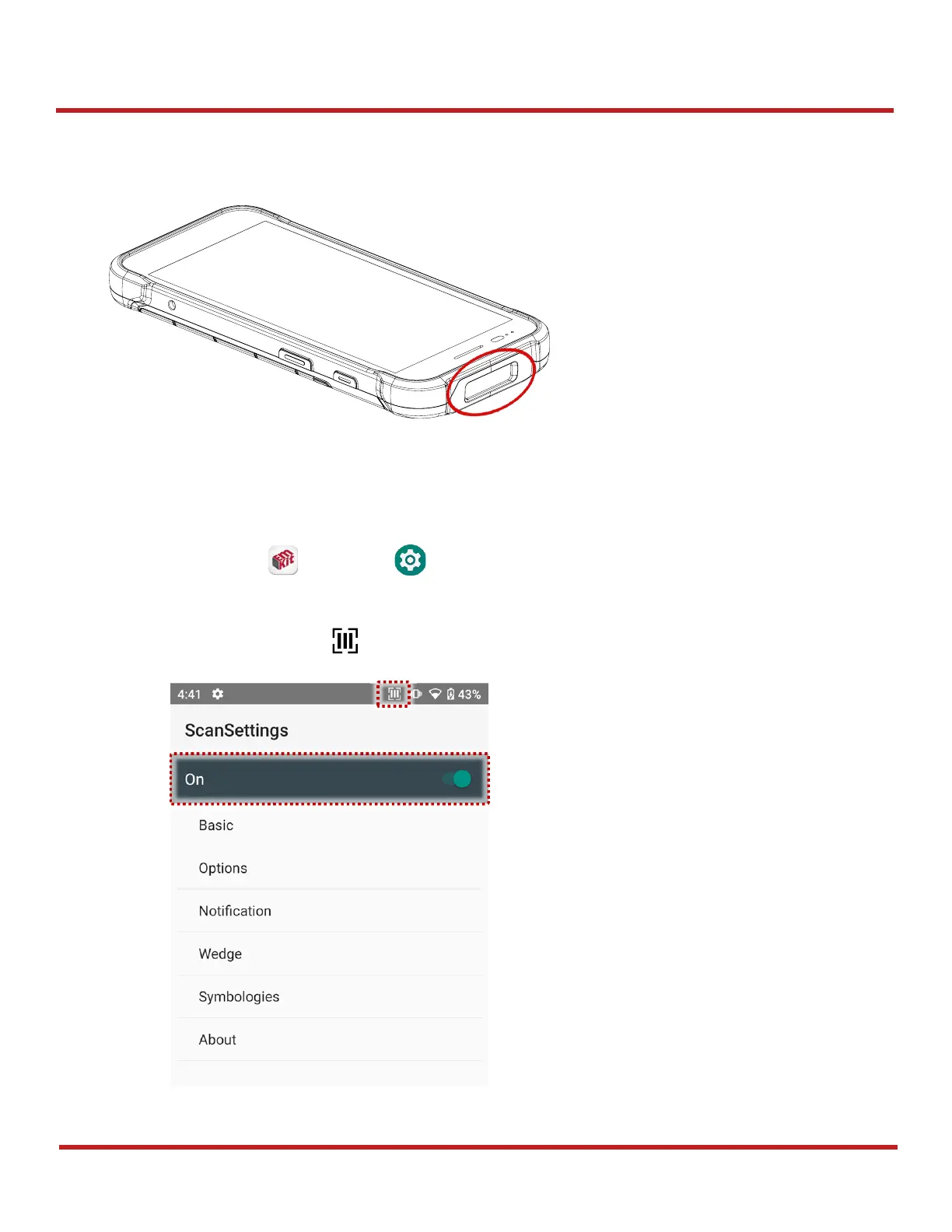
Scanner
Scanner is placed on the top of the PM75. Optimize the scanner settings for working environment and
improve the efficiency.
Turn on / off the Scanner
The scanner is turned off by default. To turn on the scanner, follow the steps.
1. Go to
EmKit
or
Settings
and tap
ScanSettings
.
2. Tap toggle button to turn on/off the barcode scanner.
Check if the scanner icon ( ) is placed on Status b



 To Next Page