PM75 Android 11 User Manual
System Maintenance
72
© 2021 Point Mobile Co., Ltd. All rights reserved
OS update via OTG port
PM75 supports the USB OTG feature.
1. Prepare a formatted USB flash drive for OS update
2. Copy an OS image file to the root folder of the flash drive
3. Connect the flash driver to the PM75
4. Go to
Settings
>
System
>
Advanced
>
System Update
5. Check if the OS image file shows up under
AVAILABLE VERSIONS
6. Tap
UPDATE
to start the update process
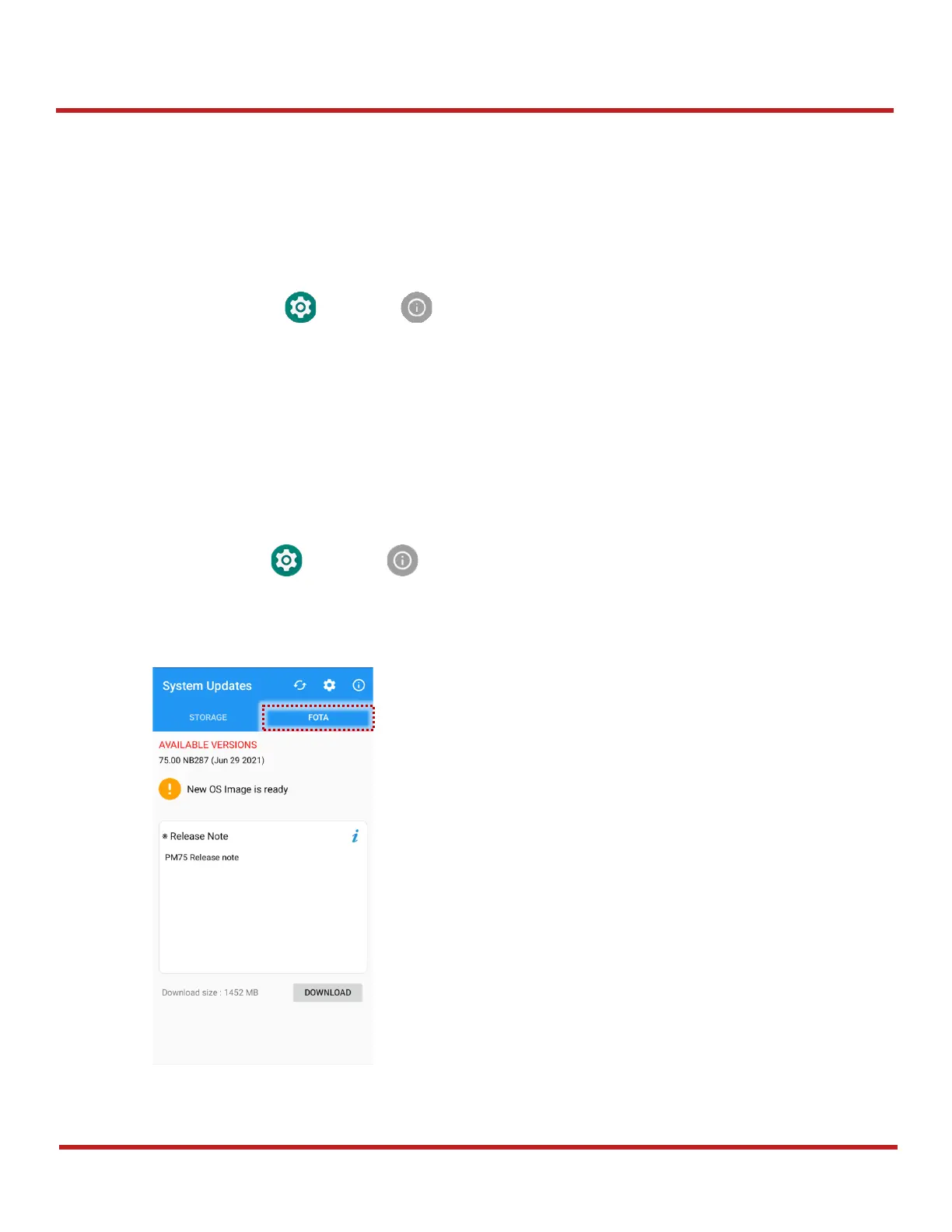
OS update via FOTA
If PM75 can connect to a network, use the FOTA server for the update.
1. Connect the device with a network
2. Go to
Settings
>
System
>
Advanced
>
System Update
3. Tap
FOTA
tab or Swipe left to move to
FOTA
tab
4.



 To Next Page