EasyManua.ls Logo

Point Mobile PM75 - PM75 Factory Data Reset Procedures

Point Mobile PM75
85 pages
Print Icon
To Next Page IconTo Next Page
To Previous Page IconTo Previous Page
Loading...
PM75 Android 11 User Manual
System Maintenance
73
© 2021 Point Mobile Co., Ltd. All rights reserved
5. Tap
Download
6. Tap
OK
on the
OS Update
dialog to start to download the OS image file
7. To complete the update, rebooting is required. Tap
OK
on the
Restart required
dialog to restart
the device
Note:
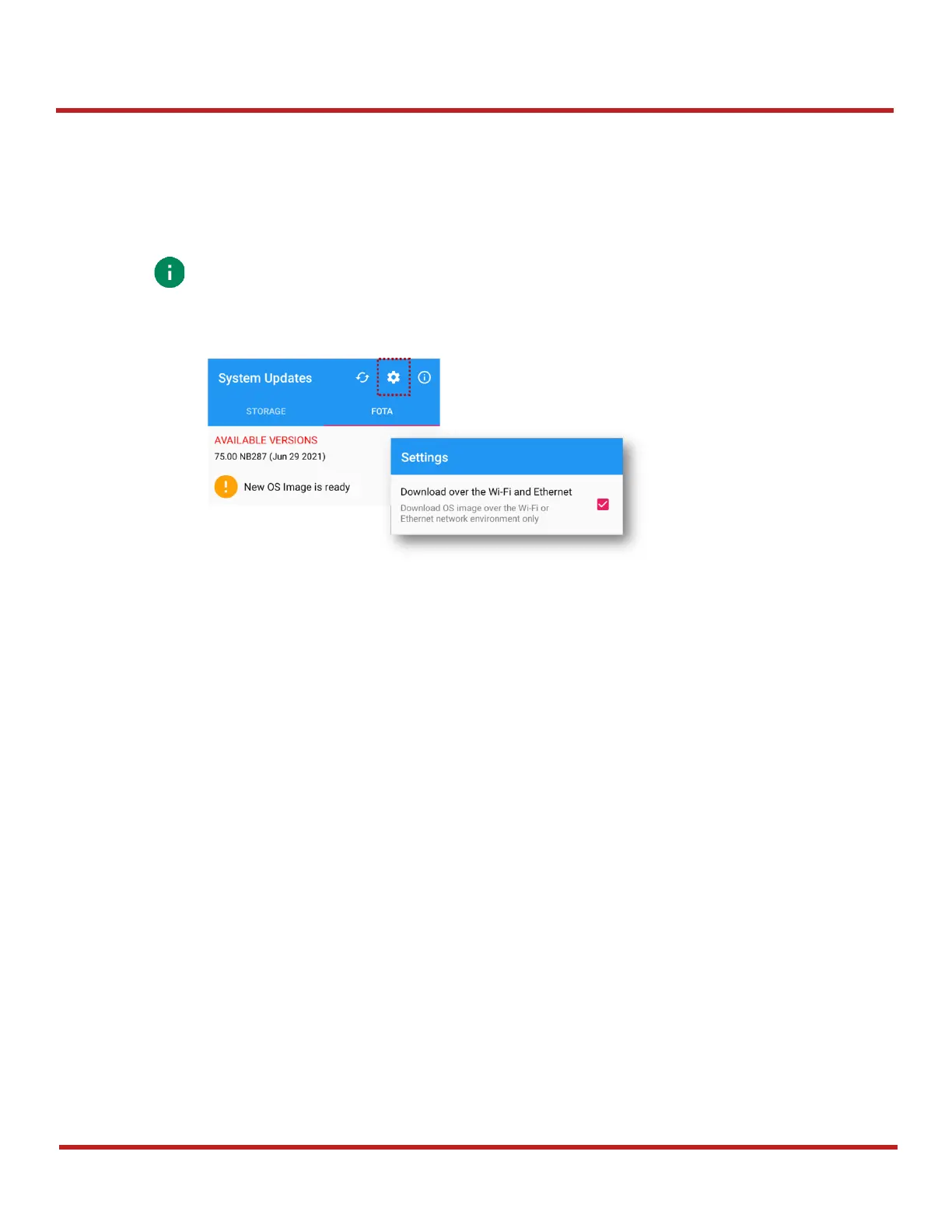
Basically, OS update via FOTA works over Wi-Fi or Ethernet only.
To enable the OS update over Mobile Network too, uncheck the setting value in FOTA
Settings. Downloading over the Mobile network may result in additional charges.
Figure 94 FOTA Settings

Table of Contents

Other manuals for Point Mobile PM75

Related product manuals