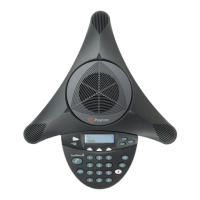
User Guide for the Polycom
®
SoundStation Duo
™
Conference Phone
24 Polycom, Inc.
Calling and Answering
Your phone can handle one active call or conference call at any one time. If call
waiting is enabled, your phone can handle two separate calls at one time: one
active call and one held call.
During a call, the phone displays the duration of the call, and the Line and Call
icon to indicate call status, as shown next. If your phone supports Caller ID,
and it’s correctly configured, then the name and number of the party you’re
talking with also displays.
During a call, the soft keys update so you can perform specific tasks.
For information on what the Line and Call icon indicates, see Phone Status
Indicators on page 15.
Answering Calls
You can answer a call when your phone is idle. If call waiting is enabled on
your phone, you can answer an incoming call when you have an active or held
call.
For incoming calls, the name and number of the party you’re talking with only
displays if your phone is configured to support Caller ID, and the Caller ID feature is
available in your area. Caller ID is not supported in Japan.
Context-sensitive soft keys that display during a call
Name and
number
of person
you’re
talking with
Call
duration
Line and Call icon
Note
If your phone is enabled with the lock feature, or you want to use your phone with
computer or mobile phone audio, see the following:
• Locking and Unlocking Your Phone on page 43.
• Connecting Mobile Phone and Computer Audio on page 38.


 To Next Page
 Loading...