A-7
A TMS-A-305 Calibration Set
INFORMATION
To apply the correct value for the ambient temperature, use a comma as the
decimal separator.
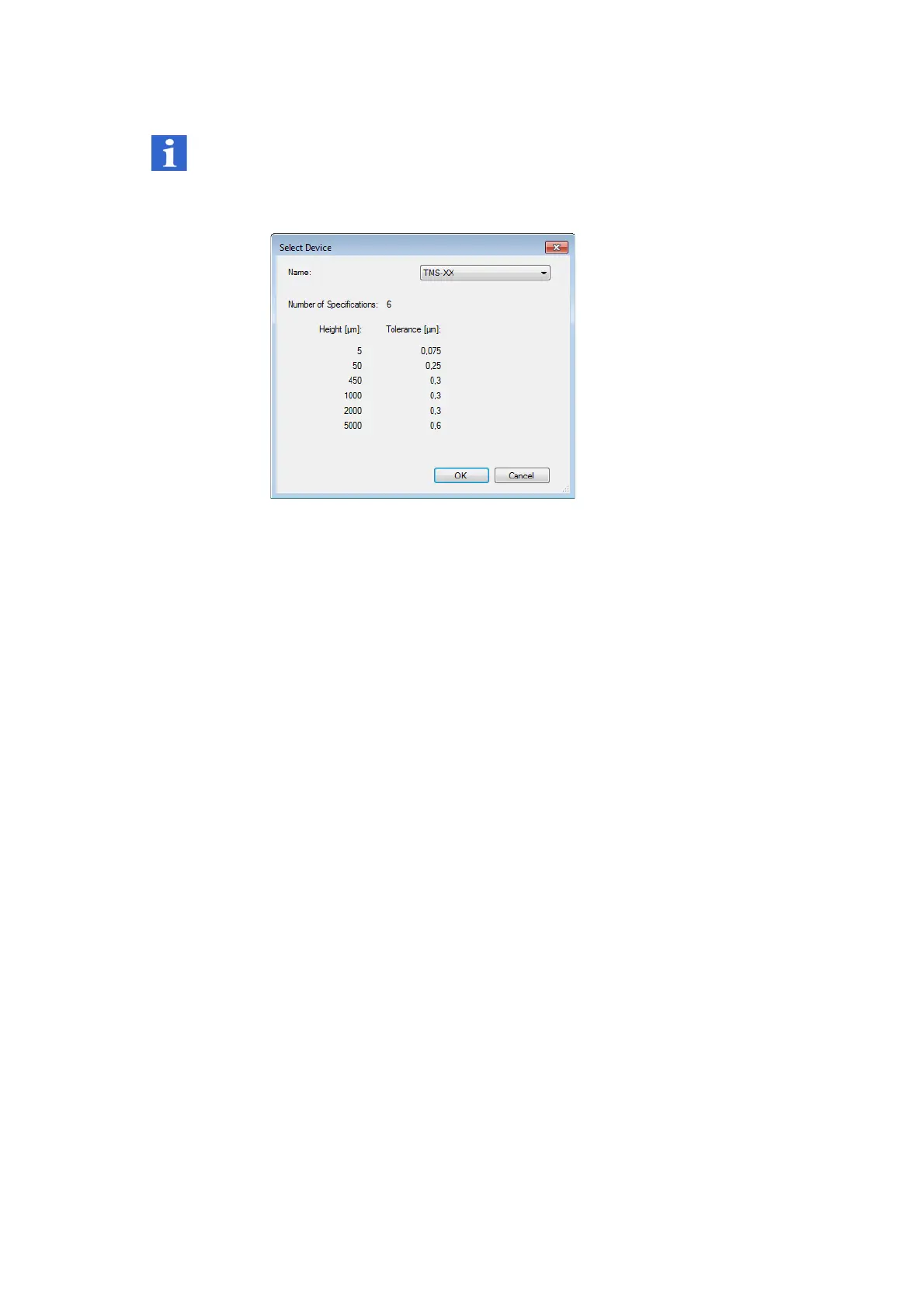
The
Select Device
dialog appears.
Figure A.7:
Select Device
dialog (example)
5. Select the respective device type.
6. Click OK.
The TMS software compares the results with the specifications.
Evaluation
method
The Add-in calculates the groove depth according to the evaluation method
defined in the calibration certificate. The values calculated by the macro are
displayed in the line view legend.
The following values are shown for each of the grooves evaluated:
Groove 1, groove 2,
…:
For every groove, measured groove depth reduced to
20 °C (average of 6 profile sections)
Calibration: Groove depth according to the calibration certificate
Difference: Deviation between the measured groove depth and
that according to the calibration certificate
Expanded
uncertainty:
Expanded measurement uncertainty (confidence
level 95%)
Sum: The sum of the deviation between the measured
groove depth and that specified in the calibration
certificate, and the measurement uncertainty
Tolerance This tolerance is specified for the device for the
respective groove.



 To Next Page