8 Operation
8.1 Changing parameters
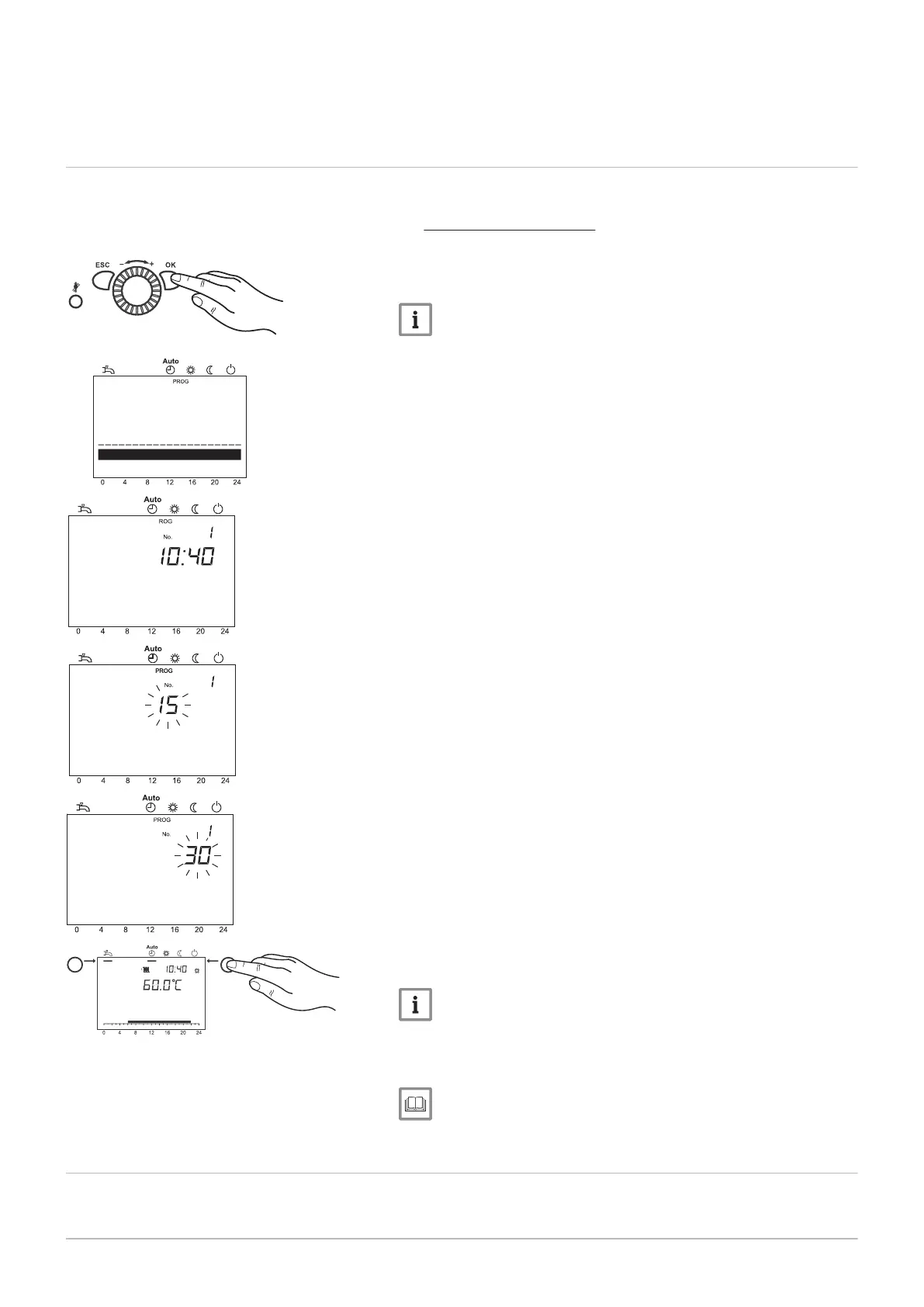
Settings which are not directly changed via the operating panel must be
carried out on the setting level.
The basic programming process is depicted in the following using the ex
ample of the setting of Set time and date.
1. Press OK.
The
End user
display is shown.
Note
If parameters are to be changed on a level other than the end user
level, please see the note below.
2. Use the control knob to select the menu item Set time and date.
3. Press OK.
4. Use the control knob to select the menu item Hours / minutes.
5. Press OK.
6. Carry out hour setting (e.g. 15 h) using the control knob.
7. Press OK.
8. Carry out minute setting (e.g. 30 minutes) with the control knob.
9. Press OK.
10. Leave the programming level by pressing the operating mode key
for heating mode.
Note
The previous menu item is retrieved by pressing the ESC key
without applying previously modified values. If no settings are car
ried out for approximately 8 minutes, the basic display is called up
without applying previously modified values.
For more information, see
Programming procedure, page 51
8.2
Programming procedure
The selection of the setting levels and menu items is done as follows:
Time and date
Operator section
Time and date
Hours / minutes
Time and date
Hours / minutes
Time and date
Hours / minutes
8 Operation
7658013 - 02 - 15092016 Paramount four 30 – 115 kW 51




 To Next Page