
 Need help?
Do you have a question about the PowerBox Systems ATOM and is the answer not in the manual?
Access frequently used menus and functions directly from the main screen for quick navigation.
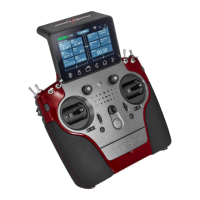
Guide on how to power on the ATOM transmitter and navigate the main menu.
Configure system parameters, date/time, language, screen, audio, and Wi-Fi.
Manage models, functions, controls, trims, failsafe, servos, and mixers.
Connect receivers, manage telemetry, and configure M-Link integration.
Configure flight modes and setup spoken messages for various events and data.
Add, position, and manage various widgets like Telemetry, Timer, and Notes on the main screen.
Display sensor data and configure timers using customizable widgets.
Monitor servo positions and create quick access to frequently used menus.
Update the ATOM transmitter firmware via USB memory stick or Wi-Fi.
Update the firmware of connected PowerBox receivers directly from the transmitter.
Adjust handrests, stick tension, throttle ratchet, brake, and travel for personalized feel.
Re-calibrate transmitter controls after replacement or adjustment for accurate input.
 General
| Brand | PowerBox Systems |
|---|---|
| Model | ATOM |
| Category | Remote Control |
| Language | English |

 To Next Page