Page 15 of 49 Instructions/Parts list Multi-Dumper MCE400 updated: 04.2021
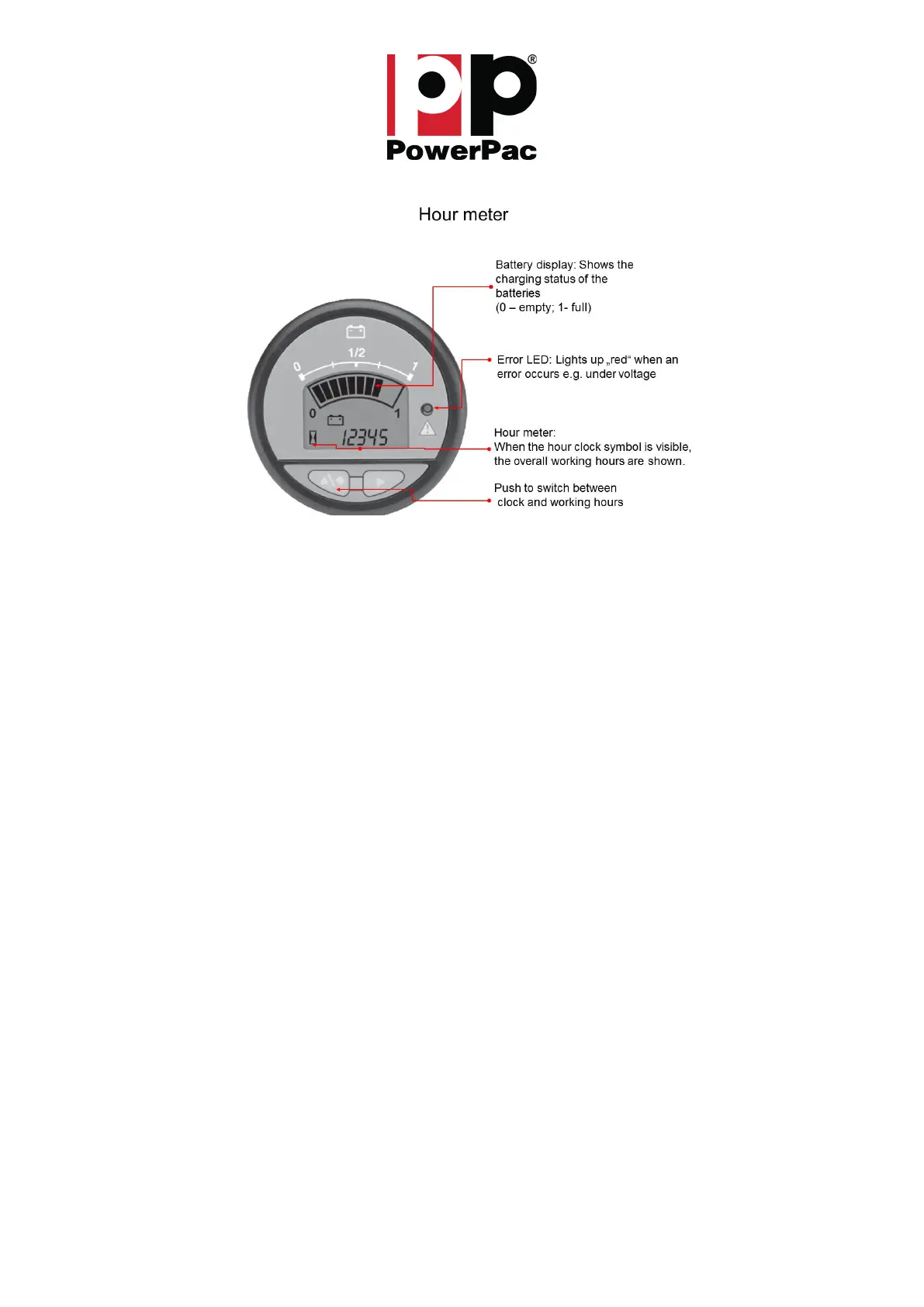
Hour meter / battery indicator
A capacity display and an error LED are integrated in the operating hour meter (Fig.: 4). The remaining
battery capacity and any errors are displayed here. After each use or immediately if the charge indicator
shows empty or the error LED lights up red, the batteries must be charged with the integrated charger.
Please note that the indicator has a yellow backlite. This backlite will also illuminate the Error LED field.
This is not an error sign! Only if the LED is in red there is an error and problem.
If the batteries are not charged after the error LED and the charge indicator light up, the MCE400 will
be switched off shortly afterwards. This avoids deep discharge of the batteries.
This increases the service life of the batteries and you always have a ready-to-use MCE400.
• The batteries used have no "memory effect", so you can always connect the machine to a socket
for recharging without worries.
• The batteries are seriously damaged if they are deeply discharged. The charging time increases
and the range / capacity decreases extremely.
• When the batteries are charged, explosive gas mixtures are produced.
• The batteries may only be charged outdoors or in well-ventilated rooms. Open flames or
smoking while charging is prohibited.
• If the battery is discharged thus the controller switches off the MCE400, it can only be pushed
manually after releasing the parking brake (Fig.: 9).
DANGER! The lead batteries used are maintenance-free except for charging.
In any case, it must be avoided that the batteries are completely discharged.
The MCE400 is switched off to protect against total discharge. The batteries must therefore be
charged immediately as soon as the right LED of the operating hour meter lights up.
Fig.: 4 – Operating hour meter labeling



 To Next Page