Page 16 of 49 Instructions/Parts list Multi-Dumper MCE400 updated: 04.2021
Charger
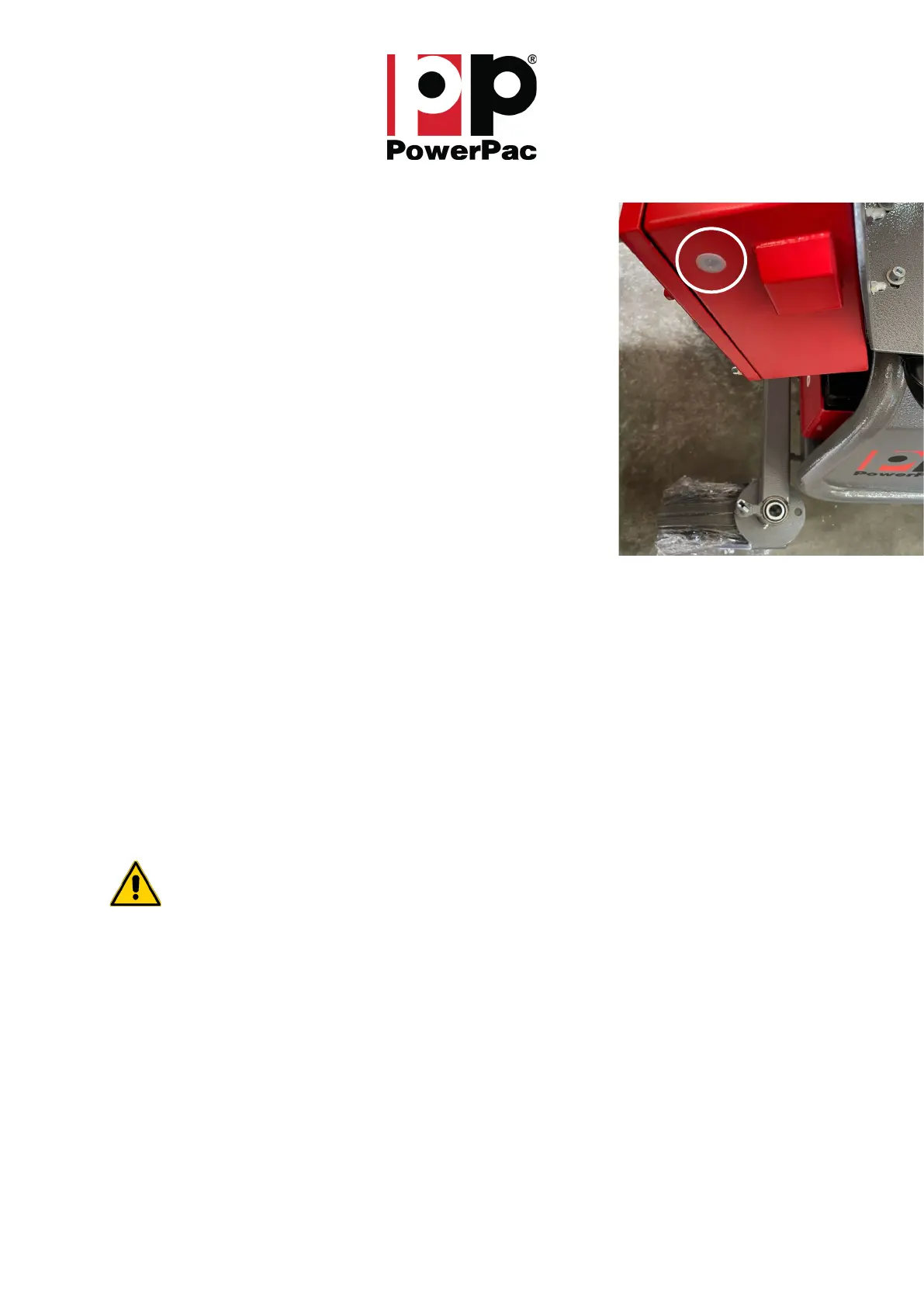
The progress of the charging process is indicated by an LED on the right
side of the control box (white cover, Fig.: 5):
yellow Active charging
green Batteries fully charged
blinking green Error while charging
Error while charging means that there is no connection from the charger
to the battery. The cause can be a defective fuse or a defective charger.
Overcharging the batteries is not possible! As soon as the batteries are
fully charged, the charger automatically switches to trickle charging.
DANGER! The MCE400 is ready for operation even during the charging
process. It is therefore important to ensure that the charger plug is no
longer plugged into the socket when the MCE400 is put into operation.
The charging time depends on the discharge status of the batteries.
However, a battery set that is not over-discharged should be
charged within a maximum of 15 hours.
A charging time of more than 15 hours indicates a defective charger or defective or used
batteries.
The manufacturer states that the guaranteed service life of the battery is 300 complete charging cycles
(1 cycle = 1 x loading, 1 x unloading).
Recommendation: To increase the service life of the batteries, the machine should be charged after
each use! A deep discharge must always be avoided.
The integrated charger has a build in fuse. The fuse is situated inside the control box on the right side
of the charger under a small cap.
Attention! The change of the fuse should be only mad by a trained professional!
Fig.: 5 – LED indicator charger



 To Next Page