UPS Startup
69
Powerware
®
9170
+
UPS User’s Guide S Rev B www.powerware.com
8. If external battery cabinets are installed, close the DC
disconnect switch button on the back of each external battery
cabinet. Insert the switch key supplied with the cabinet into the
button and turn clockwise 1/2-turn. Pull the button out to close
the switch. Turn the key back counter-clockwise, and remove
the key.
9. The UPS front panel display automatically turns on whenever
input power is present and at least one power module is
installed. Set u p the initial operating parameters through the
front panel display (see “Initial Startup Parameters” on page 72).
NOTE The unit has no physical On/Off switch. The UPS On/Off
function must be accessed through the front panel display.
NOTE If the UPS has been manually set to operate in Bypass or Battery
mode, change the System Control Mode Preference (menu 4-1) selection to
Auto to return to normal Auto mode operation.
10. Use an AC voltmeter to measure voltages on the terminal block
inside the byp ass switch cabinet. See Figure 16 on page 27,
which shows the terminal numbering for input and output UPS
connections.
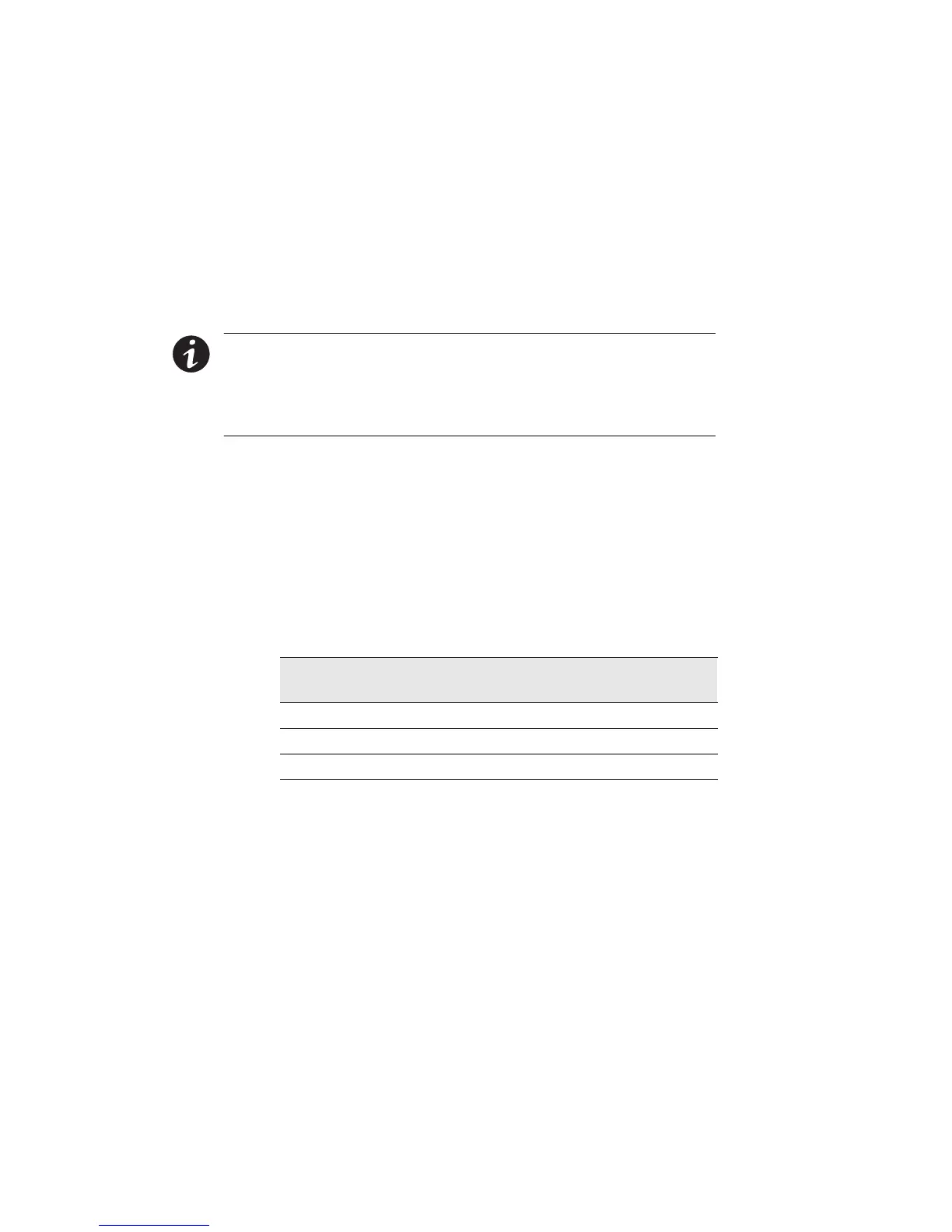
Record your measurements in the following chart. The voltages
in the f irst column should be nearly equal to the voltages in the
second column. If the values differ by more than a few volts,
check the terminal block connections and correct any wiring
problems.
AC Line Input Measurement AC from UPS
Output
Measurement
L1 to L2 (11 to 12*) 7to8*
N to L1 (10 to 11*) 6to7*
N to L2 (10 to 12*) 6to8*
*For some installations, there is no connection at terminals 6, 8, 10, or 12.












 To Next Page