Installation Setup
14
Powerware
®
9170
+
UPS User’s Guide S Rev B www.powerware.com
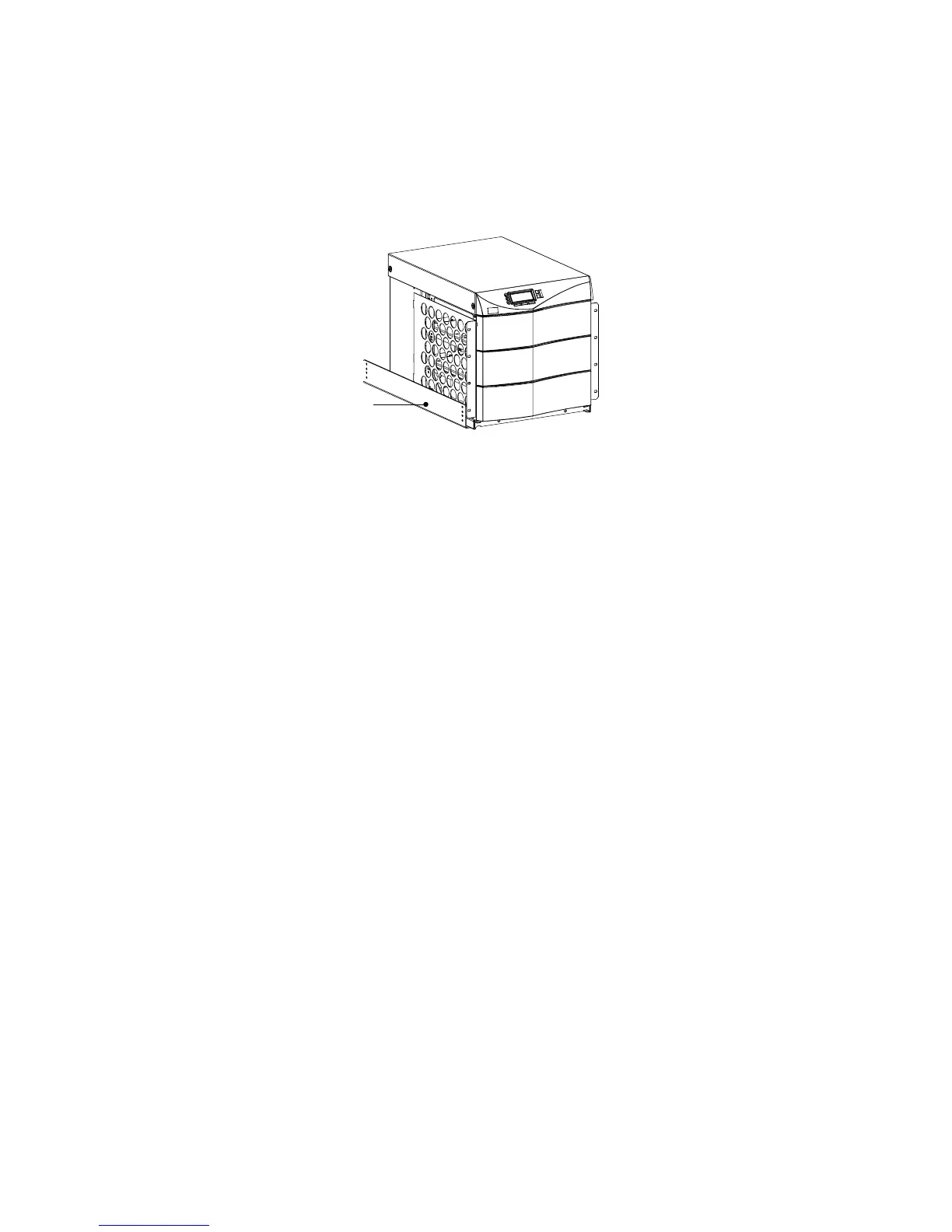
6. Select the position for the UPS in the equipment rack.
7. Install one equipment rail on each side of the rack using four
10-32×1/2I flat-head screws per rail. Select the proper holes in
the rail that position the UPS at the desired location in the rack
(see Figure 11).
Equipment Rail
Figure 11. Rails Holding UPS
8. With one person lifting each side of the UPS cabinet, position
the cabinet onto the two equipment rails.
Carefully slide the UPS into the equipment rack until the
rack-mount ears of the cabinet are flush with the front vertical
rails of the rack. Verify that the holes in the ears align with the
holes in the rack.
9. Secure the UPS in the rack using eight 10-32×1/2I torx screws
(16 for 6-slot cabinets) or other appropriate customer-specified
screws.
Floor Anchor Kit Installation
An op tional floor anchor kit (ASY-0548) is available for all sizes of the
Powerware 9170
+
UPS. The kit helps to stabilize the UPS or battery
cabinet in the event of accidental bumps or small floor movements. Any
testing to s pecific seismic requirements is the responsibility of the
customer.












 To Next Page