Operation
85
Powerware
®
9170
+
UPS User’s Guide S Rev B www.powerware.com
(ESC)
(Men
u)
(Top)
(ESC)
(ESC)
3121BatteryResults
3122RuntimeatEOT
3123DCVoltsatEOT
4 2 1 System VA Limit 4 2 5 Redundancy Level
4 2 2 Number Phases 4 2 6 External Capacity
4 2 3 Nominal Frequency 4 2 7 Auto Restart
4 2 4 Nominal AC Vout 4 2 8 Low Runtime Alarm
1 1 1 Input Frequency 1 1 4 ACIin Ph1
1 1 2 ACVin P1-N 1 1 5 ACIin Ph2
113ACVinP2-N
121OutputFrequency 129 Wout
1 2 2 ACVout P1-N 1 2 10 Wout P1 -N
1 2 3 ACVout P2-N 1 2 11 Wout P2 -N
124ACIoutP1-N 1212%FullLoad
125ACIoutP2-N 1213%FullLoadP1
1 2 6 VAOut 1 2 14 % Full Load P2
1 2 7 VAout P1-N 1 2 15 PowerFactor L1
1 2 8 VAout P2-N 1 2 16 PowerFactor L2
131BatteryVolts
132RunTime
1 3 3 Seconds on Battery
(ESC)
431Inv.RelayDelay
432EPOMode
433Ext.BypassMode
51Time
52Date
53ModelName
5 4 Serial Number
5 5 Software Version
1 1 Input Status
3131TestInterval
3 1 3 2 Test Time
1 2 Output Status
1 3 Battery Status
21InverterLog
(Logs 1–10)
22AlarmLog
(Logs 1 - 10)
23ClearLogs
3 1 Battery Test
32FanTest
4 1 Mode P reference
4 2 Control Settings
4 3 Comm. Settings
1 System Status Menu
2Logs
3 Diagnostics
4 System Control
5SystemID
6 Service Menu
311ExecuteTest
3 1 2 Test Results
313TestConfig
(ESC)
(ESC)
(ESC)
(ESC)
(ESC)
(ESC)
(ESC)
(ESC)
(ESC)
(ESC)
(Top)
(Top)
(Top)
(Top)
(Top)
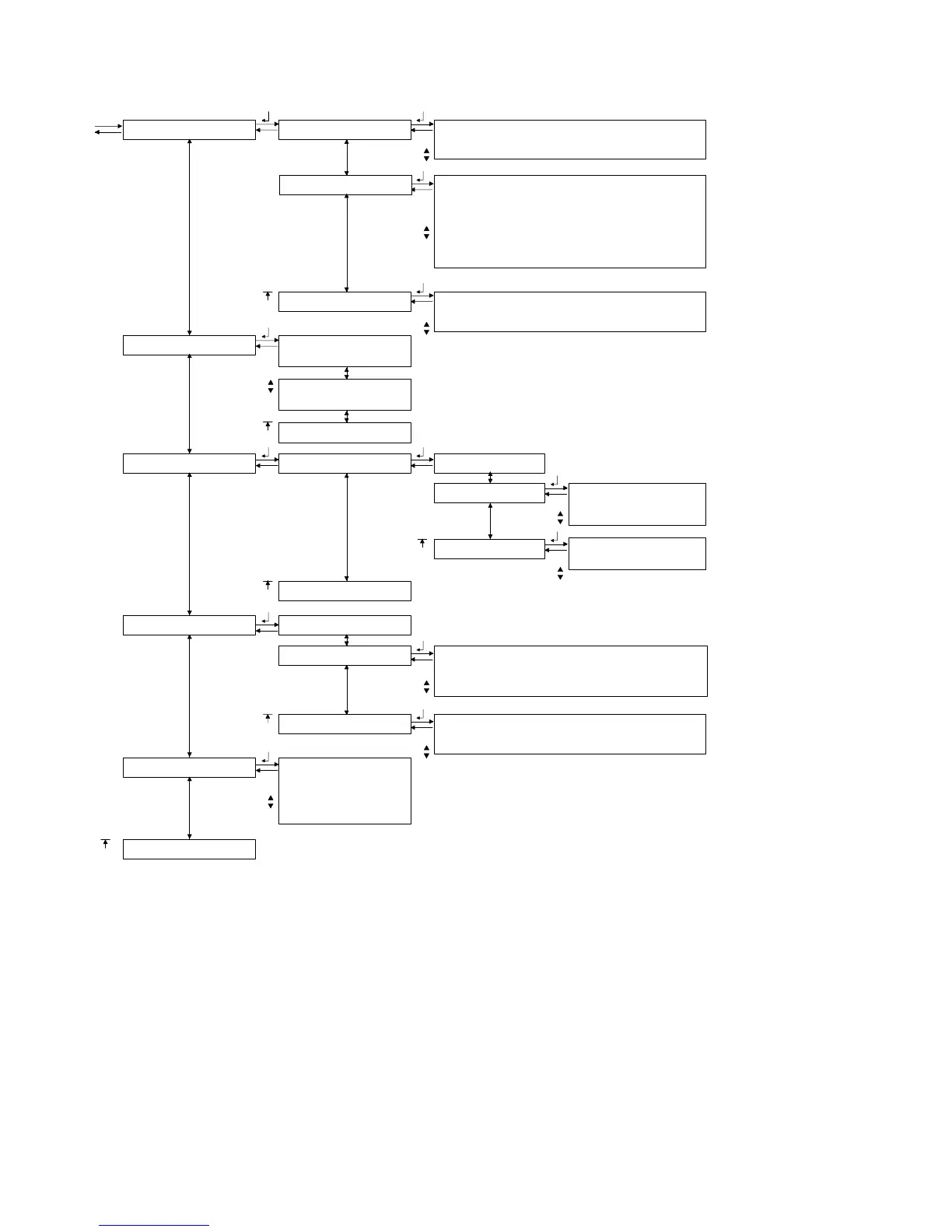
Figure 60. Powerware 9170
+
System Menu Map












 To Next Page