100
CALENDAR
1
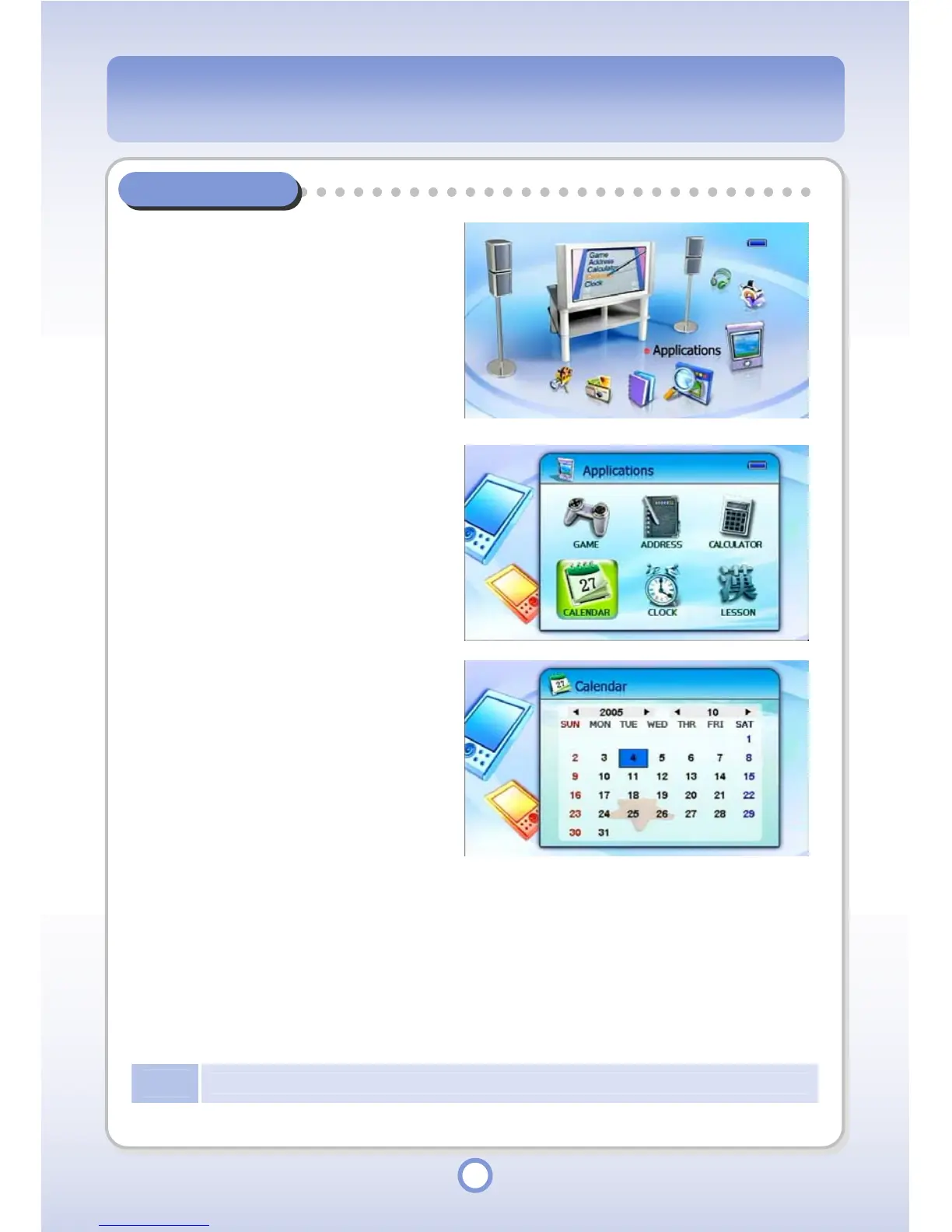
In the Main screen, select the
<Applications> icon by using the
Left/Right direction key of the
Navigation button and press the
|| button.
▶
- The Application list appears.
2
Select <CALENDAR> and press
the || button.
▶
- The Calendar screen appears.
3
Press the || button.
▶
- Move to the Year, Month or Date
item.
- When the cursor is in the Year,
Month or Date item, press the
◀/▶ buttons to move to another
item.
- In the Year or Month item, you
can change the value by pressing
the ▲/▼ buttons.
4
Click the <MENU> button.
- You can change the calendar skin
(Spring/Summer/Fall/ Winter).
Note
The date in the Calendar is determined by the date set in the CLCOK Applications menu.



 To Next Page