99
CALCULATOR
1
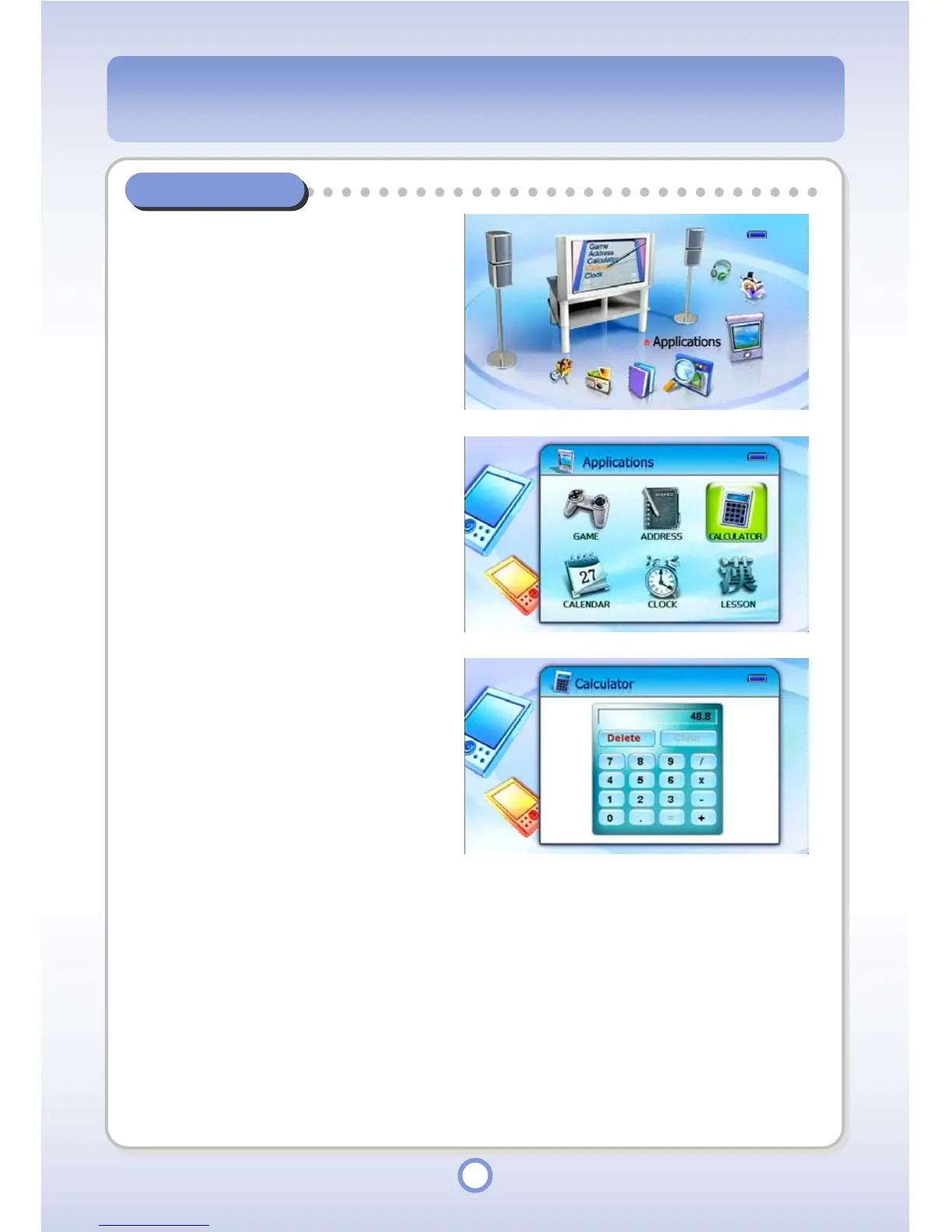
In the Main screen, select the
<Applications> icon by using the
Left/Right direction key of the
Navigation button and press the
|| button.
▶
- The Application list appears.
2
Select <CALCULATOR> and
press the || button.
▶
- The Calculator screen appears.
- To exit Calculator, press the
<ESC> button.
- If you press the <MENU> button,
the <Delete> and <Clear> buttons
are activated.
● <Delete>: Press to delete an
entered digit.
● <Clear>: Press to delete all
the entered digits and
operators.



 To Next Page