31
Installing PC Program
To use the media file download, address book and audio DB management, and firmware
upgrade functions, install the mPack PC program with the Installation CD supplied with the
product.
1
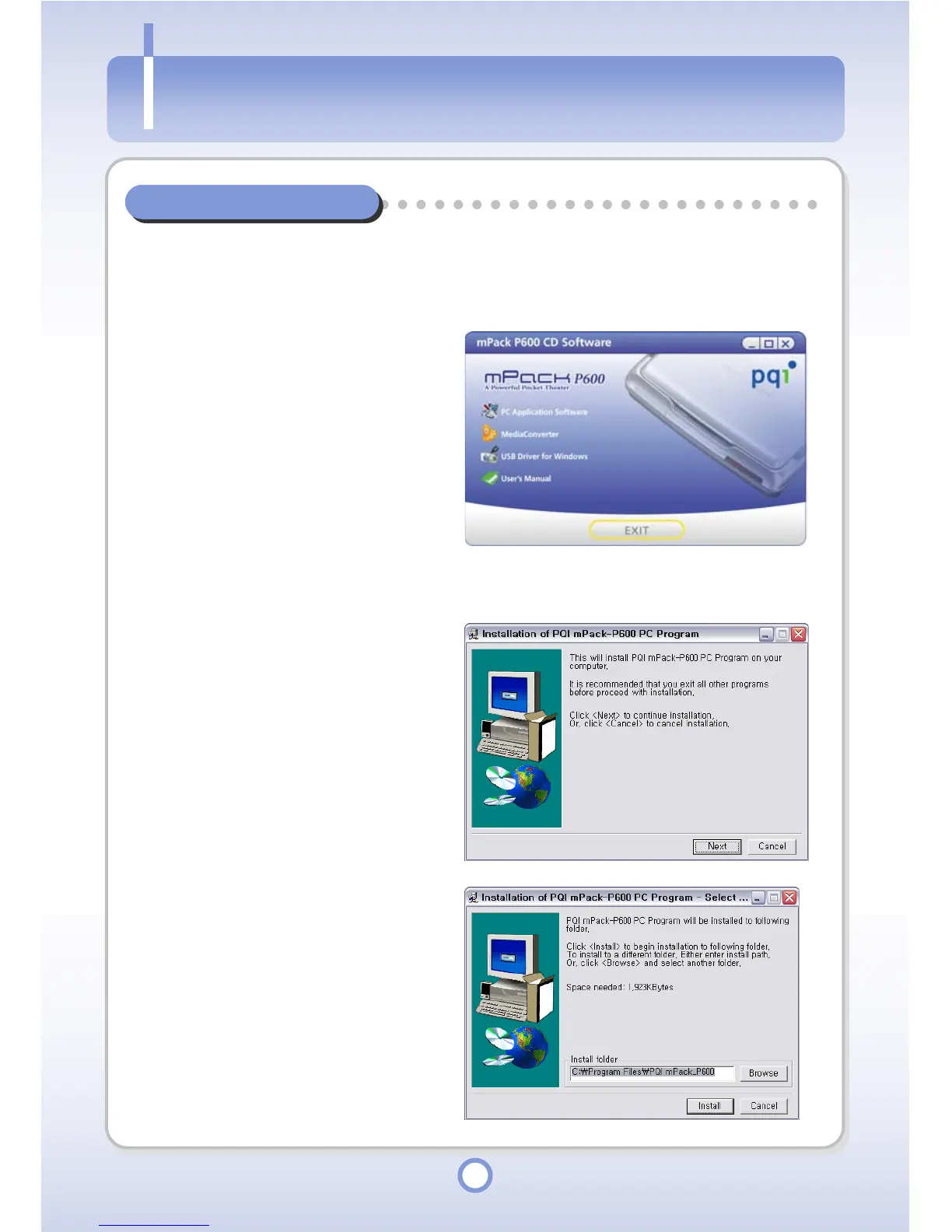
Insert the Installation CD into the
CD-ROM drive of the PC.
- The “mPack P600 CD Software”
window appears.
2
Click the <PC Application
Software>.
- The “Installation of PQI mPack”
window appears.
3
Click <Next> button.
- Click <Cancel> button to cancel
the PC program installation.
4
Specify a folder to install the
program into and click <Install>.
- The program is automatically
installed.
Installin



 To Next Page