57
Address Book Management Module
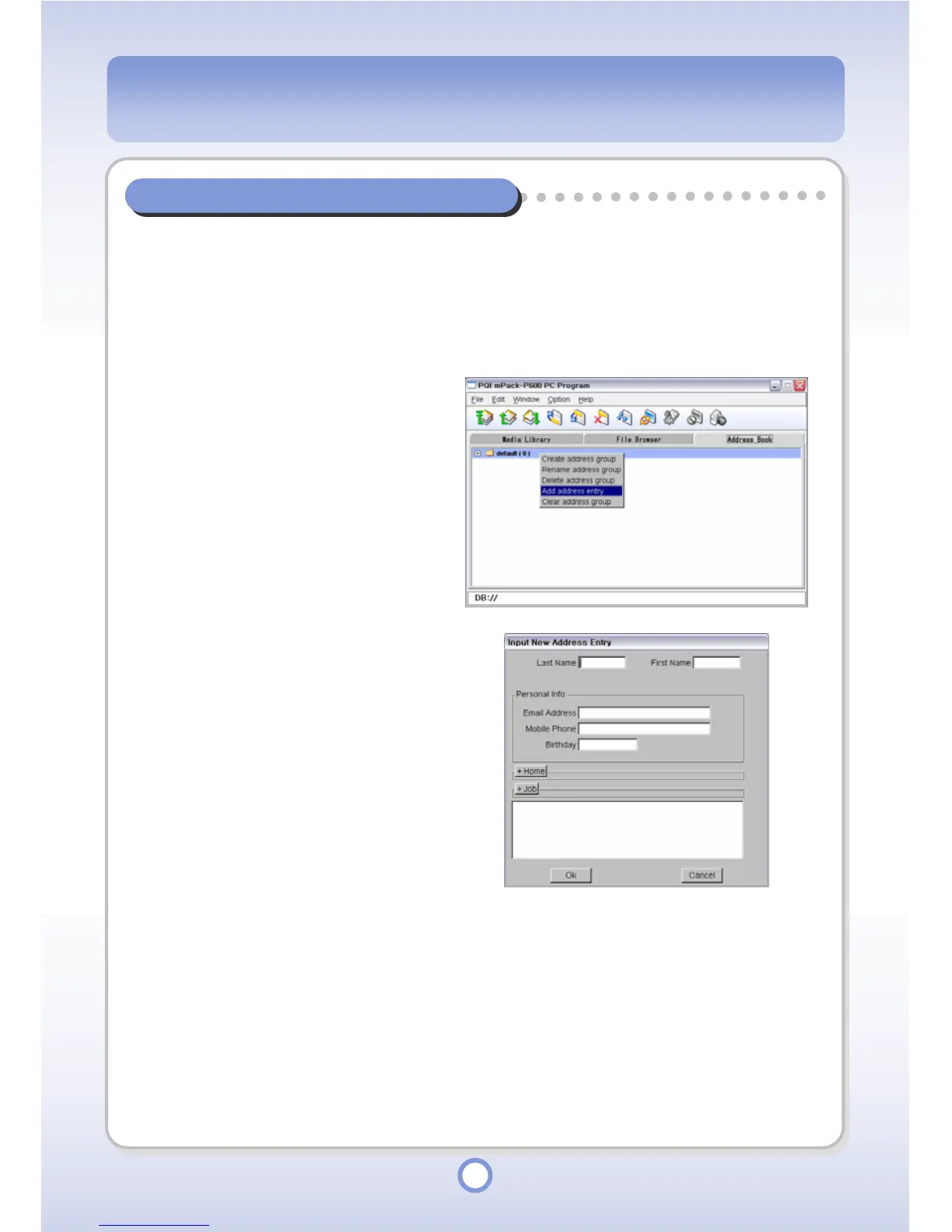
You can easily manage the mPack address book file using the PQI mPack-P600 PC Program.
Contact Address Management
Adding a New Contact Address
1
Select a group to add a new
contact address to.
2
Right-click over the selected
group.
3
Select <Add address entry> from
the pop-up menu.
4
Enter the address information.
5
Click <OK> button.
- The new address is added to the
address book.



 To Next Page