45
Playlist Management
Creating a Playlist
1
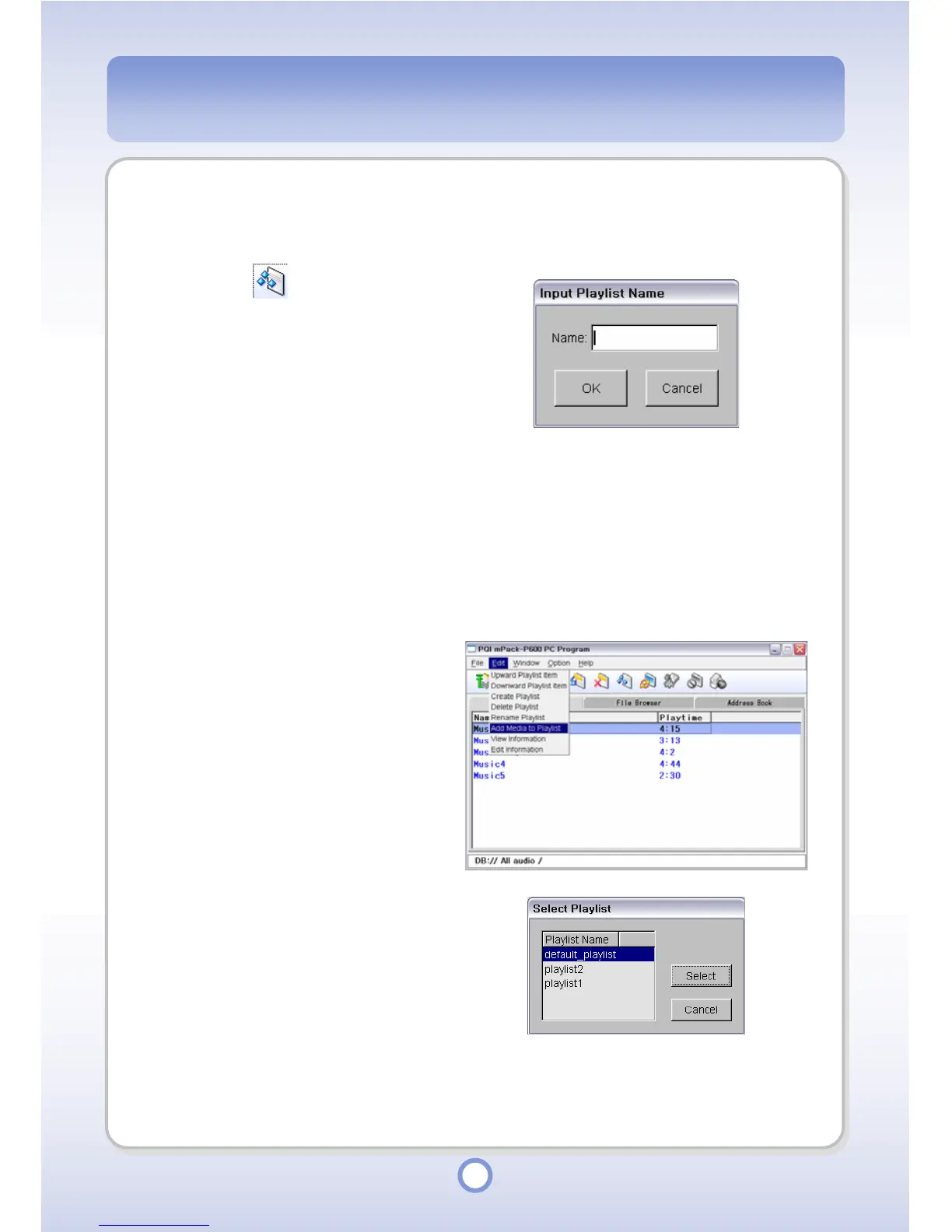
Click the icon from the
toolbar.
2
Enter the playlist name in the
Name input box.
3
Click <OK> button.
- The new playlist is created.
Adding a File to a Playlist
1
Select a music file to be added to
the playlist from the library.
2
Click <Edit> from the menu.
3
Select <Add Media to Playlist>.
- The “Select Playlist” window
appears.
4
Select a playlist to add the media
file to.
5
Click <Select> button.
- The music file is added to the
selected playlist.



 To Next Page