95
Applications
GAME
1
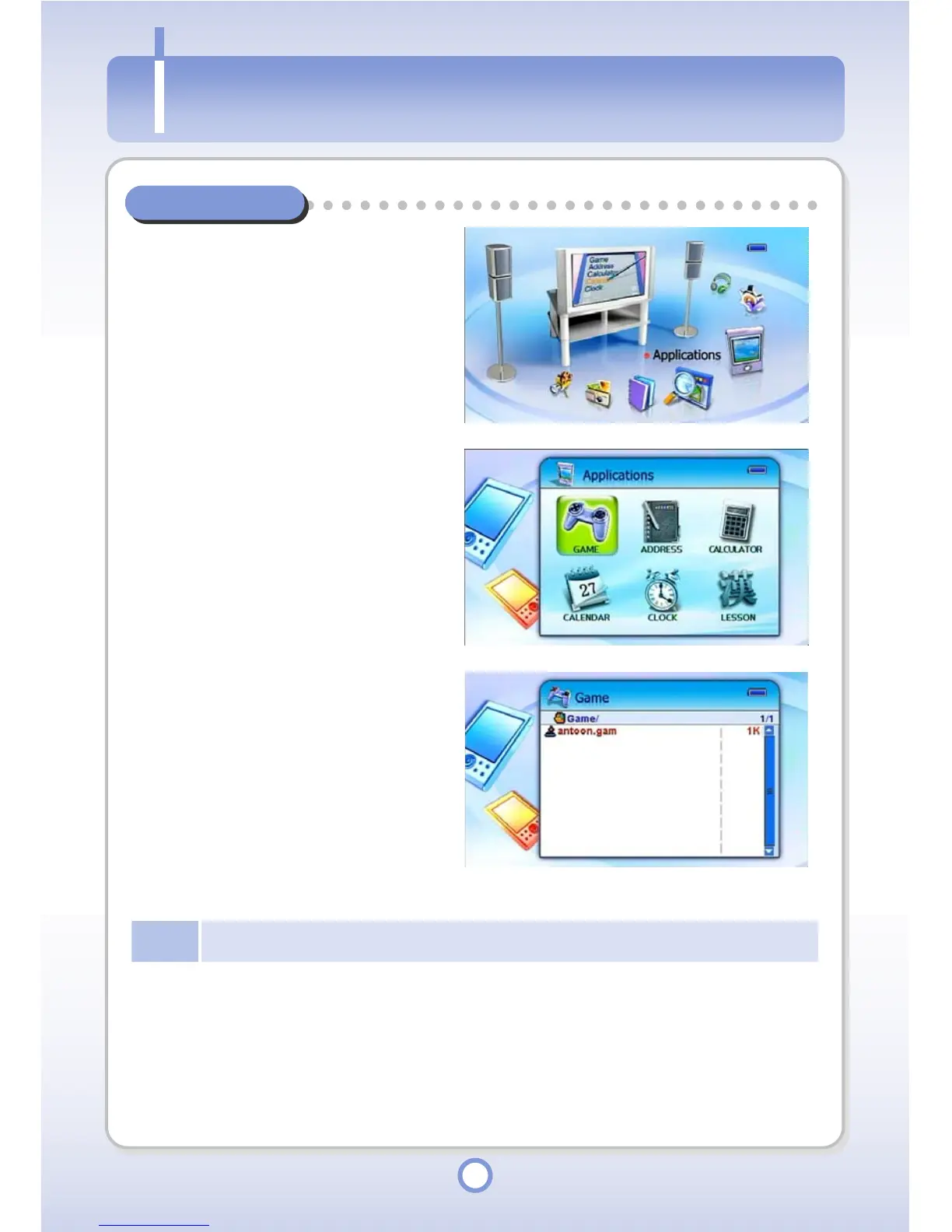
In the Main screen, select the
<Applications> icon by using the
Left/Right direction key of the
Navigation button and press the
|| button.
▶
- The Application list appears.
2
Select <GAME> and press the ||
▶
button.
- The Game list appears.
3
Select a game to play and press
the || button.
▶
- The game is started.
- To exit the game, press the
<ESC> button.
Note
Button functions differ for each game. The functions are explained before the game starts.
A



 To Next Page