18
Your Player
Player
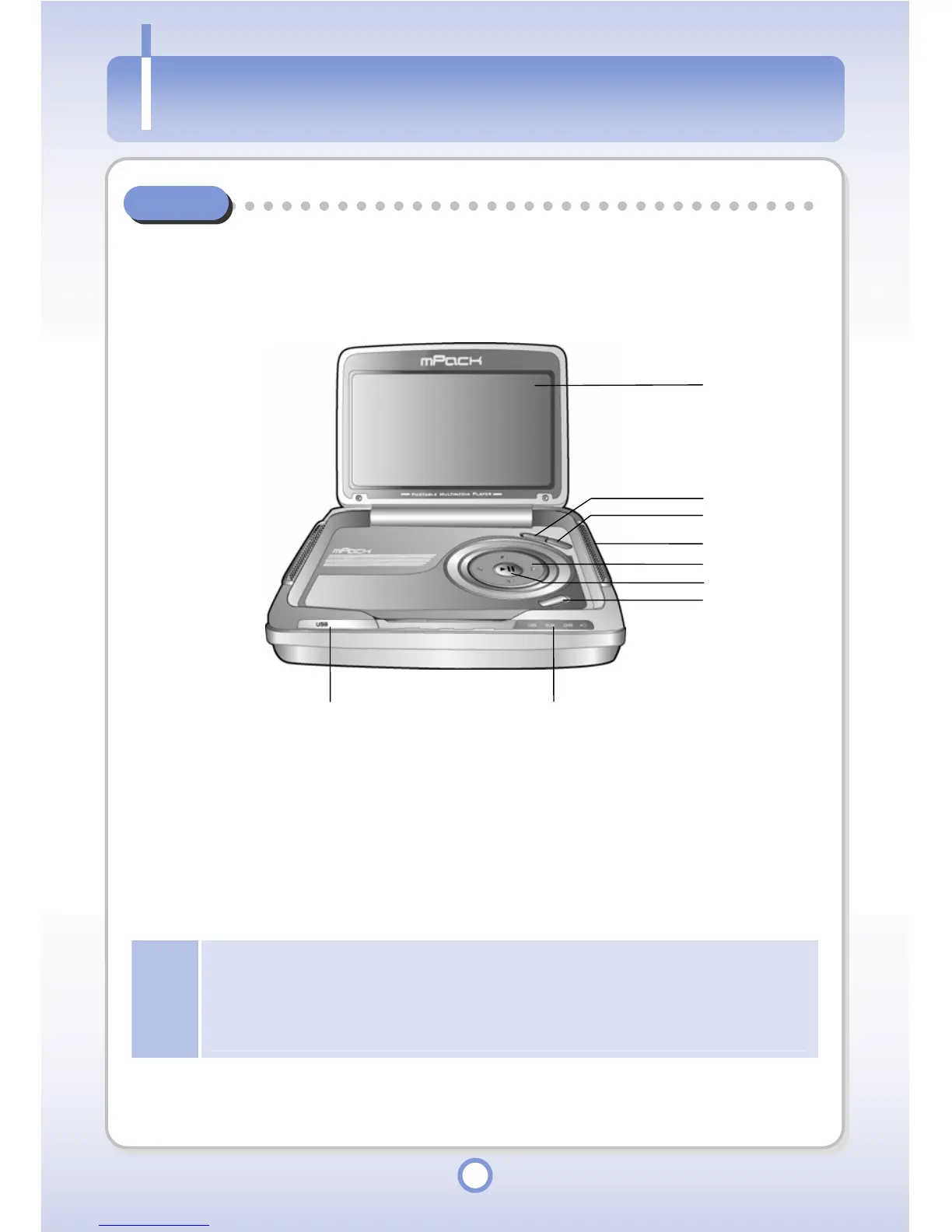
Front View
(1) LCD
(2)
ESC Button
(3) MENU
Button
(4)
Speaker
(5)
Navigation Button
(6)
Play/Pause Button
(7)
POWER Button
(9)
USB OTG Button
(9)
Operation LEDs
Note
Turning the Power On / Off
●
To turn the player off, press the POWER button for 1 to 2 seconds.
●
Press the POWER button to turn the unit on, the RUN LED blinks green, turns to yellow and
then blinks green again. Then the mPack logo appears on the LCD screen. Finally the main
screen appears, approximately 15 seconds after you press the POWER button.
Your Pla



 To Next Page