34
Installing Media Converter Program
The Media Converter program converts media files of unsupported format into a supported
format so that you can play the file on the mPack player.
1
Insert the Installation CD into the
CD-ROM drive of the PC.
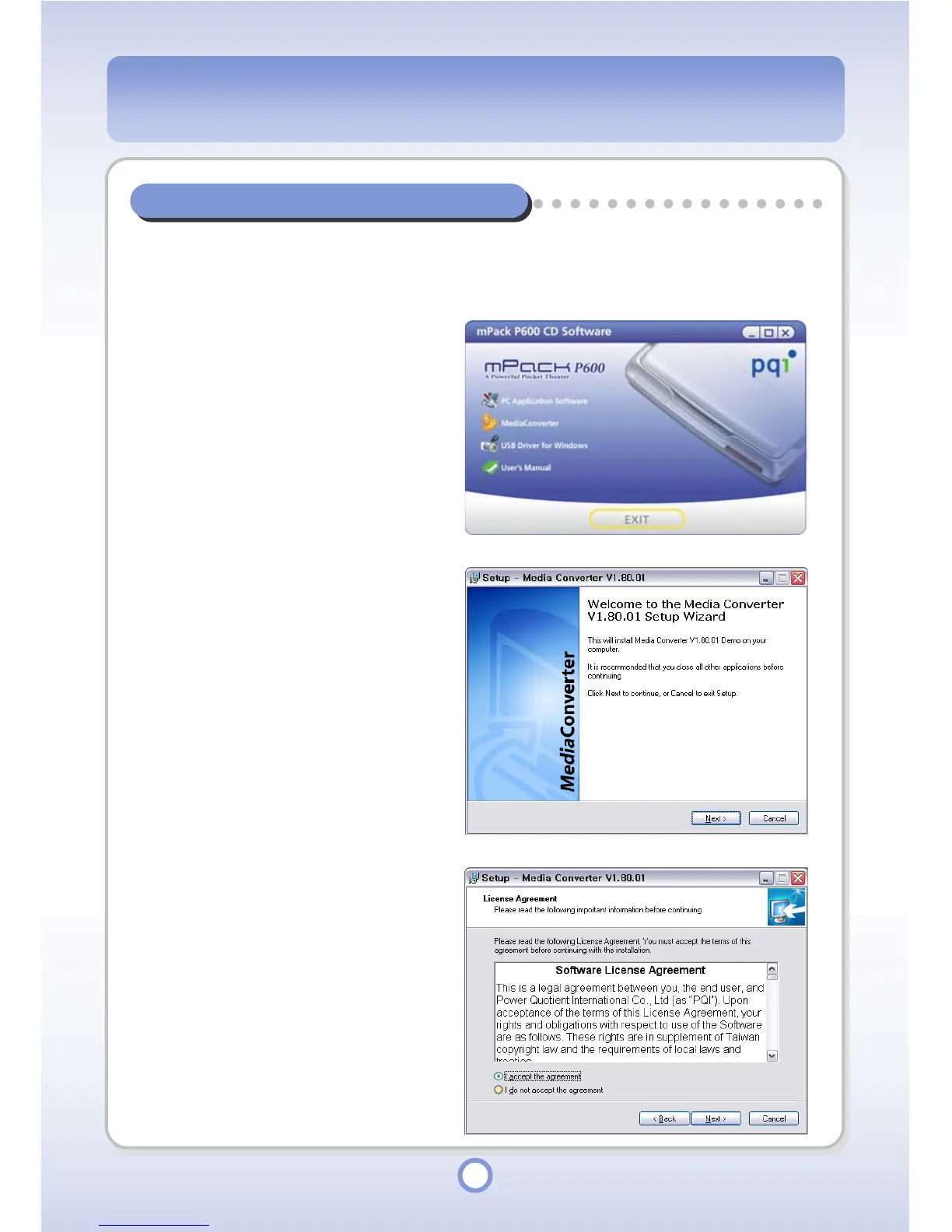
- The “mPack P600 CD Software”
window appears.
2
Click the <Media Converter>.
- The “Media Converter” Wizard
appears.
3
Click <Next> button.
- The License Agreement window
appears.
4
Select ‘I accept the agreement’
and click <Next> button.



 To Next Page