35
5
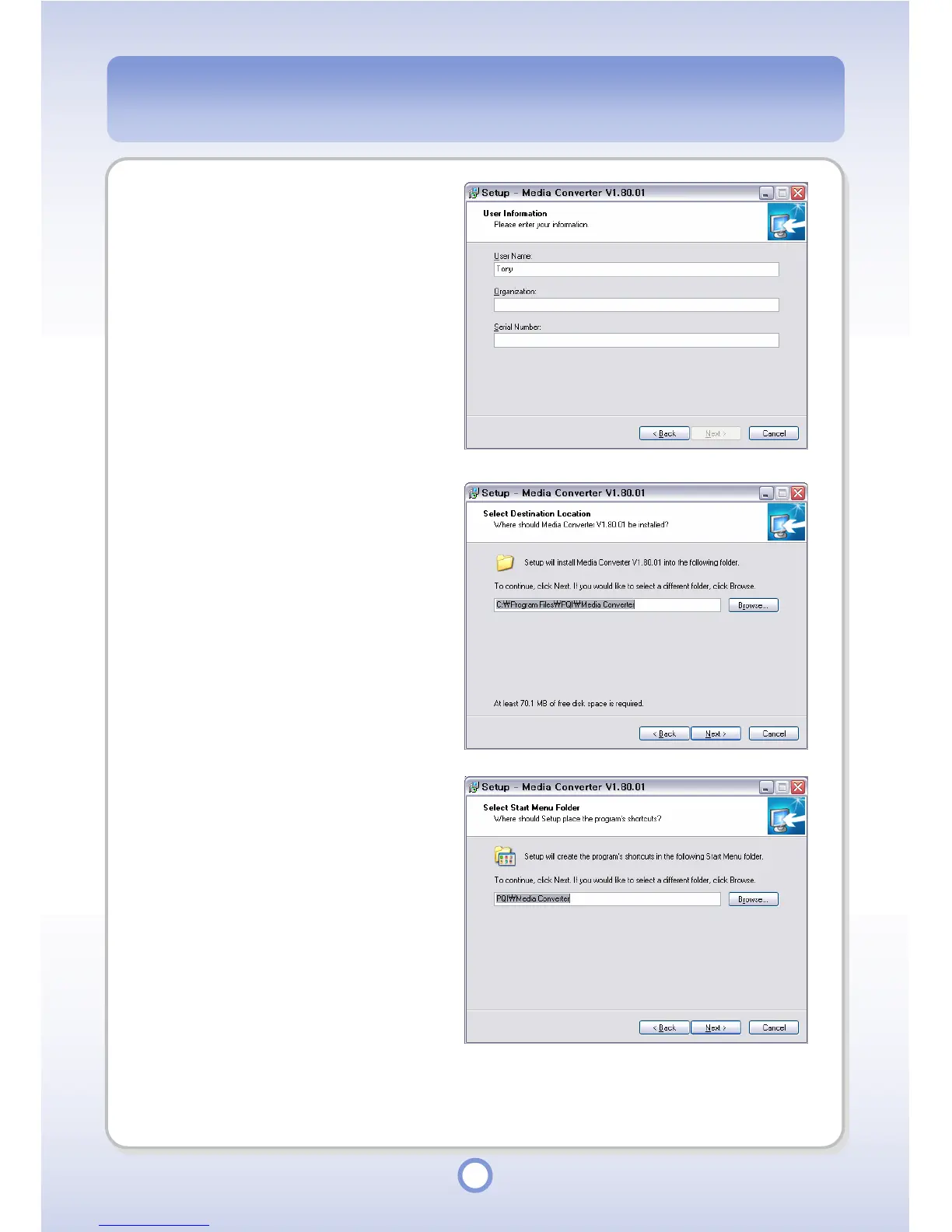
Enter the user name, company
and serial number and click
<Next> button.
- The serial number is printed on
the CD supplied with the product.
6
Select a folder to install the
Media Converter into and click
<Next> button.
7
Select a folder to save the
program’s shortcut into and click
<Next> button.



 To Next Page