40
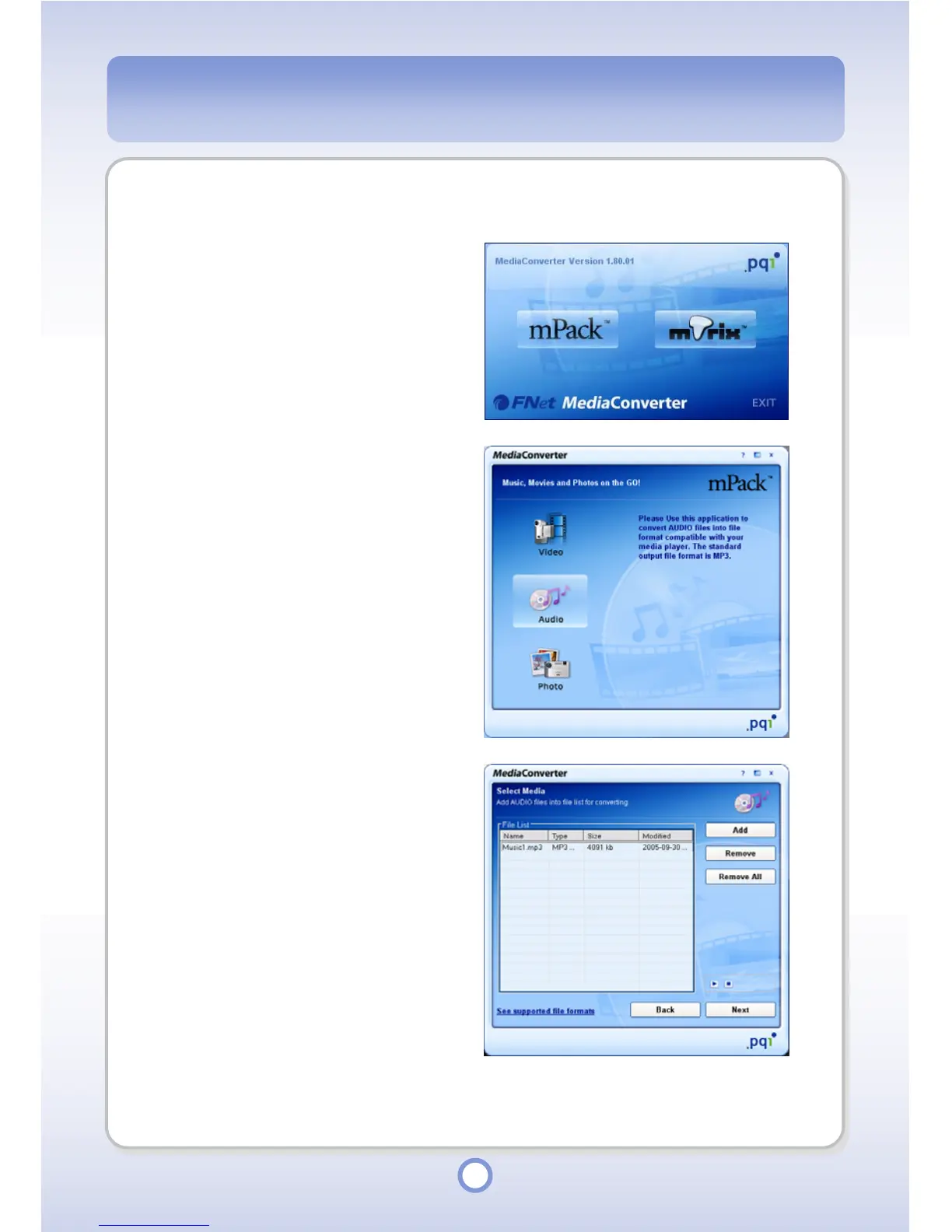
Converting an Audio File
1
Select Start
All Programs
PQI
Media Converter
Media
Converter on Windows Desktop.
2
Click <mPack> button.
- The “Media Converter” window
appears.
3
Click the <
Audio> button.
- The “Select Media” window
appears.
4
Add an audio file to be converted
by clicking the <Add> button.
- Click <Remove> button to delete
only the files selected from the file
list.
- Click <Remove All> button to
delete all the files in the file list.
5
Click <Next> button.



 To Next Page