39
4
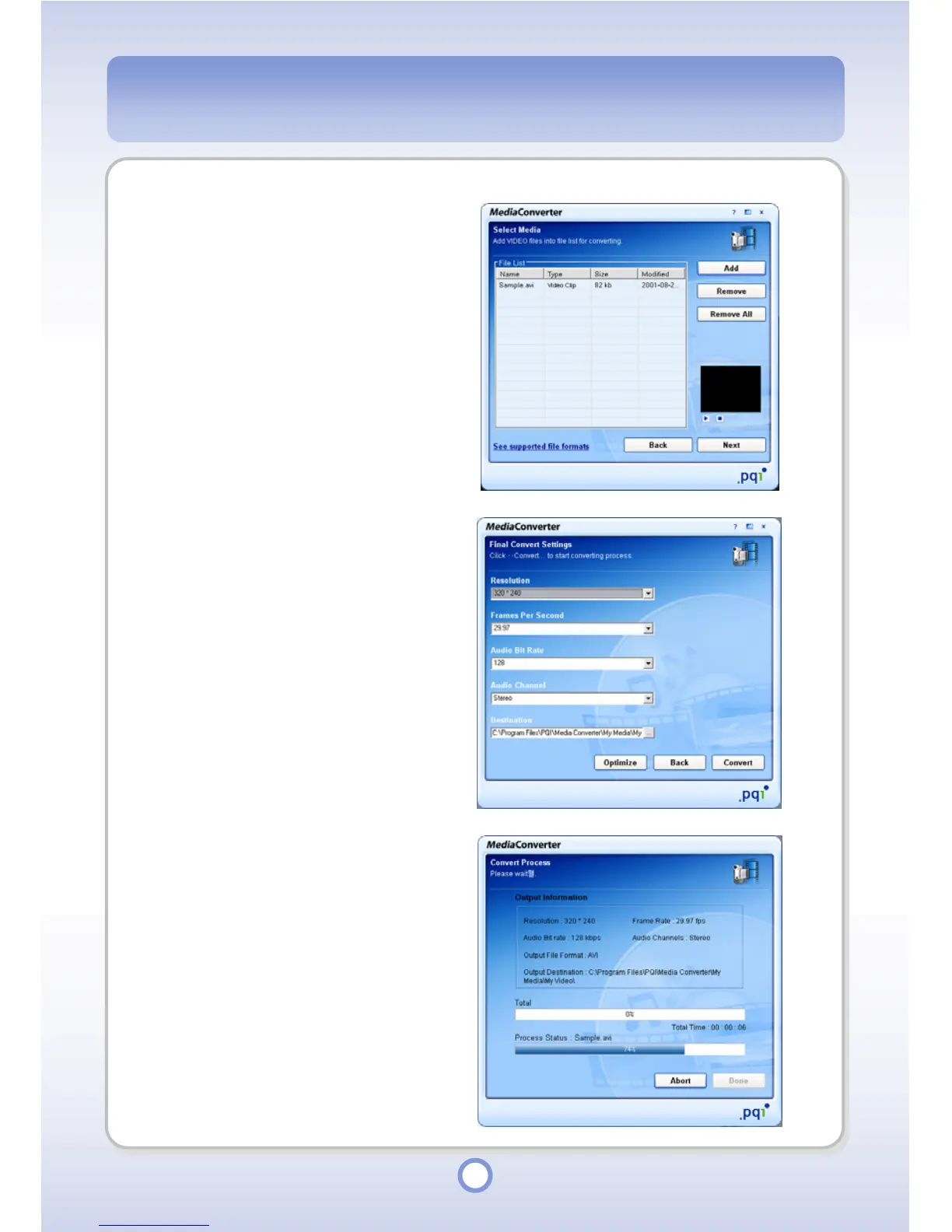
Add a video file to be converted
by clicking the <Add> button.
- Click <Remove> button to delete
only the files selected from the
file list.
- Click <Remove All> button to
delete all the files in the file list.
5
Click <Next> button.
6
Set file format conversion
options.
● Resolution: 320*240, 235*288,
420*272(wide), 640*480(VGA),
720*480, 800*576
● Frames Per Second: 15, 20, 25,
29.97
● Audio Bit Rate: 96, 128, 192
● Audio Channel: Mono, Stereo
● Destination: Set a folder to save
the converted file into.
7
Click the <Convert> button.
- Click the <Optimize> button to
restore the defaults.
8
When the file conversion is
completed, click the <Done>
button.



 To Next Page