25
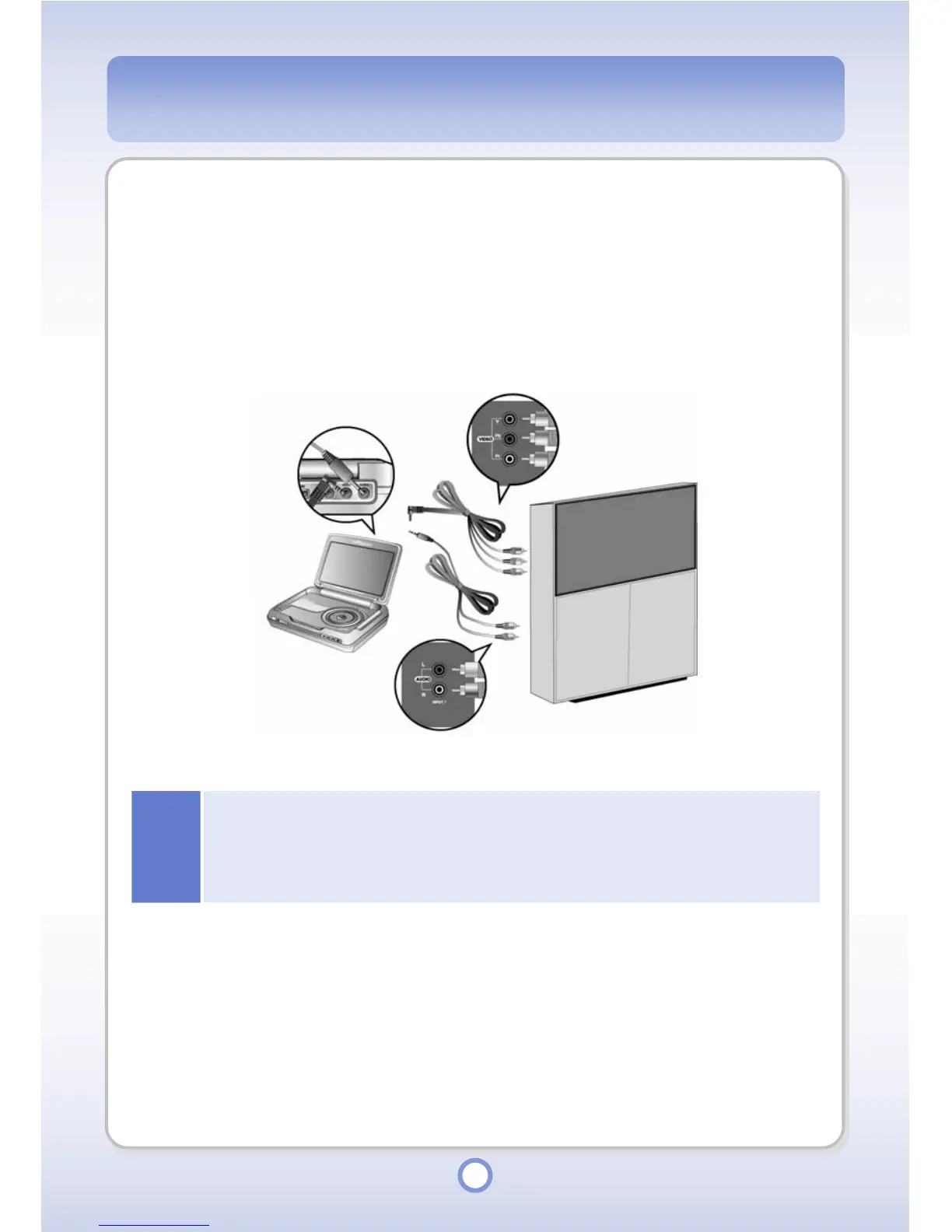
Connecting with Component Cable
Component cable is used when you want high quality of video and audio by connecting to the
TV with Component (Y, Pb and Pr) signal input device. Connect the Video Port of your player
and the video input (VIDEO[Y/Pb/Pr] IN) port of an external device (e.g. TV, etc.) with the
Component cable. In this case, connect the Audio Port of your player and the audio input
(AUDIO[L/R] IN) port of the external device (e.g. TV, etc.).
Notice
●
If you have connected an external display device such as a TV with the Component cable,
you have to change the input source setting of the device. For more information on the input
source setting of a display device, refer to the User's Manual supplied with the device.
●
Even if the size and shape of cables are the same, the purpose may be different. Therefore,
use only the cables supplied with the product. Otherwise, the product might be damaged.



 To Next Page