76
ALL AUDIO
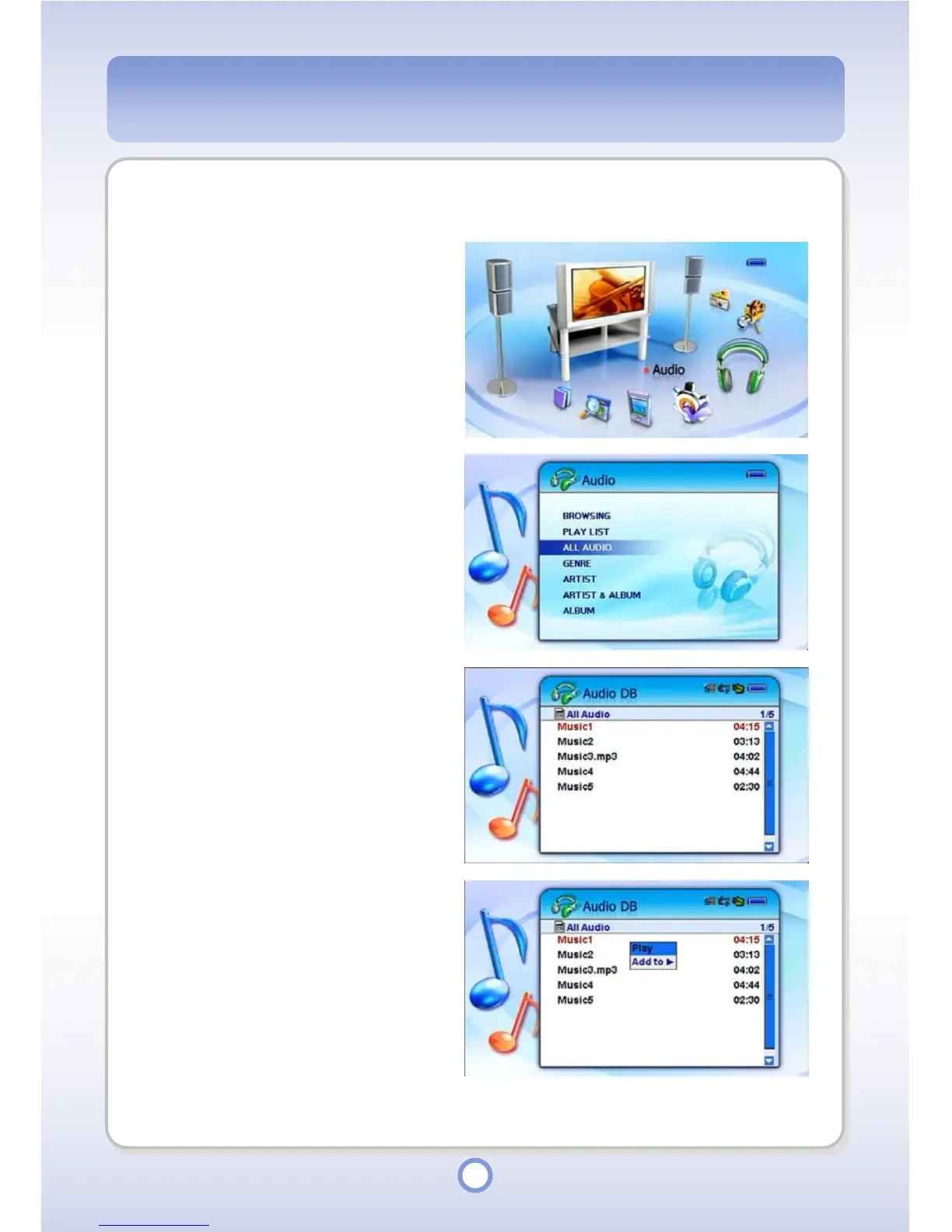
Using this menu, you can play all or some of the audio files registered to the Audio DB.
1
In the Main screen, select the
<Audio> icon by using the
Left/Right direction key of the
Navigation button and press the
|| button.
▶
- The Audio sub menu appears.
2
Select <ALL AUDIO> from the
menu and press the || button.
▶
- The Audio file list appears.
3
Select a file to be played and
press the <MENU> button.
4
Select <Play> from the pop-up
menu and press the || button.
▶
- The selected file is played.



 To Next Page