78
GENRE/ARTIST/ARTIST & ALBUM/ALBUM
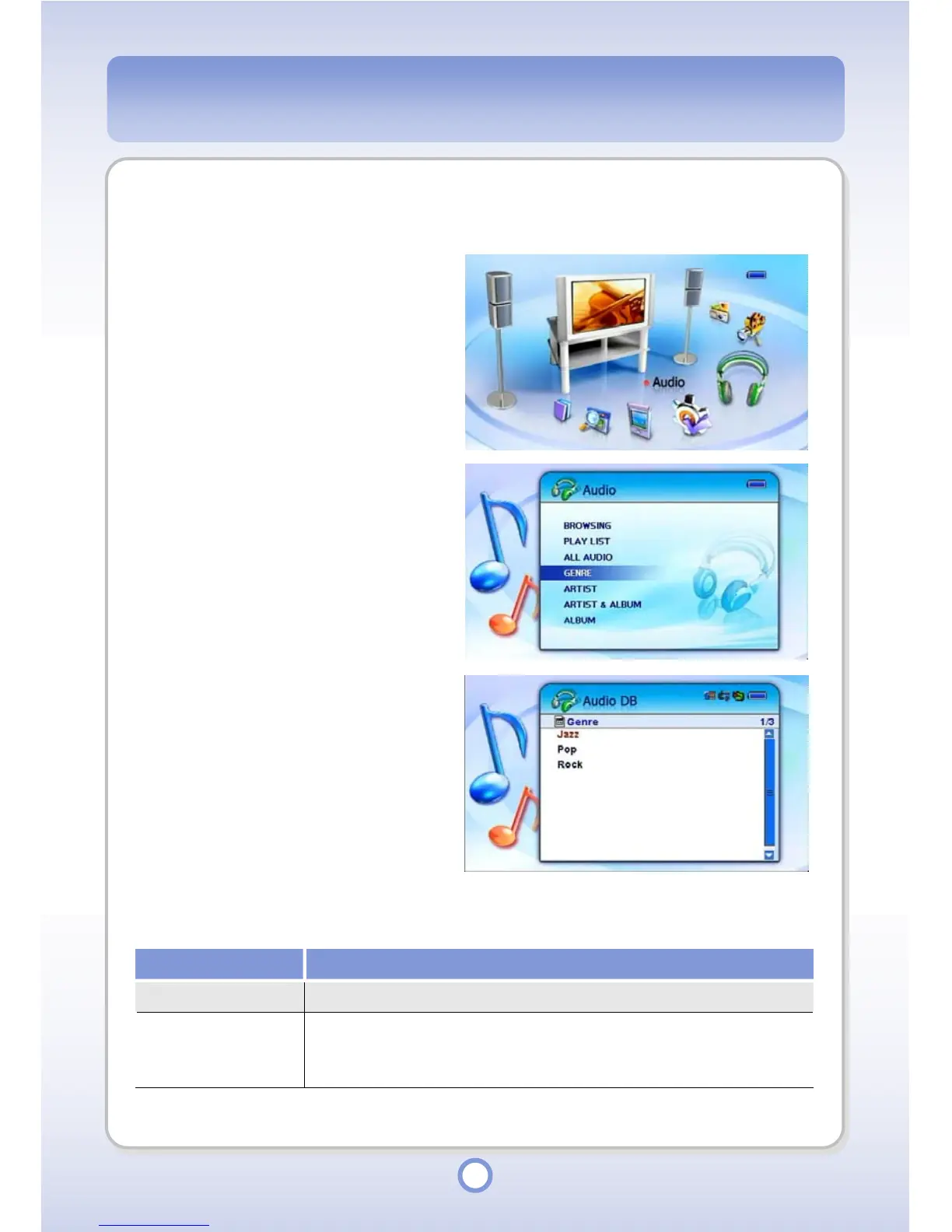
You can select and play audio files by Genre / Artist / Artist & Album / Album.
1
In the Main screen, select the
<Audio> icon by using the
Left/Right direction key of the
Navigation button and press the
|| button.
▶
- The Audio sub menu appears.
2
Select GENRE, ARTIST,
ARTIST&ALBUM or ALBUM and
press the || button.
▶
- The corresponding audio file list
appears.
3
In each list, press the
▶
|| button.
- Audio file list appears.
When you press the <MENU> button in the audio file list, a pop-up menu providing the
following functions appears.
Item Description
Play
You can play an audio file.
Add to
You can add an audio file to a playlist.
●
Default Playlist: Select to add to the default playlist.
●
Select Playlist: Select to select a playlist and add to the playlist.



 To Next Page