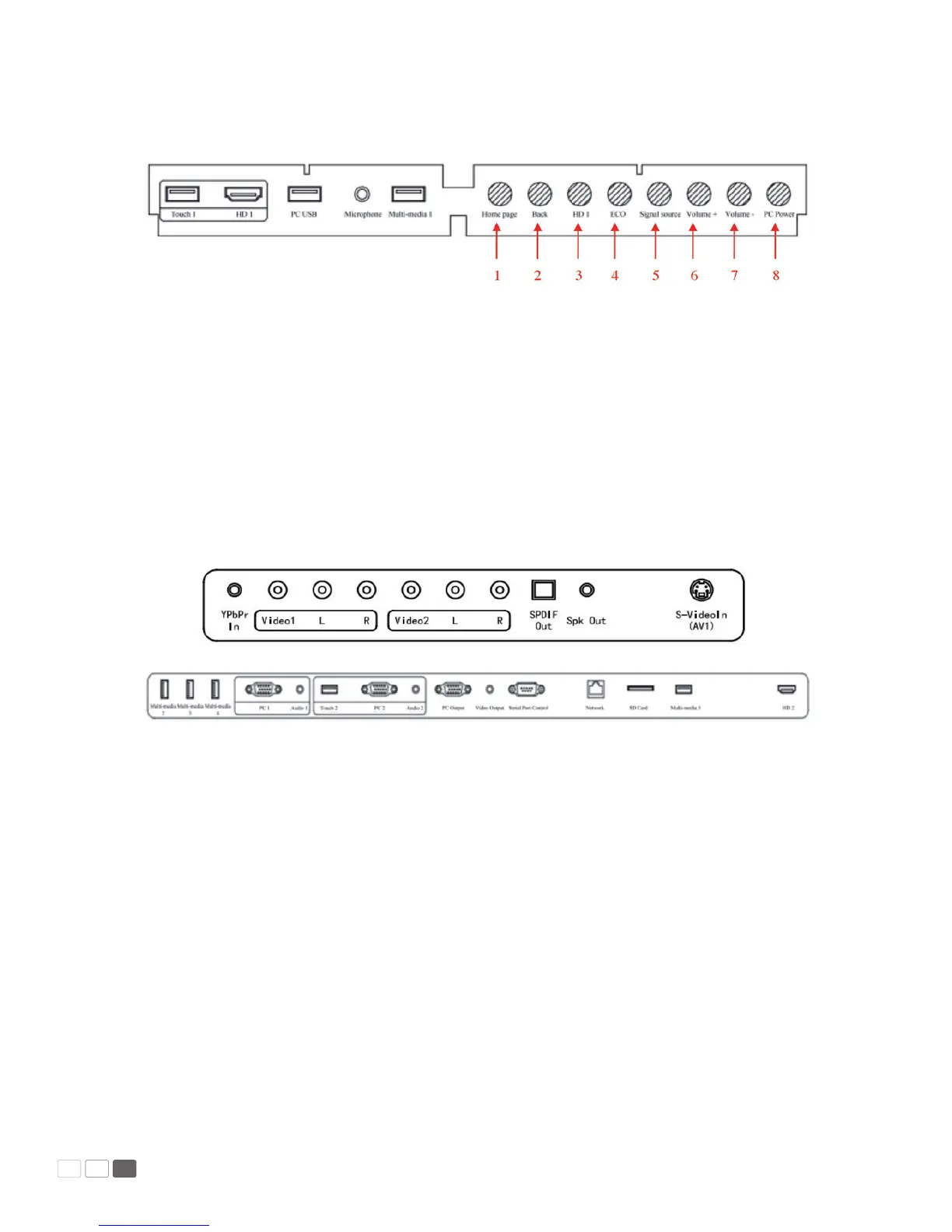
Control Panel
1. Home: Open the Android home page.
2. Back: Go back or return to the parent menu.
3. HD 1: Switch over to HD 1 signal source channel.
4. ECO: Switch over to ECO, Auto or Standard mode.
5. Signal: Show or exit from the list of signal sources.
6. VOL+: Increase the volume.
7. VOL-: Decrease the volume.
8. PC Power: Turn on/o the OPS computer.
Interface Panel
Manual Predia Touch Pro
10



 To Next Page