Manual Predia Touch Pro
29
System Settings
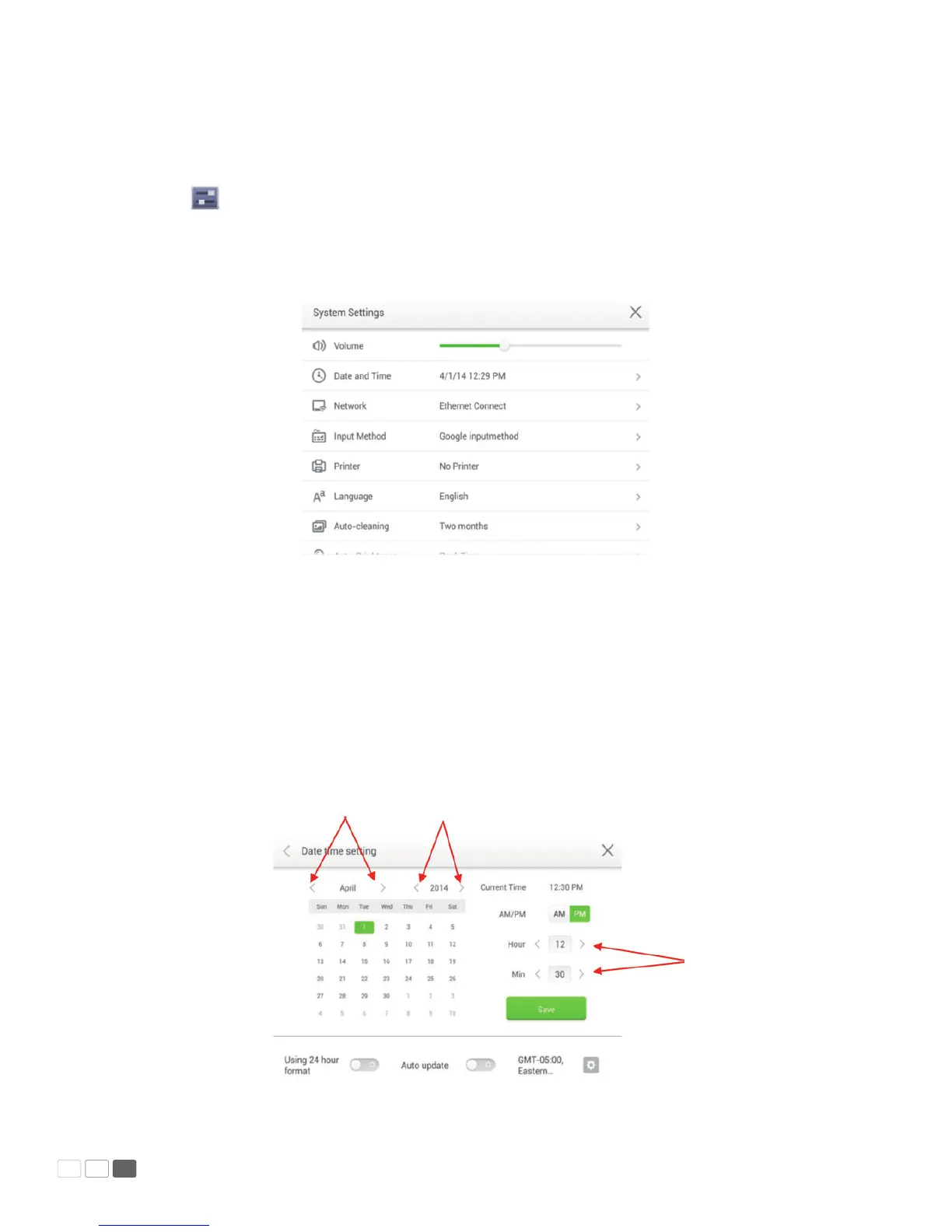
Click on Smartbar to enter the system settings page, which includes options including
Volume, Time, Network, Input Method, Printer, Language, Clear Screenshot, Auto Luminance,
and About Android.
Set Time/Date
Click Time to enter the time/date setting interface.
Click 24 Hours. When it is grey, it is 12-hour system. You can click AM or PM. When it is green, it is
24-hour system.
Click Auto Update. When it is grey, you can modify the time and date. When it is green, the time and
date will be automatically updated by the system.
Click here to set month Click here to set year
Click here to set
hours and minutes



 To Next Page