Manual Predia Touch Pro
44
ECO Mode
Press ECO on the remote controller to enter the ECO mode (ECO-Auto-Standard). Press this button
to switch among the three modes.
•
The power consumption will be halved under the ECO mode.
•
Under the Auto mode, the display will automatically adjust the brightness of the screen according
to the light from the environment. When the surrounding light is strong, the screen will bright up.
When the surround light is weak, the screen will darken.
•
Under the Standard mode, the screen brightness will stay the same.
Note: To save energy, please switch o the panel when it is used; and switch the panel to Lis-
ten Alone when you do not need to watch the display, thus cutting power consumption.
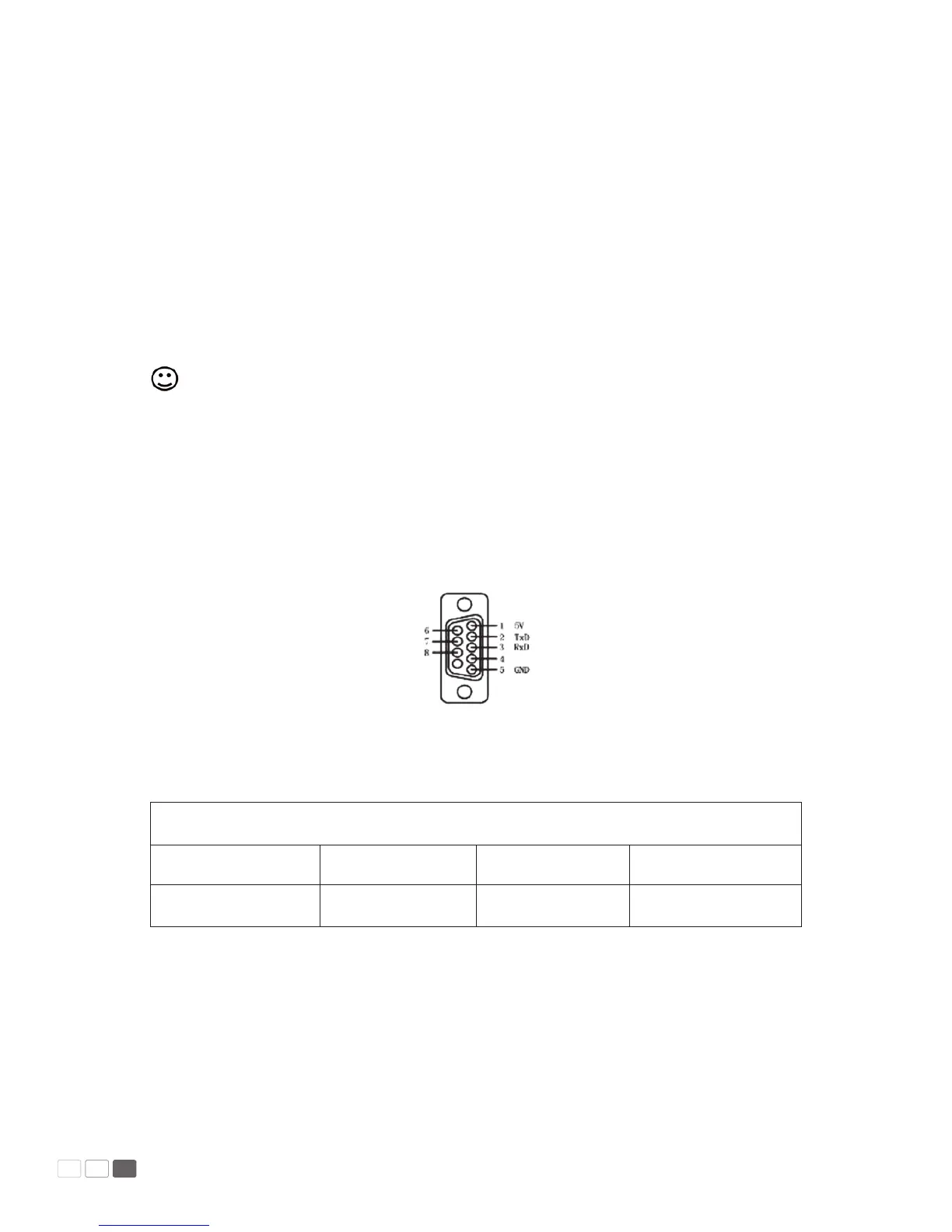
Serial Port Control
The RS-232 port of the interactive panel is dened as follows:
Connect RS-232 port to the PC or controlling device. Enable RS-233 serial port connection and
complete the following conguration.
Port: COM1 (Set according to PC or controlling device’s port number
Bit rate 115200 Odd/even check None
Data bits 8 Stop bit 1



 To Next Page