Manual Predia Touch Pro
25
File Manager
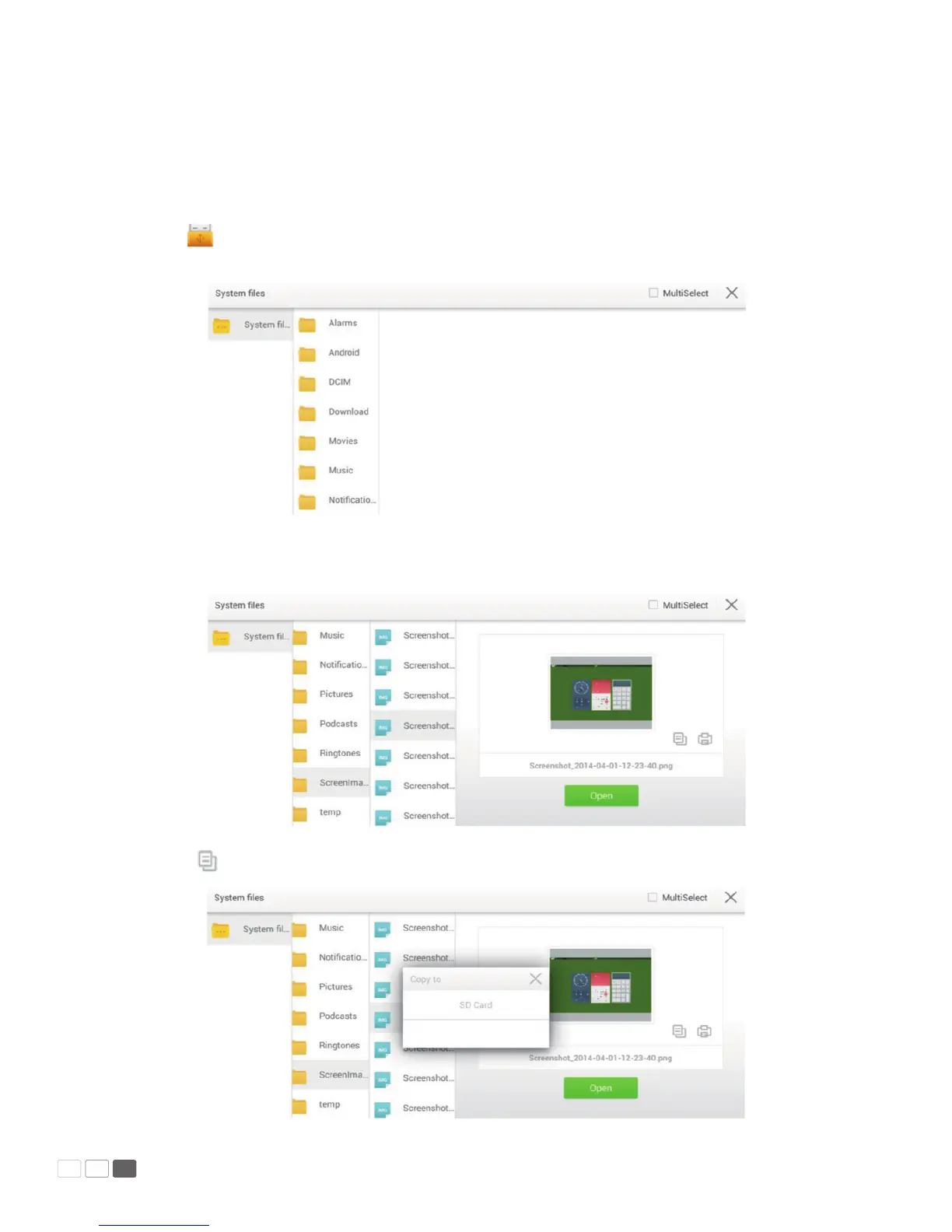
In re manager, you can copy, print and view les in the system.
Click on Smartbar to enter the re manager interface and show the le system. It also shows
les in portable devices such as SD card and ash disk.
• Copy
Click one le or tick o Multiple and choose several les.
Click to copy selected les to the portable device.



 To Next Page