Manual Predia Touch Pro
18
•
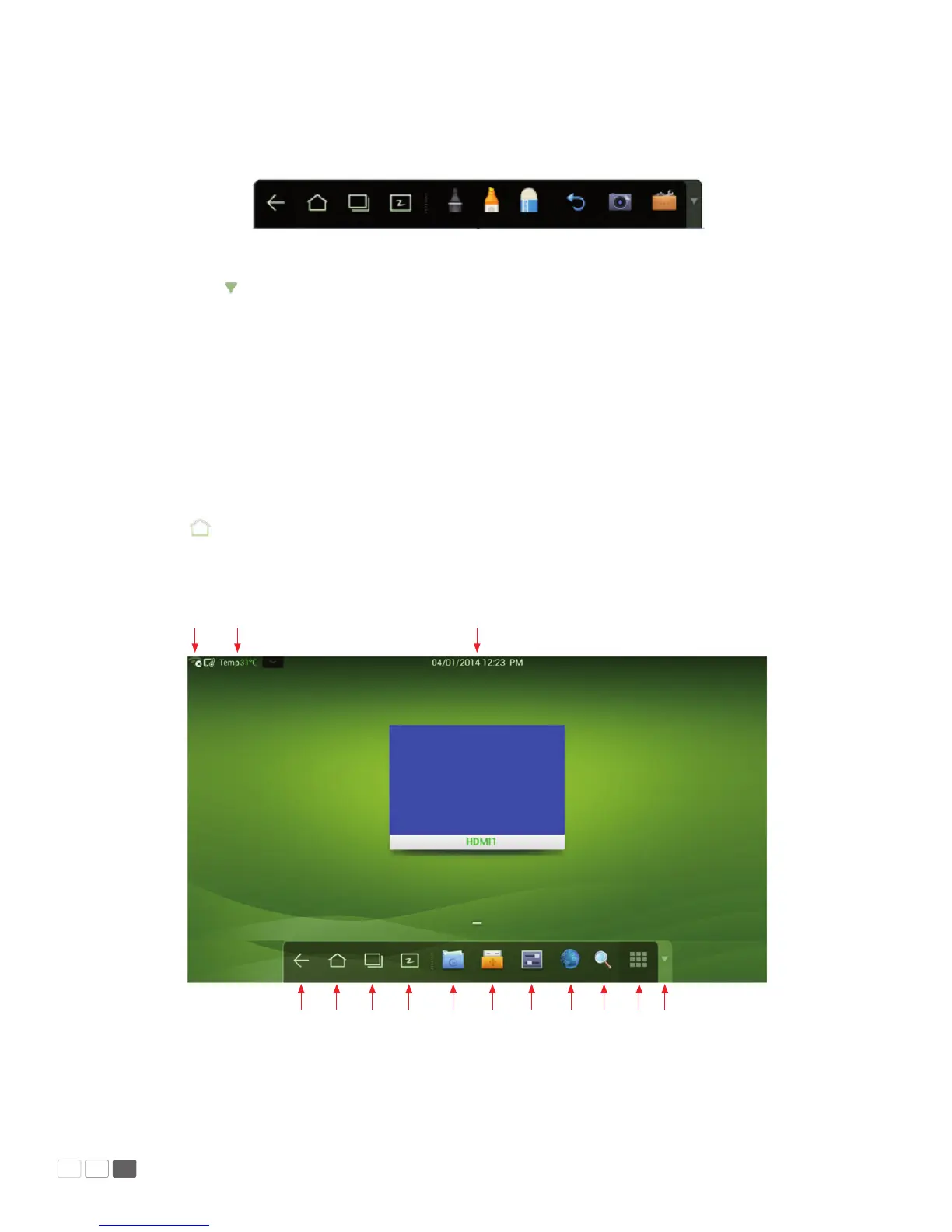
In programs other than the white board, the smartbar is in the Remarks mode. You can select a
pen, line and color to add notes and remarks on the le opened (including image, PPT and PDF).
(Remarks mode)
Note: Click on the right to hide the toolbar. Scroll down with your nger to show the smartbar.
Home Page
The home page provides the preview function that displays three items:
1. OPS computer preview
2. External PC preview such as laptop
3. Portable device preview such as ash disk and SD card
Click on the smartbar or Home button to enter the home page and show the preview window.
When more than three preview windows are displayed, additional windows will be displayed on the
second page. Scroll left and right to turn page.
Back
WiFi Display temperature Time / Date
Home
Task manager
White board
Gallery
File manager
System setting
Browser
Listen alone
Program
Hide menu



 To Next Page