Manual Predia Touch Pro
26
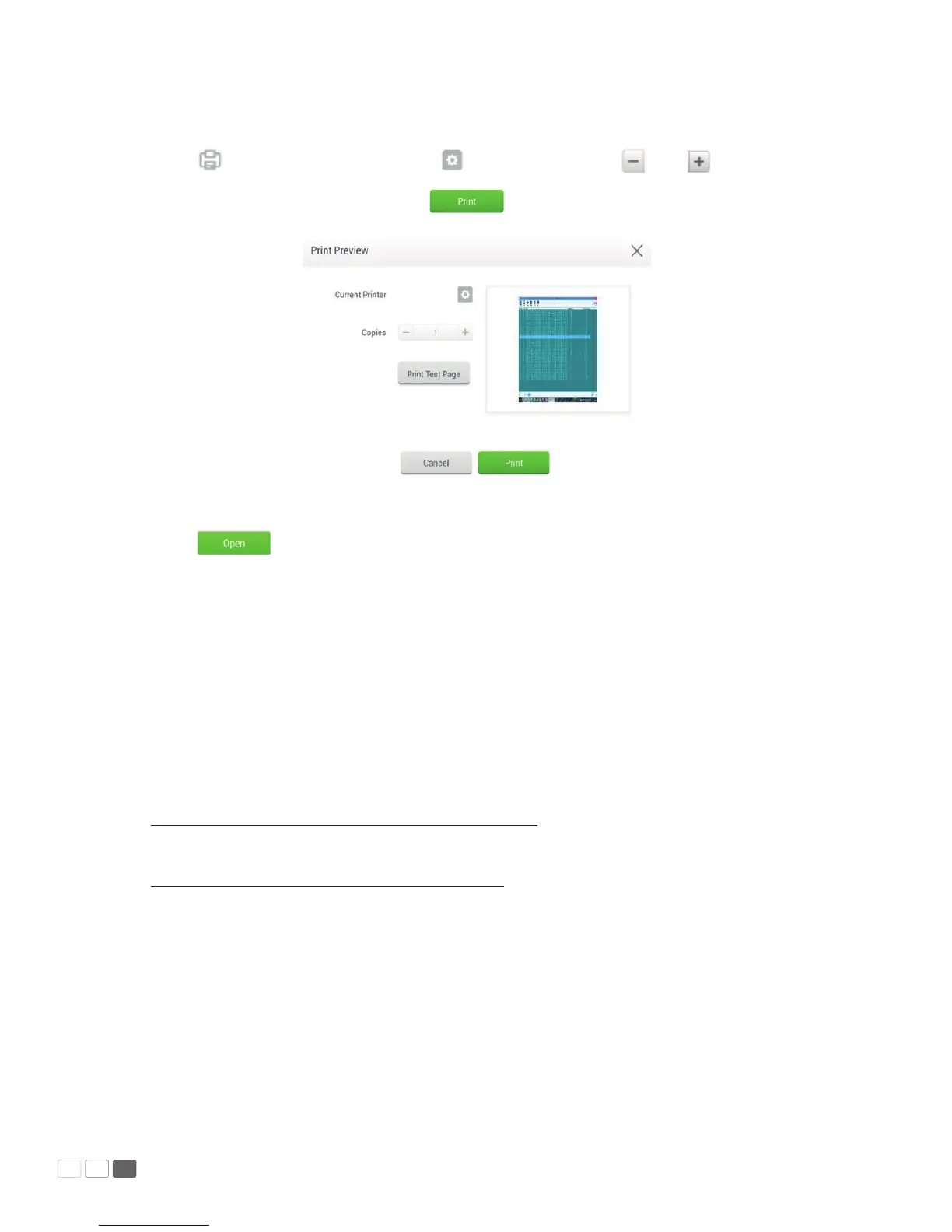
• Print
Click to open the preview page. Click to set the printer. Click and to set
the number of copies to be printed. Click to start printing.
• View
Click to open a le. You can view les including images, music, word, PPT and PDF.
MirrorOp Receiver (Wireless Projection Screen)
MirrorOp receiver is a software to be build-in in our Android system, and then this Android interac-
tive touch screen becomes a remote pad which allows you to operate any other computers with a
MirrorOp Sender or projection any Android and iOs device through MirrorOp Presenter.
Please install the related software to lunch the function.
Windows: Scan the QR Code from the sticker on the device or link to
http://www.mirrorop.com/product_Windows_Sender.html to download the Windows Sender
Mac: Scan the QR code from the sticker on the device or link to
http://www.mirrorop.com/product_Mac_Sender.html to download the Mac Sender
Android device: Scan the QR code from the sticker on the device to download “MirrorOp Presenter”
or get on Google Play to search “MirrorOp Presenter” and download the App.
iOS device: Scan the QR code from the sticker on the device to download “ MirrorOp Presenter” get
on App Store to search “ MirrorOp Presenter” and download App.



 To Next Page