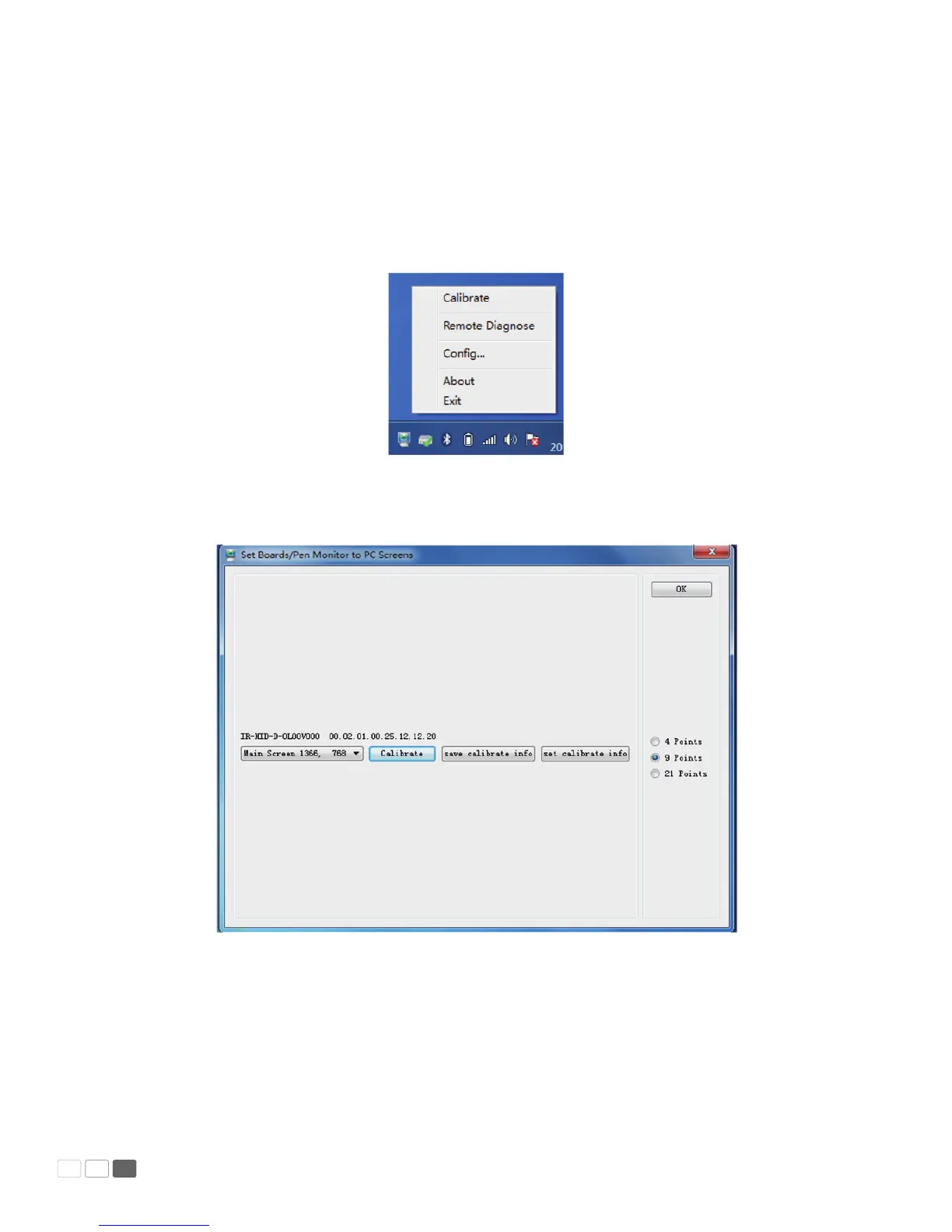
The handwriting display adopts nine-point positioning method. The position process is described as
follows:
1. Connect the display and run the drive program;
2. Click the handwriting drive icon on the right bottom of the display to show the following image:
3. Select Nine Points and click Position.
4. Use the pen to click and hold the center of the ickering cross. Do not release it until the ickering
cross moves to the next positioning point. Complete the positioning process as instructed. After it
completes, you will return to the desktop automatically.
Manual Predia Touch Pro
13



 To Next Page