Overview Getting
Started
Controls and
Connections
Cascading
Units
Technical
Information
3 CONTROLS & CONNECTIONS PreSonus
™
FireStudio
™
Mobile
54
Overview Getting
Started
Controls and
Connections
Cascading
Units
Technical
Information
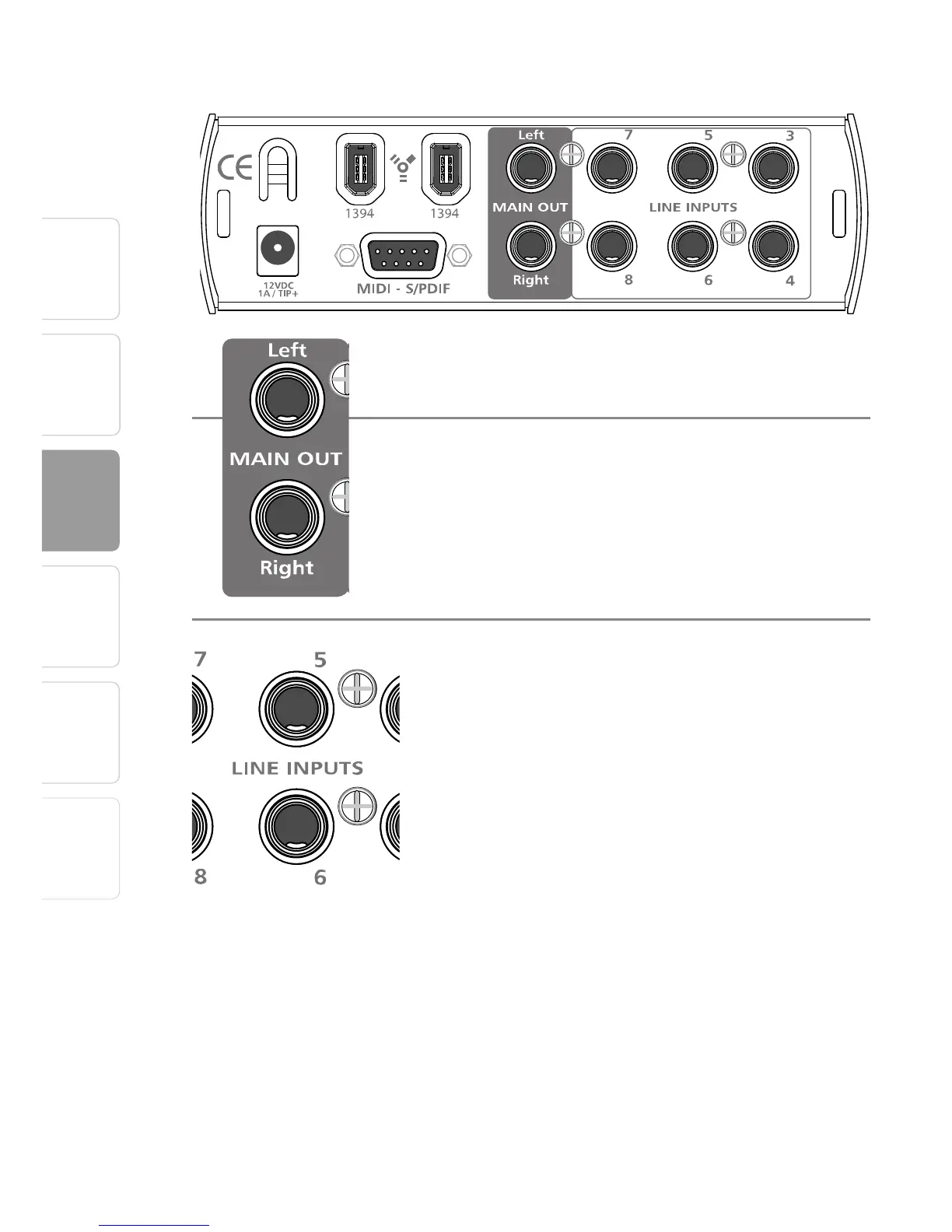
3.3 Back Panel Layout
and the appropriate sample rate in the FireStudio
Mobile Control Console when using the S/PDIF
input for external sync.
Main Output. This stereo TRS output derives its
source signal from the FireStudio Mobile Control
Console. This output level is attenuated by the Main
level control on the front panel of the FireStudio
Mobile.
Line Inputs. Channels 3 through 8 of your FireStudio
Mobile are line-level inputs. They are designed
to accept up to a maximum input level of +10
dBu (0 dBFS). Use these inputs to connect your
line-level devices such as synthesizers, amp-
modeling hardware, and vocoders. In general,
line-level devices have their own volume
controls. As these inputs are for line-level
signals only, there is no trim control for them on
the FireStudio Mobile. If you need to raise or
lower the volume, the adjustment should be made
from your line-level device.
ABOUT VINTAGE DEVICES: Some older and vintage
line-level devices might not provide a hot enough
signal. If this is the case, connect the device’s audio
output to a direct box’s line-level input and connect
the direct box’s XLR (mic-level) output to a microphone
input on the FireStudio Mobile.















 To Next Page