Overview Getting
Started
Controls and
Connections
Cascading
Units
Technical
Information
3 CONTROLS & CONNECTIONS PreSonus
™
FireStudio
™
Mobile
38
Overview Getting
Started
Controls and
Connections
Cascading
Units
Technical
Information
3.1 Software
3.1.2 Launch Window
From the Launch Window, you can set all the basic
controls for your FireStudio Mobile.
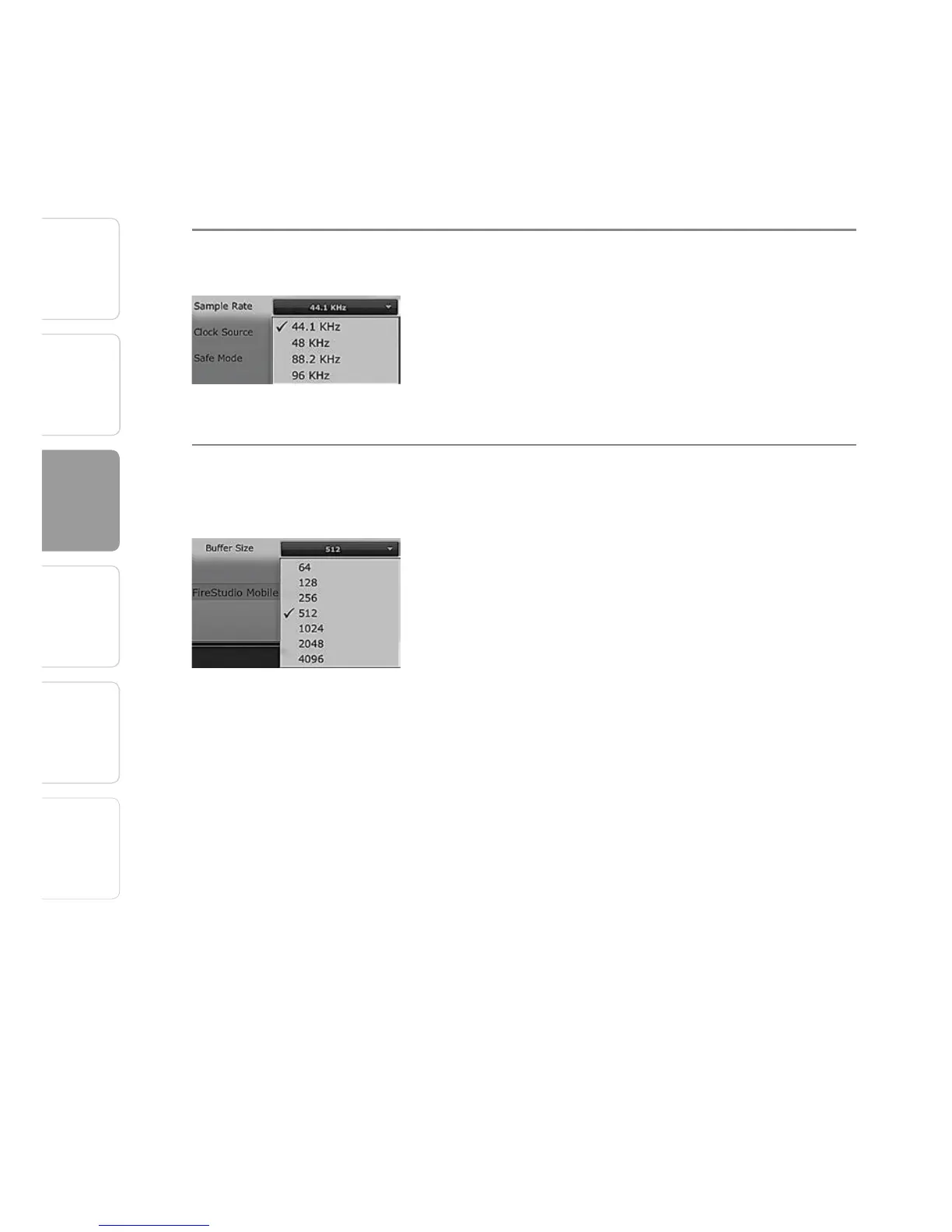
Sample Rate Selector Changes FireStudio Mobile Sample Rate
You can set the sample rate to 44.1, 48, 88.2, or 96
kHz. A higher sample rate will increase the fidelity
of the recording but will increase the file size and
the amount of system resources necessary to
process the audio.
Buffer Size Selector Changes the FireStudio Mobile Buffer Size
(Windows PCs Only)
You can set the buffer size from 64 to 4,096
samples. The buffer size determines the latency,
which is the roundtrip time it takes audio data to
be converted from analog to digital and back to
analog. As a general rule, the higher the buffer
size, the better the system performance, but
the less playable virtual instruments become. In
general, 512 samples (11 to 12 milliseconds) will
provide you with a buffer that is large enough for
optimum system performance, but small enough
to be unobtrusive. You should set your buffer
size and sample rate prior to launching your host
applciation.
On Macintosh, the buffer size is set from inside
your host application.















 To Next Page