Overview Getting
Started
Controls and
Connections
Cascading
Units
Technical
Information
3 CONTROLS & CONNECTIONS PreSonus
™
FireStudio
™
Mobile
48
Overview Getting
Started
Controls and
Connections
Cascading
Units
Technical
Information
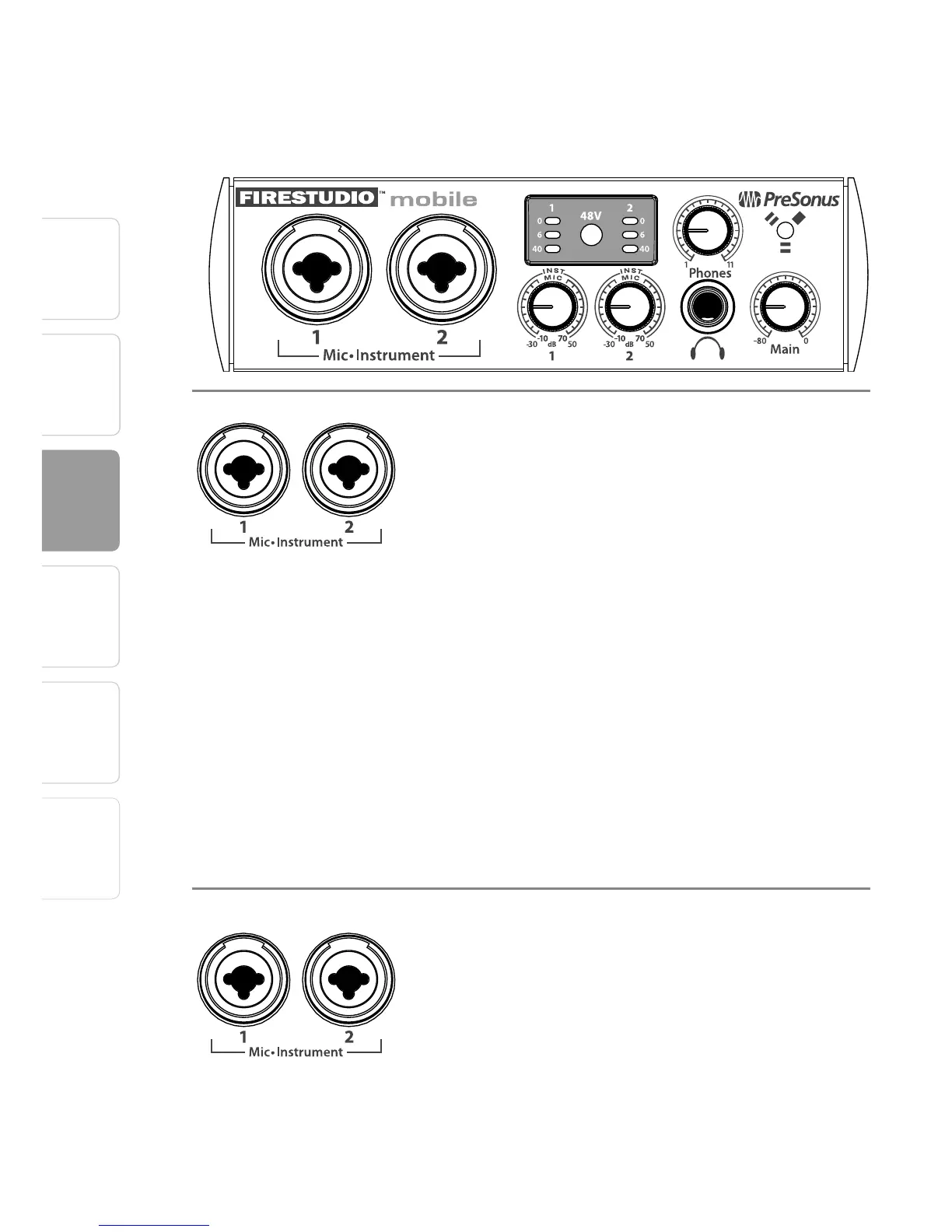
3.2 Front-Panel Layout
3.2 Front-Panel Layout
Microphone Preamplifier. Your FireStudio Mobile
is equipped with two PreSonus XMAX microphone
preamplifiers that accept signals from all types of
microphones, as well as instrument-level signals
such as the output of an electric guitar. The PreSonus
preamplifier design employs a Class A input gain
stage. This arrangement results in ultra-low noise
and wide gain control, allowing the FireStudio
Mobile user to boost desirable signal without
increasing unwanted background noise.
• +14 dBu Headroom. The FireStudio Mobile
microphone preamplifier has +14 dBu of
headroom. This gives you wide dynamic range and
excellent transient-response characteristics.
• Combo Connectors. Each channel of the FireStudio
Mobile has a Combo mic/line jack that accepts
either ¼” phone or XLR plugs.
Instrument Inputs (Channels 1 and 2). The ¼" TS
connector on Channels 1 and 2 are for use with an
instrument (guitar, bass, etc.). When an instrument is
plugged into the ¼" input, a high impedance input
buffer is switched into the preamp circuit and the
FireStudio Mobile becomes an active instrument
preamplifier.
NOTE: Don’t plug a line-level source into the input















 To Next Page