Overview Getting
Started
Controls and
Connections
Cascading
Units
Technical
Information
2 GETTING STARTED PreSonus
™
FireStudio
™
Mobile
32
Overview Getting
Started
Controls and
Connections
Cascading
Units
Technical
Information
2.3 Hookup Diagrams
2.3 SAMPLE HOOKUP DIAGRAMS
The FireStudio Mobile enables you to simultaneously
record and play back up to ten channels. You can
plug two microphones directly into the FireStudio
Mobile’s two preamplifiers and can use the line-
level inputs to connect external microphone
preamplifiers, such as the PreSonus BlueTube DP,
Studio Channel, Eureka, or ADL 600. These line
inputs can also be used to connect synthesizers,
amp-modeling hardware, etc. External analog-to-
digital converters can connect to the S/PDIF inputs.
This makes recording extremely easy. All you need
are microphones, cables, and monitor speakers.
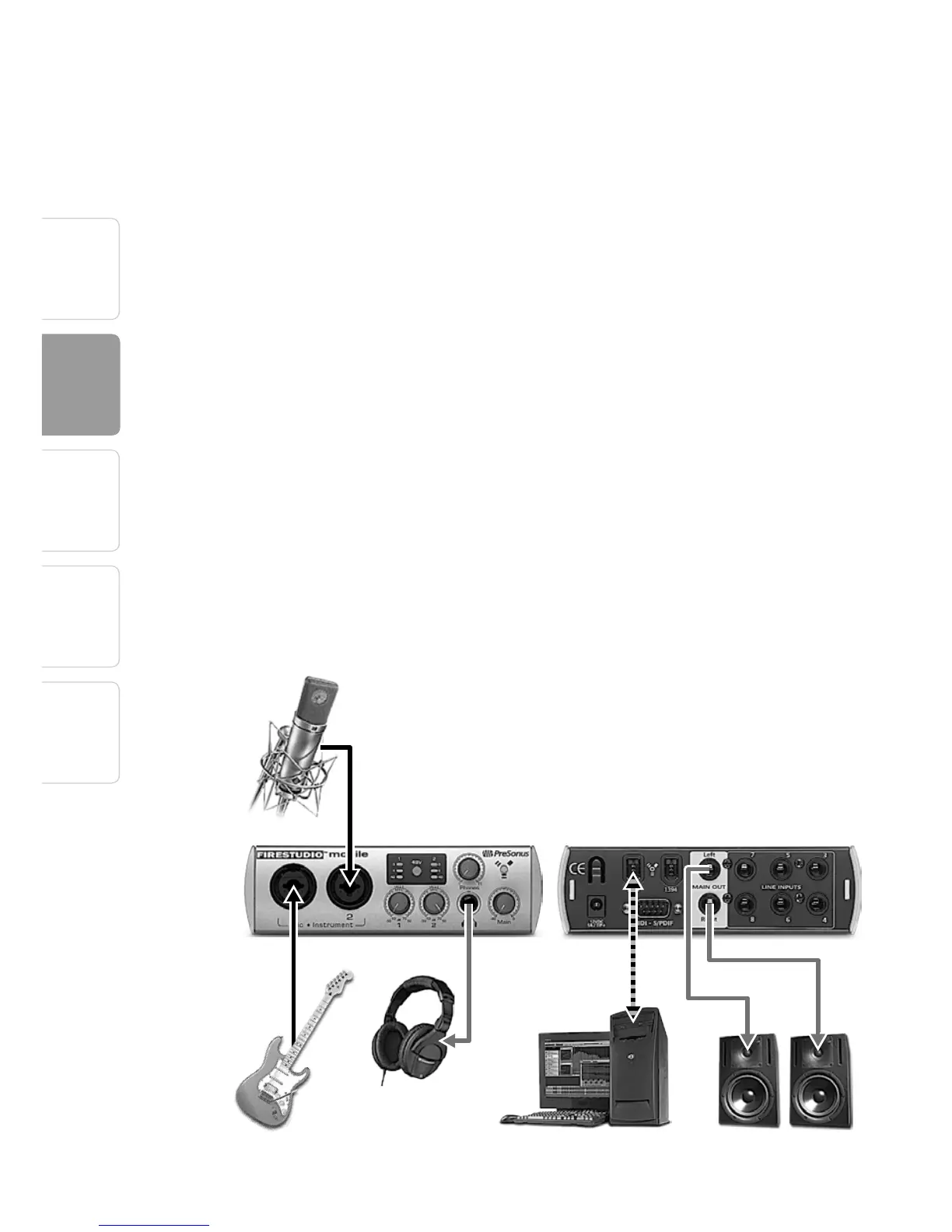
2.3.1 FireStudio Mobile Basic Setup
Cables and Connectors:
• 1 XLR (M) -XLR (F) (mic cable)
• 1 FireWire 400 (computer cable)
• 1 TS - TS (guitar cable)
• 2 TRS - XLR (M)
TS - TS
XLR (M) - XLR (F)
TRS - XLR (M)
TRS - XLR (M)
FW400
Microphone
Guitar
Headphones
Computer with FireWire Active Monitor Speakers















 To Next Page