CONTROLS & CONNECTIONS 3Owner’s Manual
39
Overview Getting
Started
Controls and
Connections
Cascading
Units
Technical
Information
Software 3.1
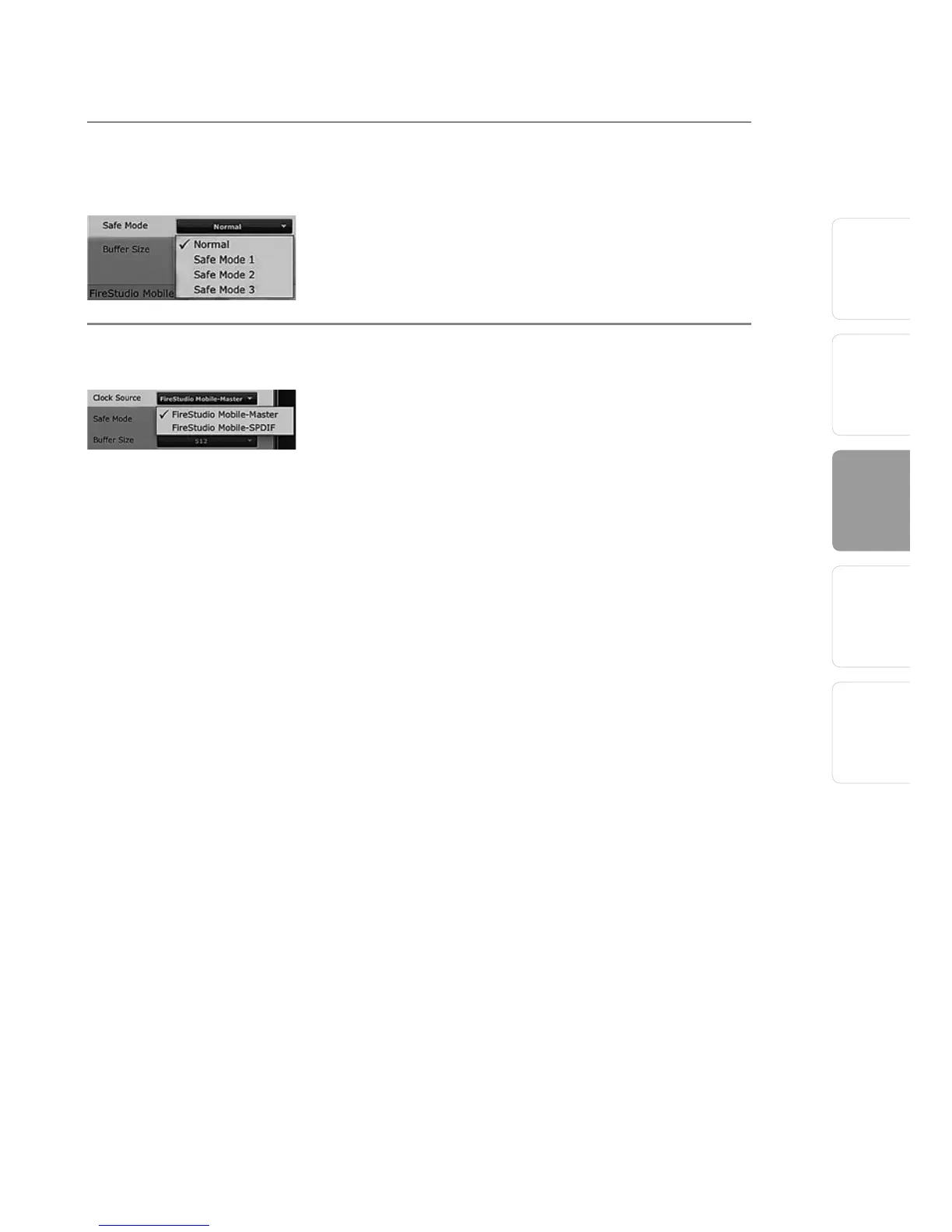
Operation Mode Changes How The FireStudio Mobile Driver’s
Buffer Size Is Set
• Normal Mode. Input and Output buffers are both
identical to the Buffer Size setting.
• Safe Modes 1-3 increases the Output buffer size
for added stability.
Clocksource Changes Clock Source For the FireStudio Mobile
The clock-source setting will determine the device
from which the FireStudio Mobile is receiving
word-clock information. This keeps the FireStudio
Mobile in sync with other digital devices. You can
choose between Internal or S/PDIF.
In general, you will want the FireStudio Mobile to
be your master clock, in which case you should
set the clock to “Internal.” This setting also means
that your FireStudio Mobile is generating word
clock and sending this information out of its digital
outputs.
If you want the FireStudio Mobile to receive
sync from an external device, choose S/PDIF. The
FireStudio Mobile’s sync light will flash from blue to
red. When the FireStudio Mobile is in sync, the light
will be blue.
Please note: When slaved to an external clock, the
FireStudio Mobile will not automatically change its
sample rate to match the external clock. As a result, it
may fail to sync to the clock source. If your FireStudio
Mobile is not syncing to an external source, make
sure that both your master device and the FireStudio
Mobile are set to the same sample rate.















 To Next Page