41
Compressing a signal usually results in an overall reduction in level
(gain reduction), and the Makeup Gain control lets you increase
the volume to make up for this gain loss, if desired. You can adjust
the Makeup Gain from 0 dB (no gain adjustment) to +28 dB.
Auto Mode Button. This enables Automatic Attack and Release mode.
When Auto mode is active, the Attack and Release controls become
inoperative, and a preprogrammed attack and release curve is used
that sets the attack to 10 ms and the release to 150 ms. Meanwhile,
all other compressor parameters can still be adjusted manually.
Soft Knee Button. This engages soft-knee compression. In normal operating
mode, the compressor is set for hard-knee compression, meaning the
gain reduction applied to the signal occurs as soon as the input signal
level exceeds the threshold value. When the Soft Knee button is engaged,
the ratio increases gradually as the signal reaches the threshold.
Interactive Graph. This graph provides a visual representation of the
settings and current activity of the compressor. You can also adjust the
setting by moving the blue dot to change the Threshold and Ratio values.
5.7.5 Limiter
The limiter stops the signal from passing above a set threshold. This can
help prevent clipping or allowing a channel to get too loud in the mix.
On/Off Button. This turns the limiter on and off on the selected channel.
Threshold. Sets and displays the threshold of
the limiter on the selected channel.
This slider adjusts the limiter threshold for the selected channel. The limiter
engages as soon as the signal level (amplitude) exceeds the threshold value.
Moving this control to the left lowers the threshold so that limiting begins
at a lower amplitude value. The threshold can be set from -28 to 0 dB.
5.7.6 Parametric EQ
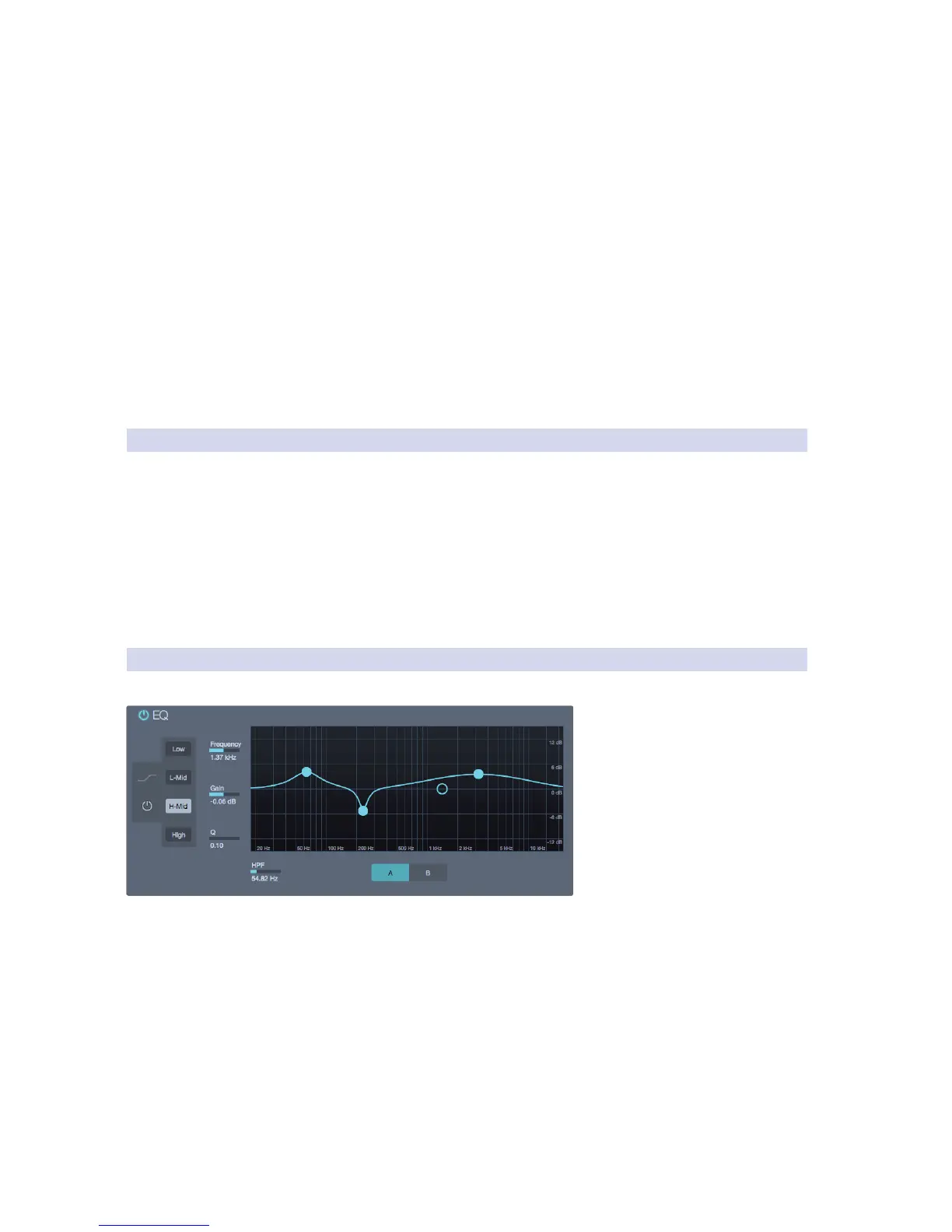
The Fat Channel EQ offers the following features:
On/Off Button. This button
globally switches all EQ bands on
or off and illuminates to indicate
that the equalizer is active.
High/Low Shelf Button. This button
turns Shelving mode on or off for
the High and Low bands. When
the Shelf button is engaged, the
associated High or Low frequency
section is switched from being a
parametric EQ to a shelving EQ.
Low, L-Mid, H-Mid, High Band Buttons. These buttons select which EQ
band is being controlled by the Frequency, Gain, and Q Parameter Boxes.
Frequency. This slider selects the center frequency of currently selected band.
You can adjust the center frequency in the following ranges for each band:
Low Band: 36 to 465 Hz
Low-Mids: 90 Hz to 1.2 kHz
Hi-Mids: 380 Hz to 5 kHz
Highs: 1.4 to 18 kHz
Gain. This slider boosts and attenuates the selected
frequency with a range of -15 to +15 dB.











 To Next Page