28
5.3 Meter Bridge
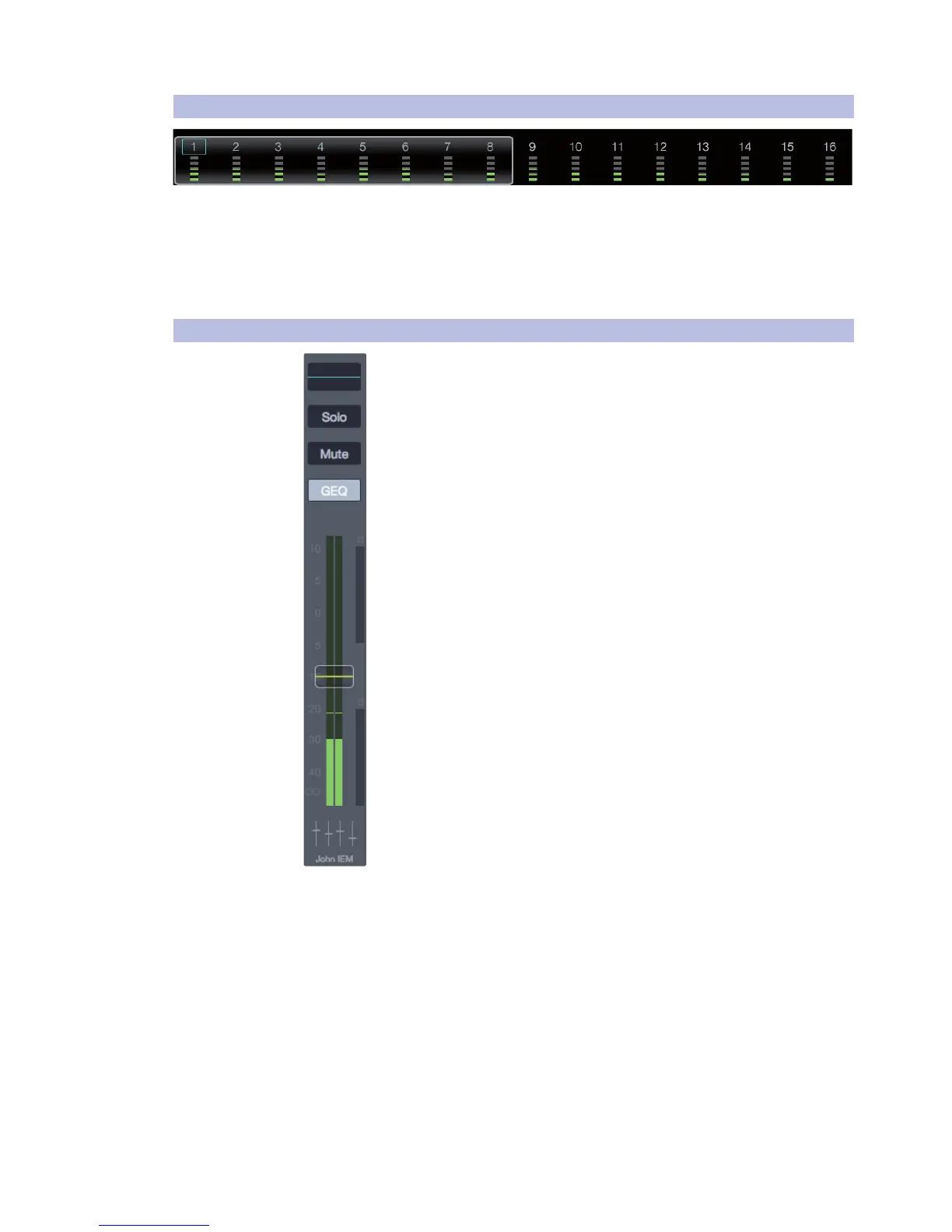
Meter Bridge. This area contains the level meters for all input channels. The
selected channel will be shown with a blue box around the channel number.
If an input clips, a red box will appear behind the channel number.
Scroll Bar. This is used for quickly navigating through the input
channels by dragging it to the left or right. However, you can also
scroll by swiping left or right in the mix channel area.
5.4 Flex Fader and Mix Selection Area
Flex Fader Channel Strip. Flex Faders are used for controlling the send for the
selected Aux mix or FX mix. When an Aux or FX mix is selected, the fader will
display the master send fader for that mix. In addition, when working with
Filter DCA groups, the Flex fader will be the master control fader for the
selected Filter DCA group.
For details on working with Filter DCAs, please see section 5.5 Filter DCAs.
The following Flex fader features are available
based on the selected Channel Type:
EQ Micro View. When a Flex Fader is controlling a Mix or FX bus,
this section displays the EQ curve that’s applied to the channel.
Solo Button. When activated on an Aux or FX send, this
button illuminates and routes the send to the Solo bus.
Mute Button. This button illuminates when
active and mutes the associated send.
GEQ/Edit Button. When controlling a Mix bus, this button opens the
graphic EQ. When controlling an FX bus, it opens the FX Editor.
Level Meter. This meter displays the output level for the associated send.
Compressor Gain Reduction Meter. This meter displays a letter
C when a Fat Channel Compressor is active and provides a visual
representation of the gain reduction applied to the send signal.
Noise Gate Gain Reduction Meter. This meter displays a letter G when
a Fat Channel noise gate is active and provides a visual representation
of the amount of gain reduction applied to the send signal.
Fader. The fader displays and adjusts the signal level for the selected mix.
This Fader is yellow when controlling a Mix bus, and purple
when the channel strip is controlling an FX bus. When the Main
mix is selected, no fader is shown, since the Main mix faders
are always present to the right of the Mix Selection area.
Channel ID Icon. This displays the name and “type”
image for the Flex Fader (Mix or FX).











 To Next Page