40
Attack. This adjusts the rate at which the gate opens on the selected
channel or output. You can set the attack time from 0.02 to 500 ms.
Power User Tip: A fast attack rate is crucial for percussive instruments.
Slow-rising signals such as vocals and bass guitar require a slower attack;
with these signals, a faster attack can cause an audible click. All gates have
the ability to click when opening but a properly set gate will never click.
Release. Adjusts and displays the rate at which the gate closes on the
selected channel. The release time can be set from 0.05 to 2 seconds.
Power User Tip: Gate-release times should typically be set so the natural
decay of the instrument or vocal is not affected. Shorter release times
help clean up noise in a signal but may cause “chattering“ with percussive
instruments. Longer release times usually eliminate chattering and should
be set by listening carefully for the most natural release of the signal.
Expander Button (Exp). Turns the noise gate into an expander.
Power User Tip: In practice, expanders and noise gates are used almost
identically. The main difference is that an expander is smoother and more
gradual so that it is easier to set the attack and release times correctly.
Interactive Graph. This graph provides a visual representation of the
settings and current activity of the gate. You can also adjust the setting
by moving the blue dots to adjust the Threshold and Range.
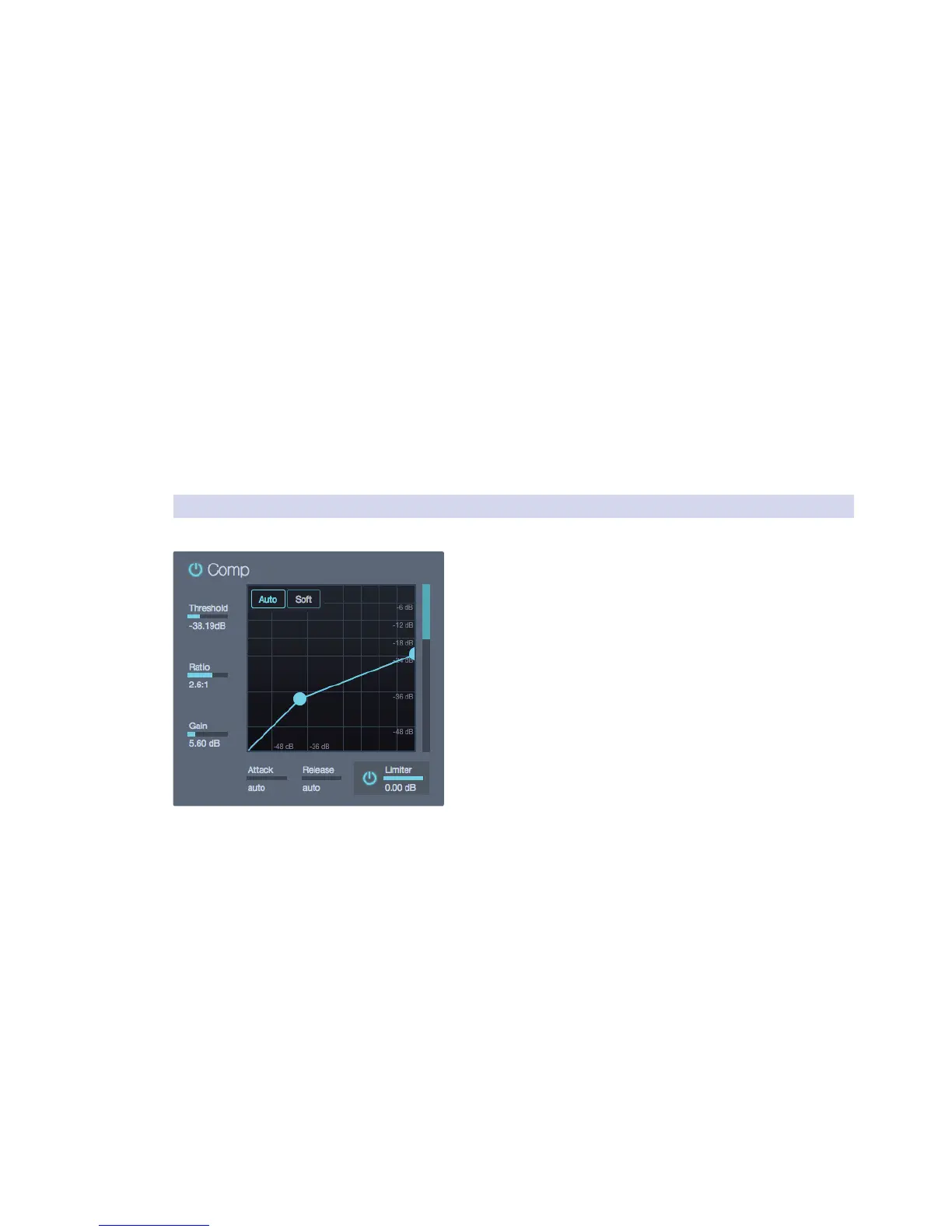
5.7.4 Compressor
The Compressor offers the following controls:
On/Off Button. This turns the compressor
on and off on the selected channel.
Threshold. This slider adjusts the compressor threshold for the
selected channel. The compressor engages as soon as the signal
level (amplitude) exceeds the threshold value. Moving this control
to the left lowers the threshold so that compression begins at a
lower amplitude value. The threshold can be set from -56 to 0 dB.
Ratio. This slider adjusts the compression ratio (or
slope) for the selected channel. The ratio is a function
of the output level versus the input level.
For example, if you have the ratio set at 2:1, any signal levels above
the threshold setting will be compressed at a ratio of 2:1. This
means that for every 2 dB of level increase above the threshold,
the compressor’s output will only increase 1 dB. The ratio can be
set from 1:1 to 18:1 or “limit” which is the equivalent of infinity:1.
Attack. This adjusts the speed at which the compressor acts on the input
signal. A slow attack time (moving the slider to the right) allows the
beginning component of a signal (commonly referred to as the initial
transient) to pass through, uncompressed, whereas a fast attack time
(fully to the left) triggers compression immediately when a signal exceeds
the threshold. You can set the attack from 0.2 to 150 milliseconds.
Release. This determines the length of time the compressor takes to return
the gain reduction back to zero (no gain reduction) after crossing below the
compression threshold. Release can be set from 2.5 to 900 milliseconds.
Power User Tip: Very short release times can produce a choppy or “jittery”
sound, especially when compressing low-frequency instruments such as
bass guitar. Very long release times can result in an over-compressed, or
“squashed,” sound. All ranges of release can be useful, however, and you
should experiment to become familiar with different sonic possibilities.
Makeup Gain. This sets and displays the makeup gain
of the compressor for the selected channel.











 To Next Page