30
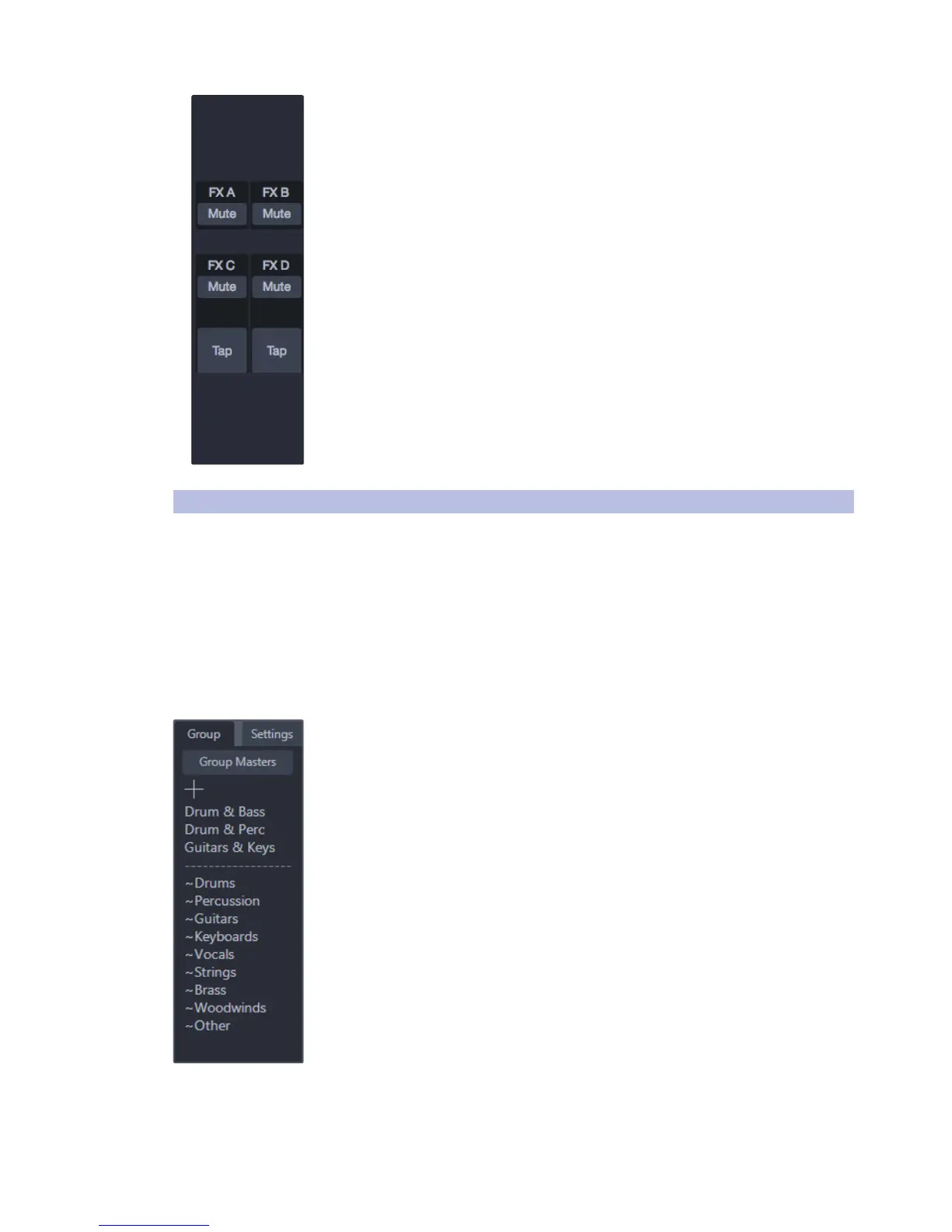
FX Settings. This area provides quick access to all FX mutes and Tap Tempo buttons
for the delay effects on the selected FX mix bus. Refer to Flex Fader Channel Strip for
information about the available features for FX mix buses.
5.5 Filter DCAs
Filter DCAs are a new breakthrough for navigating and controlling
a mix. A Filter DCA group can contain any combination of
the available input and effects-return channels.
Selecting a Filter DCA changes the context of the channel view to only
show the channels belonging to that group. When a filter group is selected,
the Flex fader changes context to act as a DCA (Digitally Controlled
Amplifier) that adjusts the relative level of all channels in the group.
Filter DCAs stay active until exited, allowing the user to address
the group independently across different mixes. Users can also flip
between groups on the fly to change the view of a selected mix.
Creating Filter DCAs.
There are two ways a Filter DCA can be created.
Automatically-created Filter DCAs. When channels are identified using Channel
Type icons, UC Surface automatically creates a Filter DCA group based on that
information. For example, if a channel is identified using a kick-drum icon, a
Drum group will be added to the Filter DCAs list that includes that channel.
Any other channels identified with Channel Types in the Drums category will
be added to the Drums Filter DCA. Auto Filter DCAs are displayed with a “~” in
front of their names and will appear at the bottom part of the Filter DCA list.
User-created Filter DCAs. You can create new filter groups from scratch or by editing
an existing Auto Filter DCA. Any number of channels can be added to a group, and
you can create as many groups as you wish. User-created groups will always be
shown at the top of the Filter DCA list above the automatically generated groups.
“+” button. This button will add a new Filter DCA to the system with Edit mode
enabled, which allows you to add channels to the group.











 To Next Page