31
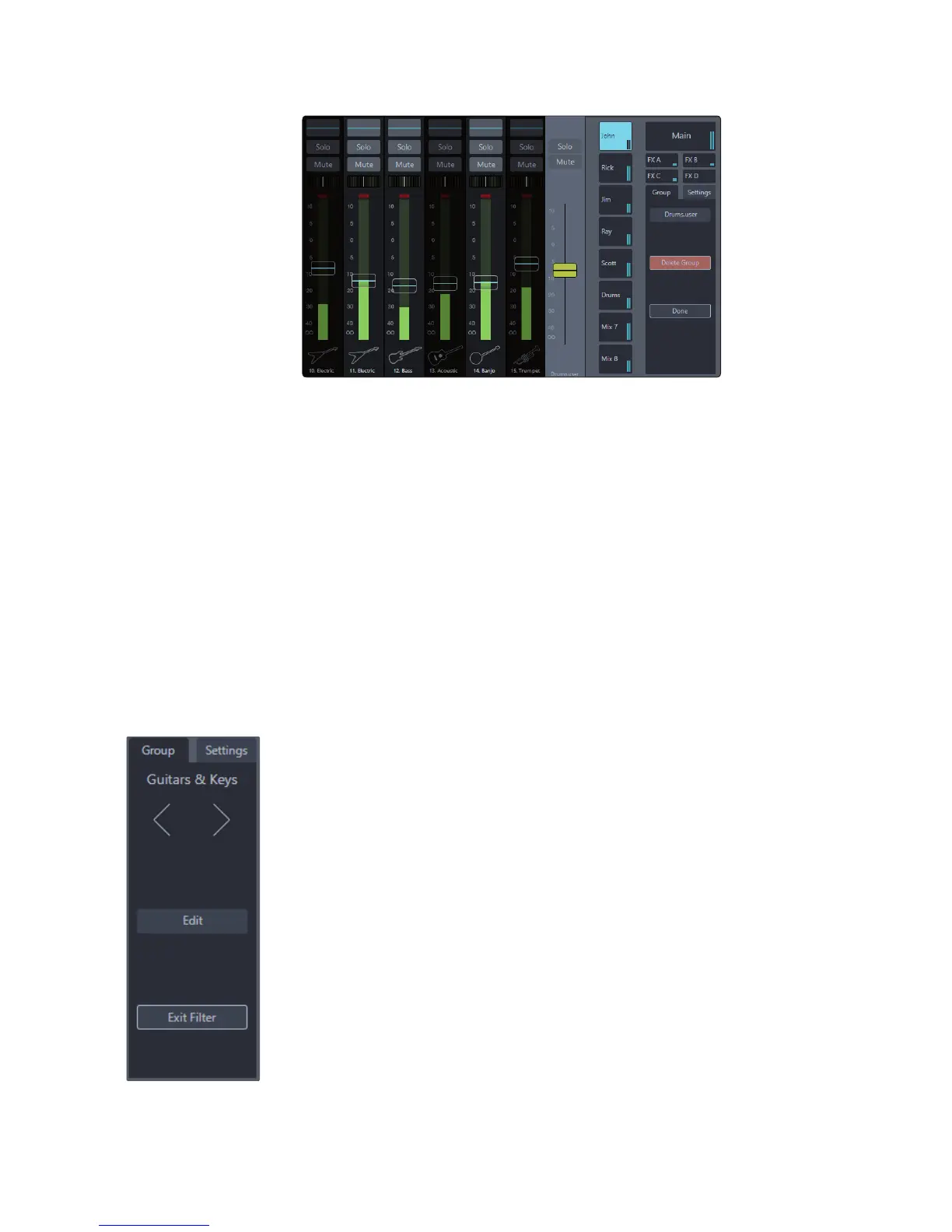
Group Edit Mode.
Name. Selecting this area will allow you to rename the group’s default name.
Channel Selection. Select any channels you wish to add to the group.
Channels that are not in the group will display as dark in the scroll
view. Channels added to the group will display normally.
When all the desired channels are added to the group, press the
Done button to exit Group Edit mode. The group will be applied, and
only the channels that belong to that group will be shown.
Delete Group. To delete a group, enter Group Edit mode and select
the Delete Group button. You’ll be asked to confirm the deletion; once
confirmed, the selected group will be removed from the Filter DCA list.
Using Filter DCAs.
To access Filter DCAs, select the Groups tab in the mix-selection area.
All groups that have been created will appear in the Filter DCA list.
When you select the name of a group in this list, only channels that
belong to the selected group will be seen in the Mix view.
The group list area and Flex fader will change context to
address the selected group in the following ways.
Active Group Area.
Group name. Displays the name of the selected group.
“< >” buttons. These buttons allows you to navigate between
groups while the filters are still applied to the mix view.
Edit. This button enters Group Edit mode, allowing you to add channels
to, or remove channels from, the selected group. If an automatically
created group is selected, UC Surface will make a copy of the group
and add it to the group list, leaving the original group unedited.
Exit Filter. Exits Filter DCA mode and returns to the full 32-channel Mix view.











 To Next Page