38
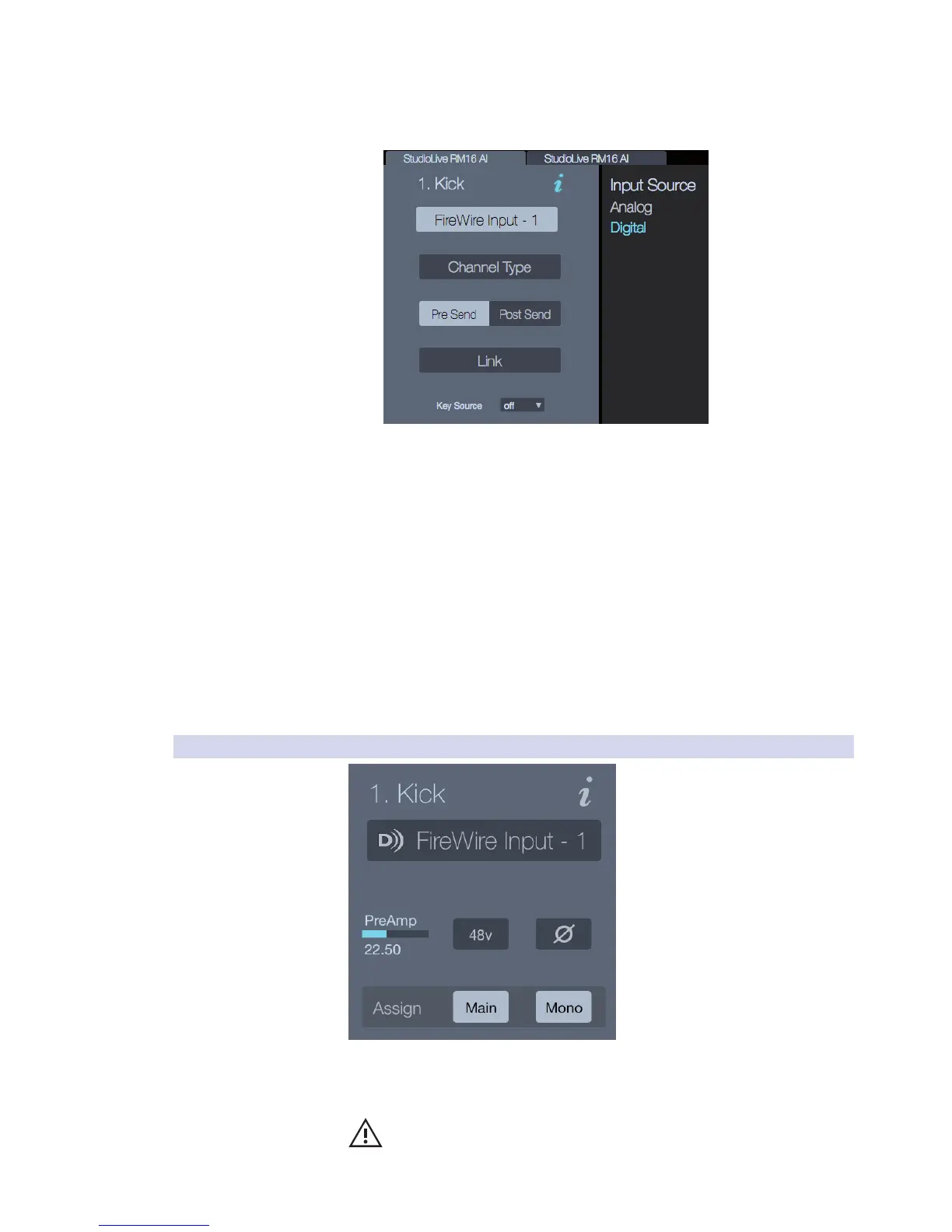
Channel Tagging. In addition to setting the channel icon and name,
selecting a Channel Type “tags” the channel, which lets you filter things
like presets so that only common or relevant channel types are shown.
Source Select. This is used for selecting the (input) signal
source. For example, you can choose the local analog mic
input, or a digital input from the FireWire card.
Digital Pre/Post Send. This selection switches the digital send for
the selected channel between pre-and post-Fat Channel.
Channel Link . This feature gives you the ability to link the selected
channel to an adjacent channel. If the selected channel is an odd-
numbered channel (1, 3, 5…), linking will occur with the next even-
numbered channel. If the selected channel is an even channel (2,
4, 6…), linking will occur with the previous odd channel.
Key Input Source. This drop-down menu selects the available sound
source that will trigger the sidechain input and open the gate.
Note: Once you’ve set up the Channel Options, the information is
saved within the StudioLive RM mixer hardware and is made available
to any software application that’s controlling the mixer.
5.7.2 Channel Input
Preamp. This adjusts the preamp level (input gain) for the selected channel.
+48V Button. When active, this button provides 48V phantom
power for the microphone input on the selected channel.
WARNING: Phantom power is required for condenser microphones but can
severely damage some dynamic mics, especially ribbon mics. Therefore, switch
phantom power off for all channels where it is not required.











 To Next Page