24
5.0 A Tour of UC Surface Features
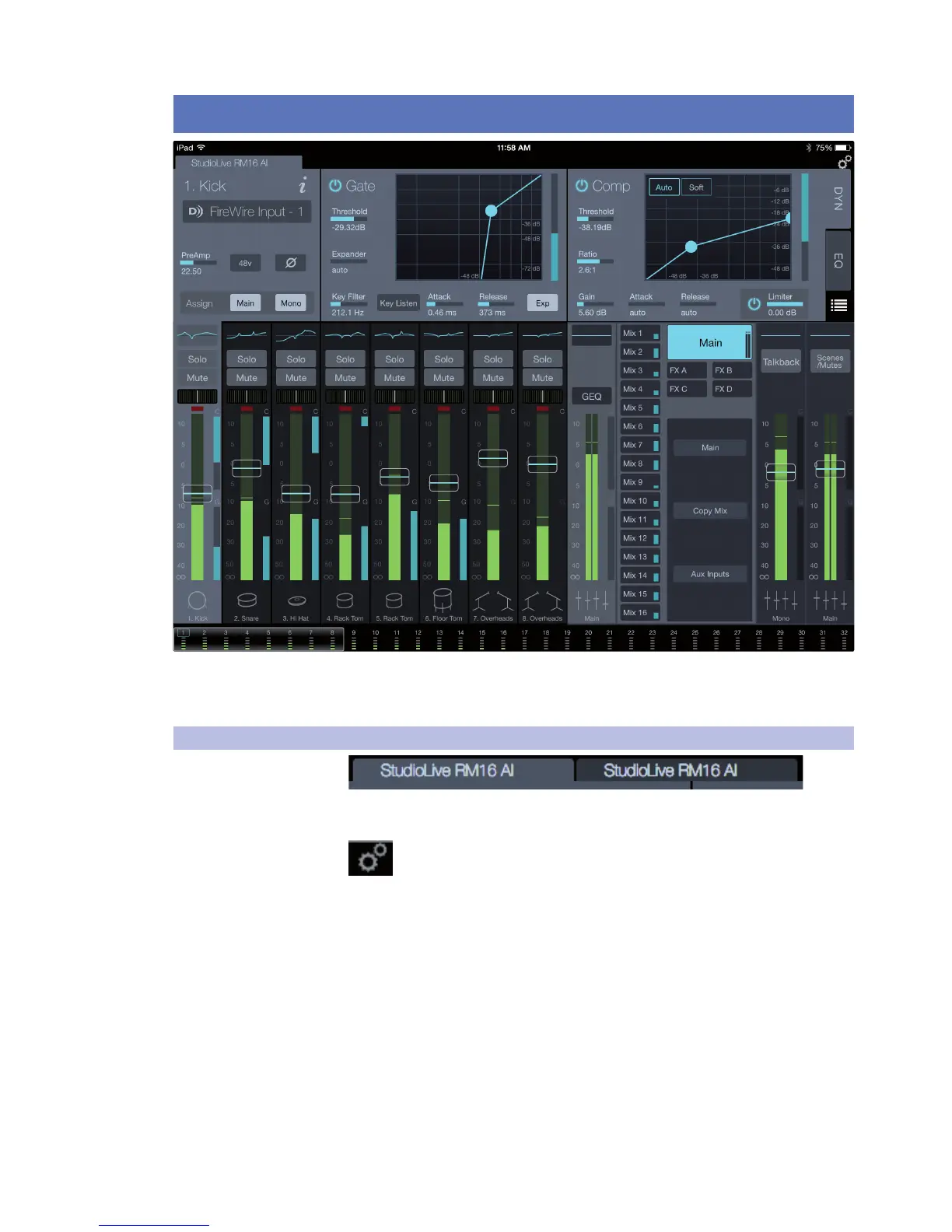
StudioLive RM32AI and RM16AI are controlled with the UC Surface mix-control
application, which is designed specifically for live mixing. All primary mixing
functionality is at your fingers without navigating complex views or deep menus.
5.1 UC Surface Settings
Connected Device Tabs. These tabs switch between different mixers available
for control on the network. Selecting a tab opens the associated mixer control.
Settings Button. This button opens the Mixer Settings screen, where you
can configure global mixer settings such as sampling rate, permissions, wireless
network settings, and more.











 To Next Page