A26361-K878-Z102-2-7619 37
Hardware Installation Connecting the Server to the Line Voltage
I Some of the devices that can be connected may require special drivers
(see the documentation for the connected device).
Ê Connect the desired devices to the server.
Connecting the keyboard, mouse and monitor (if desired)
Ê Connect the monitor, keyboard and mouse to the standard ports of the
server (see table and figure 14 on page 36).
Ê Connect the power cable of the monitor to the mains socket strip of the rack.
I The rated current for the monitor can be found on the technical data label
on the monitor or in the operating manual for the monitor.
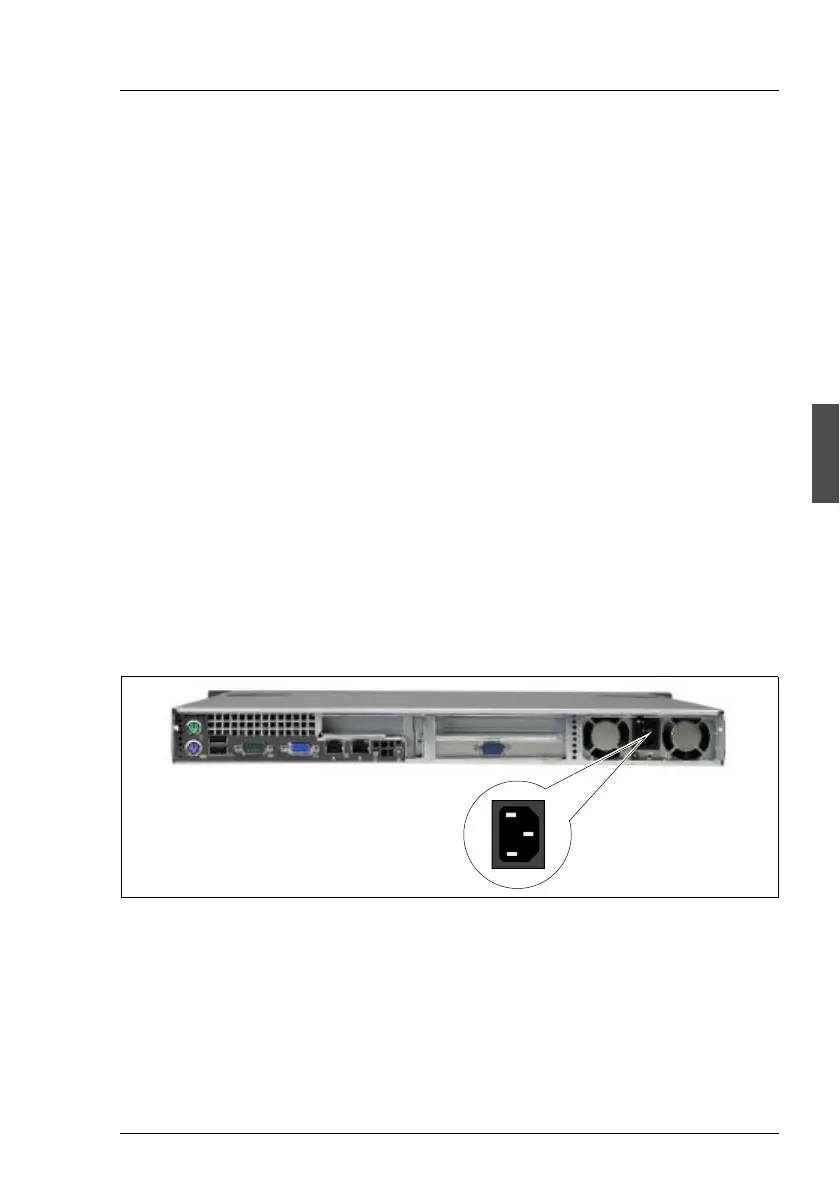
4.5 Connecting the Server to the Line Voltage
The server has a fixed power supply unit.
V CAUTION!
The installed power supply unit automatically sets itself to a voltage in the
range of 100 V to 240 V. Make sure that your local voltage is within this
range.
Figure 15: Connecting the Server to the Line Voltage
Ê Connect the insulated connector of the power cable to the power supply unit
of the server (1), and the power plug into the mains socket strip of the rack
(see Technical Manual of the rack).
1



 To Next Page