46 A26361-K878-Z102-2-7619
Operating and Indicator Elements Preparation for Use and Operation
5.3.2 The Rear Side
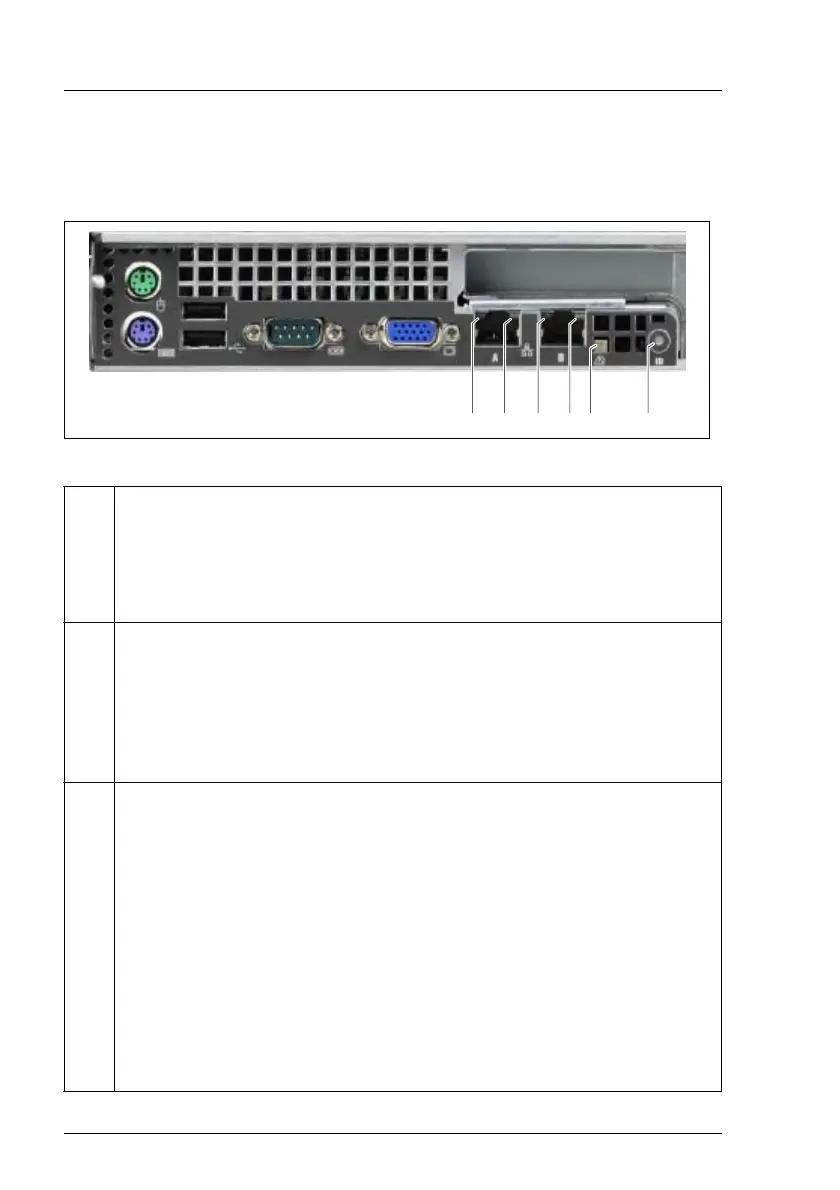
Indicators on the connection panel
Figure 18: Connection panel: indicators
1 LAN active indicator (green)
Flashes green when a LAN transfer occurs.
Does not light if there is no LAN connection available.
Lights if there is LAN connection available.
2 LAN connection indicator (dual color)
Lights amber for a LAN transfer rate of 1 Gbps.
Lights green for a LAN transfer rate of 100 Mbps.
Does not light for a LAN transfer rate of 10 Mbps or if there is no LAN
connection available.
3 Global Error indicator (orange)
Does not light when the system is ok. No service incident or critical event
has occurred.
Flashes orange when a critical event has occurred. Users can check
BIOS Setup, system- and eventlog or via ServerView for event details. The
indicator also flashes in standby mode.
Lights orange when a prefailure event has been recognized. Users can
check system- and eventlog or via ServerView for event details. The
indicator also lights in standby mode.
If the event is still acute after a power failure, the indicator is activated
after the restart.
112234



 To Next Page