■ Set the outside mirror in the desired posi-
tion using the rocker switch: the position at
the rocker switch corresponds to the mirror
movement (up/down, left/right)
Window and outside mirror heating
The
windows (front, rear and side windows) and outside mirrors can be heated to also ensure opti-
mum visibility, even in harsh weather conditions.
Switch on:
■ Press the respective push-button on Keyboard 1 to switch on the heaters.
➽
See "Keyboard 1" (p. 56)
The
switching on and off times of the front windscreen and rear window heaters can be set in the
menu level "Operation" (menu item "Driver's cab operation").
The heaters only function when the engine is running.
Windscreen wiper heating
The windscreen wipers can be heated and are thus able to provide the best possible visibility even in
harsh weather conditions. The heating of the windscreen wiper blades is independent of the heated
windows and from the driver's cab heating.
Switch on:
■ Press the respective push-button on Keyboard 1 to switch on the heater.
➽
See "Keyboard 1" (p. 56)
The heating only functions when the engine is running.
In
order to prevent overheating of the wiper blades, it is recommended to only leave the heating
switched on for as long as is necessary.
Driver's cab heating and ventilation
The heating and ventilation in the driver's cab is controlled using the heating operating panel on the
display.
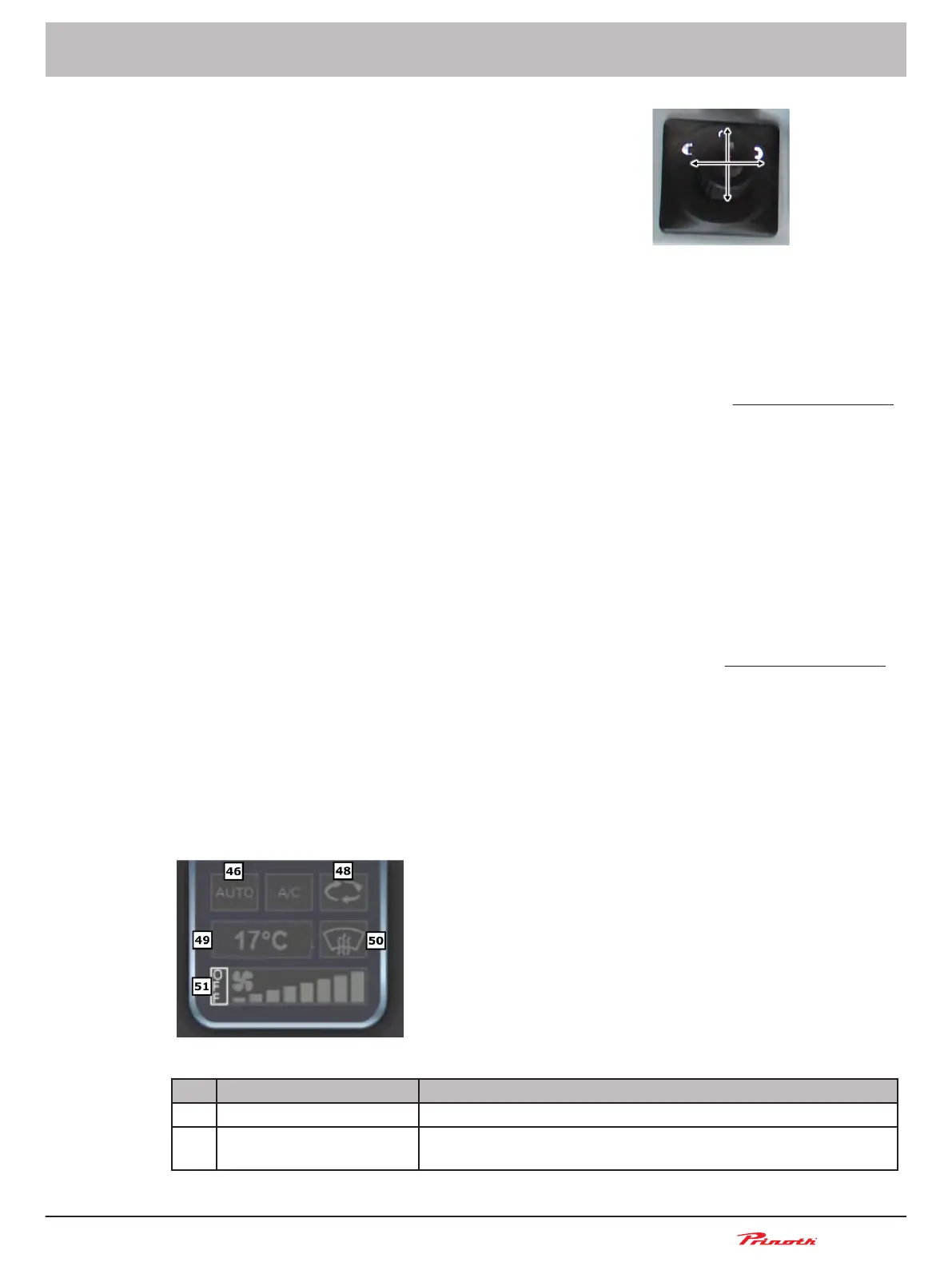
Figure 19: Heating operating panel on the display
Pos. Name Description
46 Heater control Automatic or manual
48 Driver's cab recirculated
air
ON - OFF
Snow groomer BISON
Operating and Maintenance Manual
BISON 908930245 - 30367
5 - Vehicle
65 (255)
5.9.7
■
5.9.8
■
5.10



 To Next Page